
At a glance
- Radio protocol
- Jeweller
- Radio range
- Up to 1,700 m in open space
- Battery life
- Up to 7 years
- Battery
- 2 x CR123A, pre-installed
- Operating temperature
- 0 °C to +50 °C
- Installation
- Indoor only, recommended height 1.4 m
In the box
- ManualCallPoint (Blue) Jeweller button
- SmartBracket mounting panel
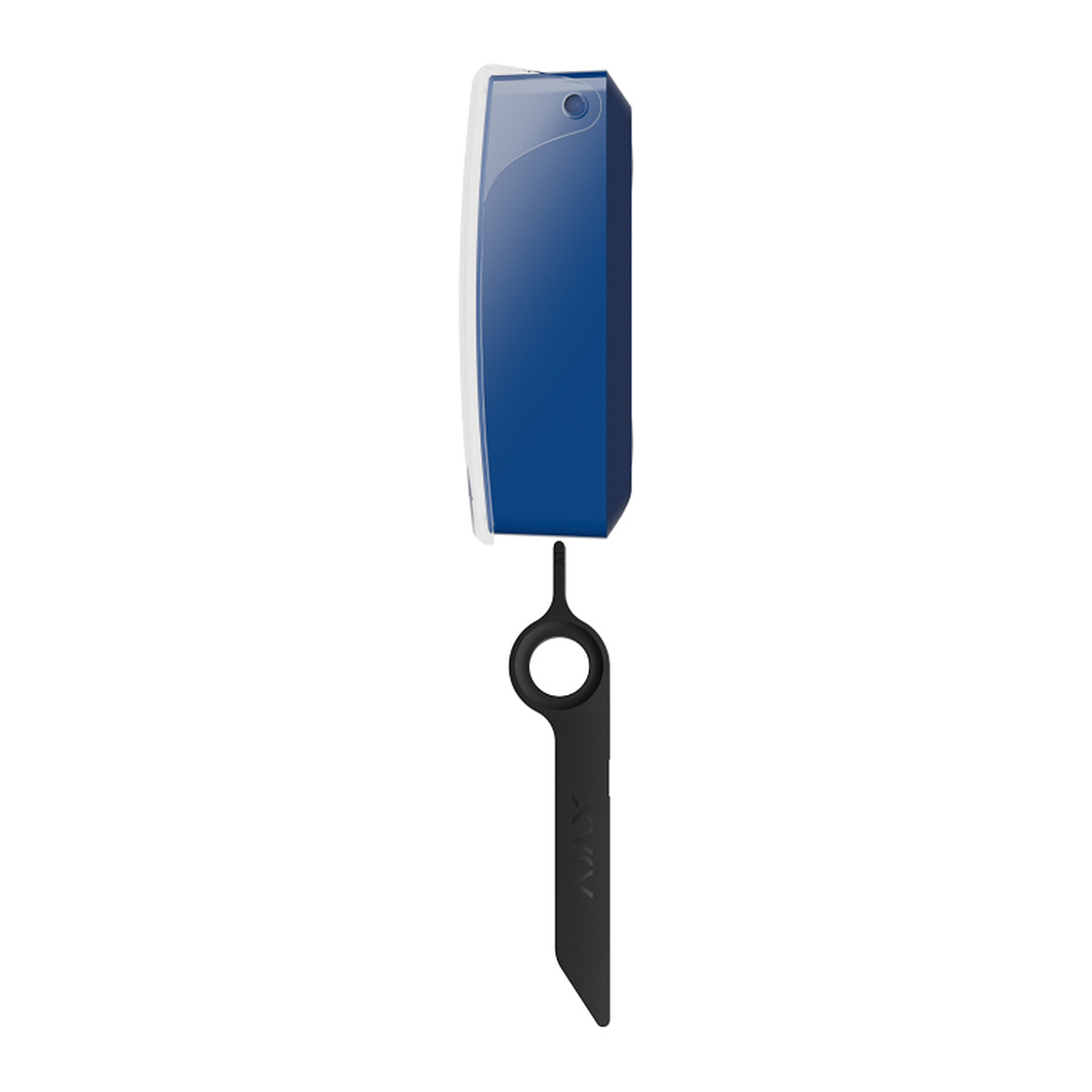
- Special tool (key)
- 2 x CR123A battery (pre-installed)
- Installation kit
- Quick start guide

Ajax ManualCallPoint (Blue) Jeweller wireless resettable call point, scenario trigger
₹12,143 Incl. GST
₹10,291 + 18% GST
At a glance
- Radio protocol
- Jeweller
- Radio range
- Up to 1,700 m in open space
- Battery life
- Up to 7 years
- Battery
- 2 x CR123A, pre-installed
- Operating temperature
- 0 °C to +50 °C
- Installation
- Indoor only, recommended height 1.4 m
Wall button that runs Ajax automations by default, such as releasing an exit lock or cutting power to equipment, and can be set to raise alarms instead. Resettable element reset with a key, clear lid against accidental presses; needs an Ajax hub.
- WarrantyManufacturer warranty under Ajax's terms: 2 years. Warranty claims
- DeliveryPrice, availability and delivery charges are confirmed in your quotation. Shipping and delivery
- InstallationIndoor only, recommended height 1.4 m
Overview
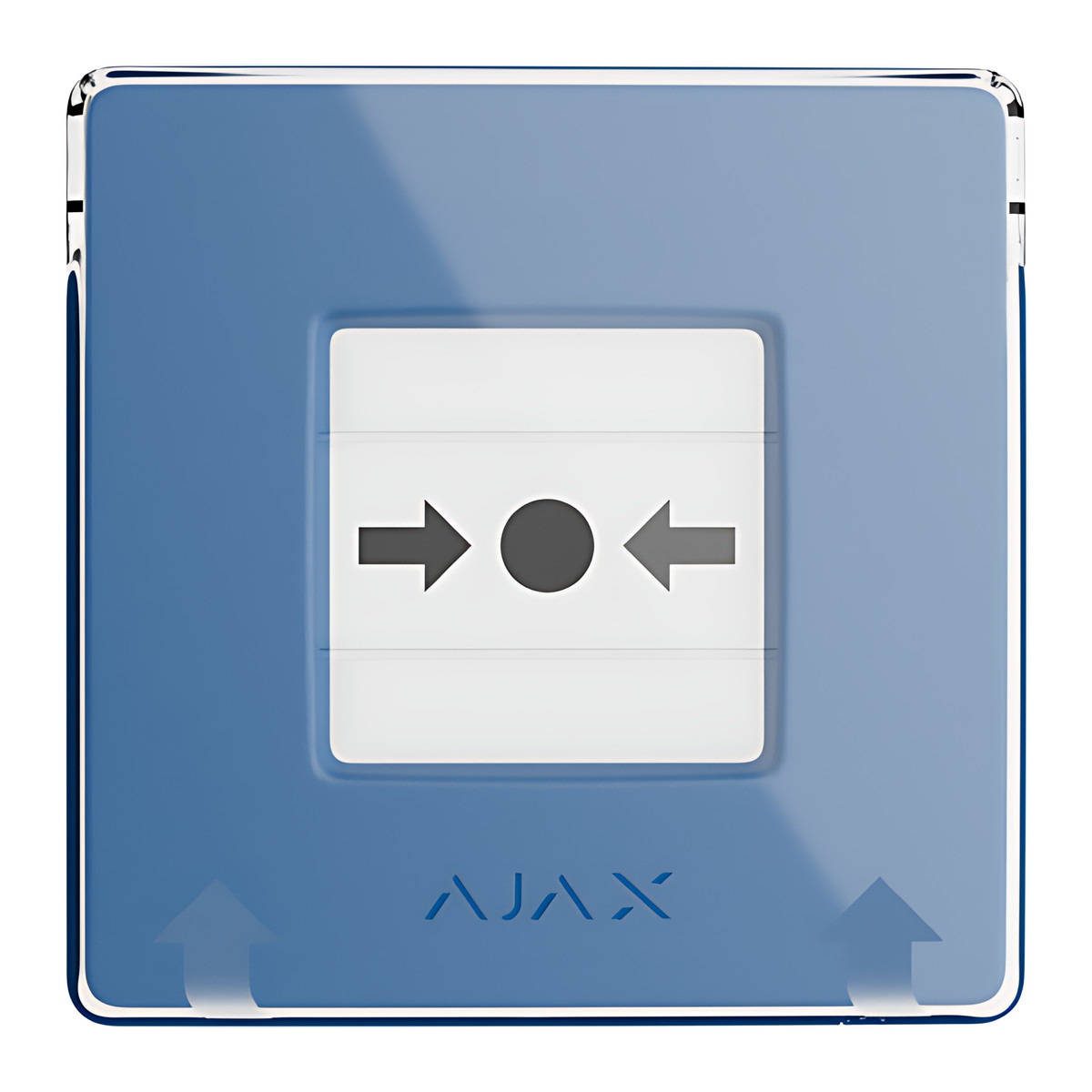
The Ajax ManualCallPoint (Blue) Jeweller is a wall button in the familiar call point format that, out of the box, runs Ajax automations rather than raising a fire alarm. A press switches Ajax automation devices on or off, for example releasing an electric lock on an exit or cutting power to equipment, and it can be set to raise alarms instead. It suits exits, workshops, kitchens and plant rooms in offices, shops and schools on an Ajax system.
Is it right for you?
- It suits a place where people need a clear, protected wall button to trigger something: an exit release, an emergency power cut, a gate.
- Choose blue when the button is not for fire. Ajax builds every colour with the same functions, but the red version starts in fire alarm mode and is the one certified to EN 54-11.
- It is for indoor walls at 0 to 50 °C.
- It works with Hub (4G), Hub 2, Hub 2 (4G), Hub 2 Plus and the ReX and ReX 2 range extenders, but not with Hub (2G) Jeweller.
Key features
- Seven operating modes: scenario trigger (the default), fire alarm, auxiliary alarm, panic button, gas leak, malfunction and water leak.
- Resettable element: a press pushes the centre inward and two yellow stripes show it has been used; the supplied key resets it for reuse.
- Transparent lid to prevent accidental presses.
- Alarm transmission to the central monitoring station (CMS) is off by default and can be enabled in the button settings.
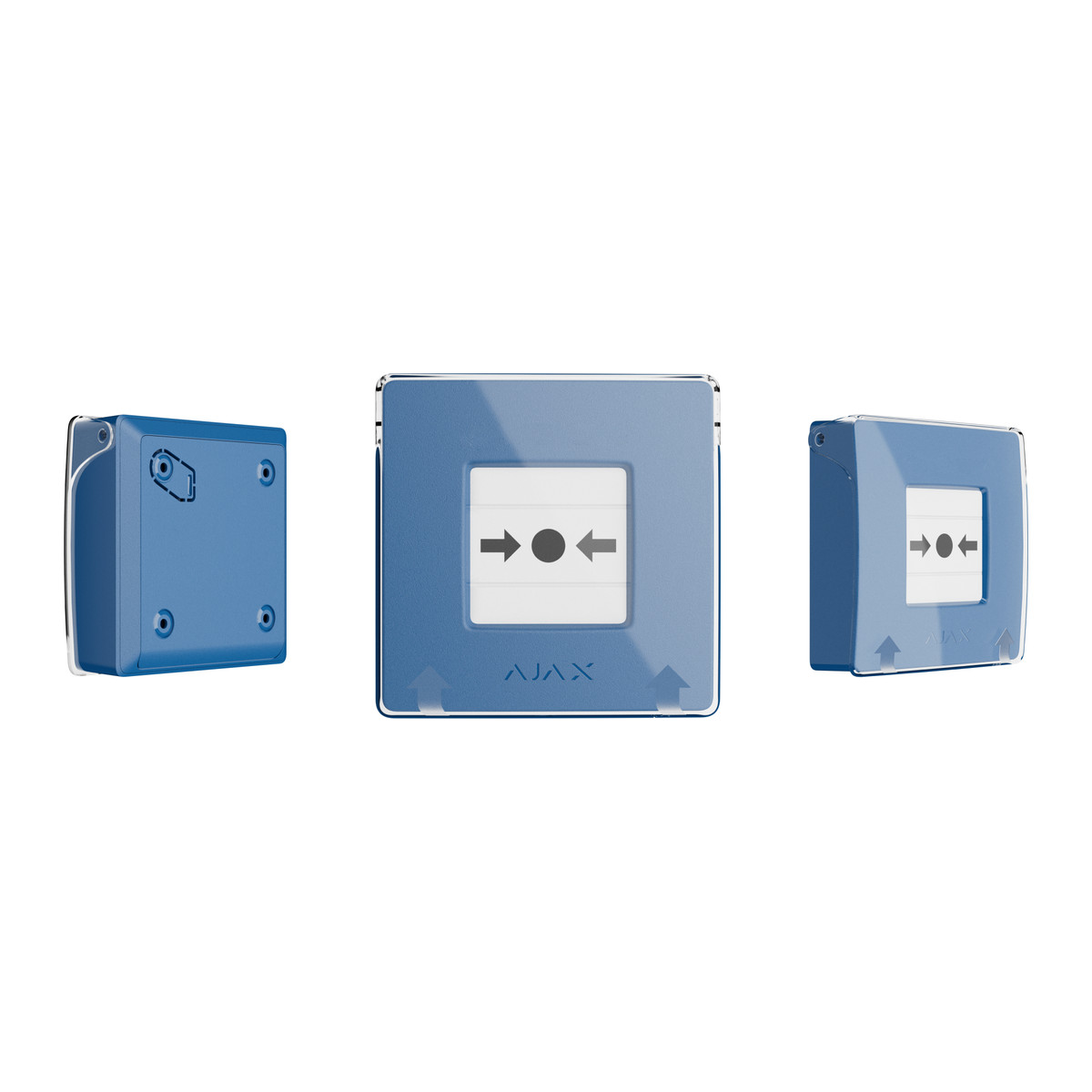
- Tamper alarm if the button is pulled off the SmartBracket panel, and an indicator light on activation or malfunction.
- Two pre-installed CR123A batteries rated up to 7 years at one 1-minute press a week.
- Jeweller radio up to 1,700 m to the hub or range extender in open space, with communication loss detection after 36 s.
What else you need
An Ajax hub from the compatible list, on up-to-date OS Malevich, and the Ajax app. For scenario trigger mode you need the Ajax automation devices it will control, such as a Relay, WallSwitch or Socket.
Installation
Fit it indoors on the SmartBracket mounting panel at about 1.4 m in an easy-to-reach spot. An Ajax installer can position it, add it to the hub and build the scenarios it triggers. The supplied key resets the element after a press and releases the button from its panel.
Software and licences
The operating mode, scenarios and CMS transmission are set in the Ajax app.
Before you buy
- Not compatible with Hub (2G) Jeweller.
- Indoor use only, 0 to 50 °C and up to 80% humidity.
- By default a press runs scenarios and is not sent to the monitoring station; change the mode in the app if you want an alarm.
- This is the blue version; for a fire alarm call point choose the red version.
Features
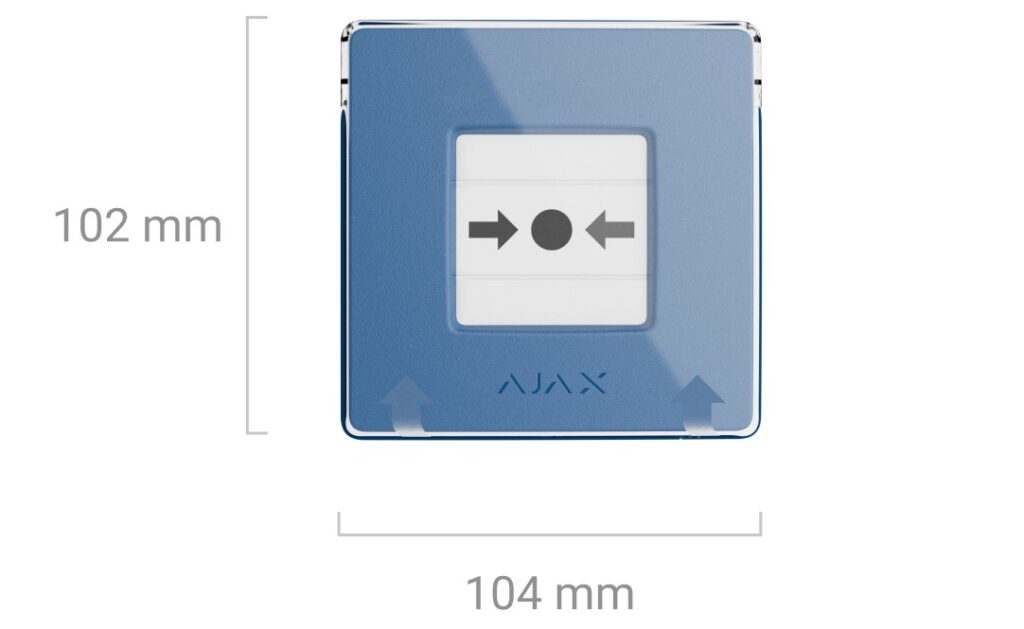
Size and fit
- Installation
- Indoor only, recommended height 1.4 m
- Dimensions
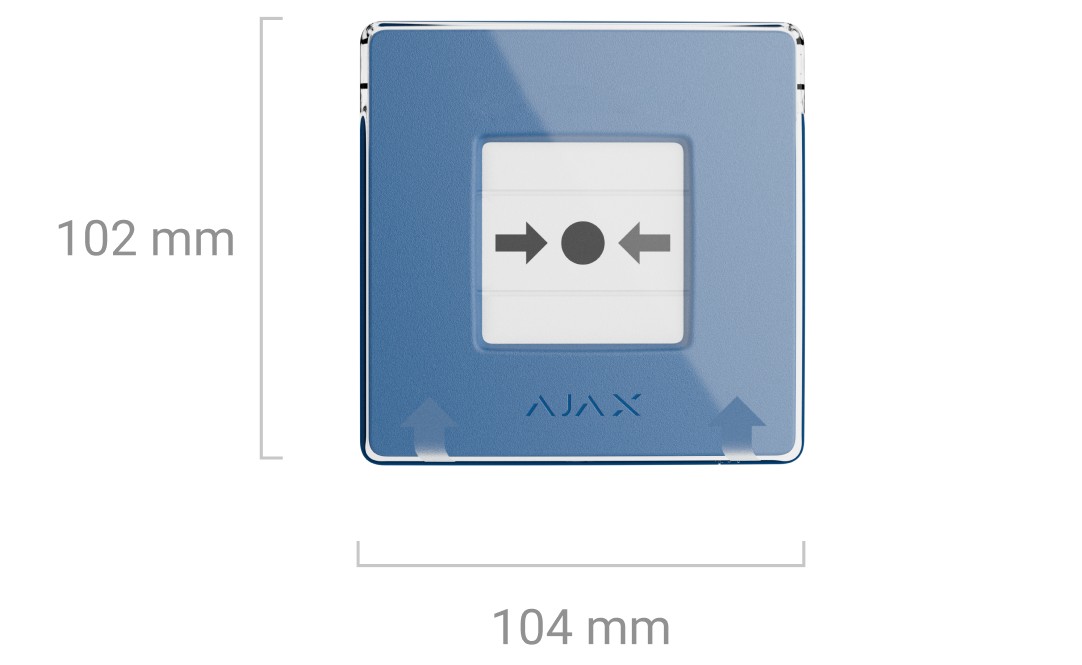
- 102 x 104 x 39 mm
- Weight
- 214 g
Technical specifications
Key facts
- What is it?
- Panic buttonBrand Ajax
- How is it powered?
- 2 x CR123A, pre-installed
- Can it be used outdoors?
- Indoor
- What comes in the box?
- ManualCallPoint (Blue) Jeweller button; SmartBracket mounting panel; Special tool (key); 2 x CR123A battery (pre-installed) and 2 more
- Which documents are available?
- Software (2), certificate, datasheet, user manual Open documents
- Can SecurityGearHub help with installation?
- Setup guidanceManuals, wiring guides and answers to setup questions. On-site work is arranged separately where available. Ask about installation
RelatedGuideWireless alarm system guideDocumentsAll Ajax documents
General
- Device type
- Wireless resettable button with programmable scenarios
- Default operating mode
- Scenario trigger
- Operating modes
- Scenario trigger, fire alarm, auxiliary alarm, panic button, gas leak alarm, malfunction alert, water leak alarm
- Alarm transmission to CMS
- Disabled by default (can be enabled in button settings)
- Activation
- Resettable frangible element, reset with supplied key
- Accidental press protection
- Transparent lid
- Radio protocol
- Jeweller
- Radio range
- Up to 1,700 m in open space
- Communication loss detection
- After 36 s (depends on Jeweller settings)
- Installation
- Indoor only, recommended height 1.4 m
- Hub requirement
- Ajax hub with up-to-date OS Malevich; not compatible with Hub (2G) Jeweller
- Compatible with
- Hub (4G), Hub2, Hub2 (4G), Hub2 Plus, ReX, ReX2
- Complete set
- Button, SmartBracket mounting panel, special tool (key), 2 x CR123A (pre-installed), installation kit, quick start guide
- Manufacturer part number
- 84233
Input
- Battery
- 2 x CR123A, pre-installed
- Battery life
- Up to 7 years (one 1-minute press per week)
Protection
- Tamper alarm
- Yes
Environment
- Operating temperature
- 0 °C to +50 °C
- Operating humidity
- Up to 80%
Physical
- Dimensions
- 102 x 104 x 39 mm
- Weight
- 214 g
- Colour
- Blue
- Warranty
- Manufacturer warranty under Ajax's terms: 2 years. How claims work
Product attributes and shipping details
| Brand | Ajax |
|---|---|
| Alarm Technology | Jeweller |
| Environment | Indoor |
Downloads
Download software
- Ajax Security System (iOS)Version 3.59 · iOS 18.0+ · Released October 28, 2026Prerequisites: Compatible Ajax hub; Ajax account; Device is added to a compatible Ajax hub and configured in Ajax apps (hub required)Licence: Free; account requiredSoftware · Family · apps.apple.comView official download page
- Ajax Security System (Android)Android · Released November 9, 2026Prerequisites: Compatible Ajax hub; Ajax account; Device is added to a compatible Ajax hub and configured in Ajax apps (hub required)Licence: Free; account requiredSoftware · Family · play.google.comView official download page
Documentation
- ManualCallPoint (Blue) Jeweller technical specificationsDatasheet · This model · ajax.systemsView official page
Certificate and compliance document (1)
- Ajax ManualCallPoint (Blue) Jeweller EU declaration of conformityCertificate · This model · ajax.systemsView official page
User manual
- ManualCallPoint Jeweller user manualUser manual · This model · support.ajax.systemsView official page
Series documents can differ from your exact model. Report a wrong or missing file
Works with this product
Relevant accessories
- Ajax Hub 2 (2G) Jeweller - BlackAJAX-24588₹30,295Add to cart
- Ajax Hub 2 Plus Jeweller - BlackAJAX-24591₹51,787Add to cart
- ₹12,143Add to cart
Questions about this product
What is the difference between the blue and red versions?
The functions are the same, but the blue version starts in scenario trigger mode with monitoring station transmission off, while the red version starts in fire alarm mode and is the one certified to EN 54-11.
What can it switch?
Ajax automation devices in a scenario, for example an electric lock on an exit or the power to a machine.
Does it need an internet connection?
No. It talks to your Ajax hub by Jeweller radio.
What happens after it is pressed?
The centre stays pushed in with two yellow stripes showing. Insert the supplied key to reset it.
How long do the batteries last?
Up to 7 years on the two pre-installed CR123A batteries, at one 1-minute press a week.
Can it be fitted outdoors?
No. It is for indoor use only, at 0 to 50 °C.
Ask about this modelSetup, compatibility, what is in the box
Answers are automated. Do not enter personal or account details.
Looking for an alternative?
We list alternatives only when we have checked they suit the same job. Compare other models in the category, or ask us to suggest one for your site.