
At a glance
- Operating Frequency
- 125 kHz, 13.56 MHz, 2.4 GHz Bluetooth
- Reading Distance
- Up to 60 mm for 13.56 MHz and 125 kHz cards
- Communication
- Wiegand, OSDP v2.2 over RS-485
- Protection
- IP68 weather and dust, IK07 vandal resistance
- Power Supply
- 9 to 24 V DC
- Mounting
- Asian, European or single-gang box, or flat surface
 Model EP20CQ [RNI]
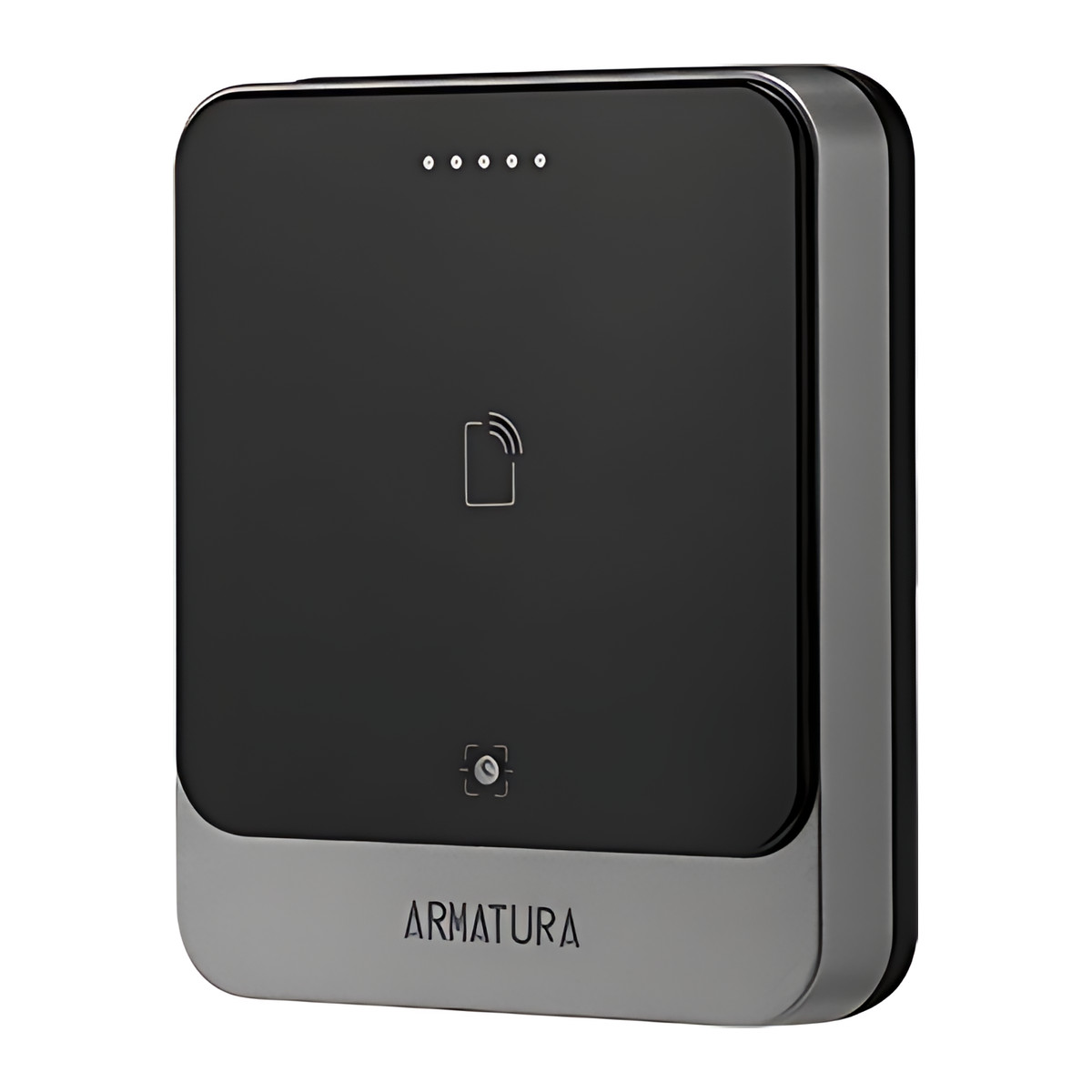
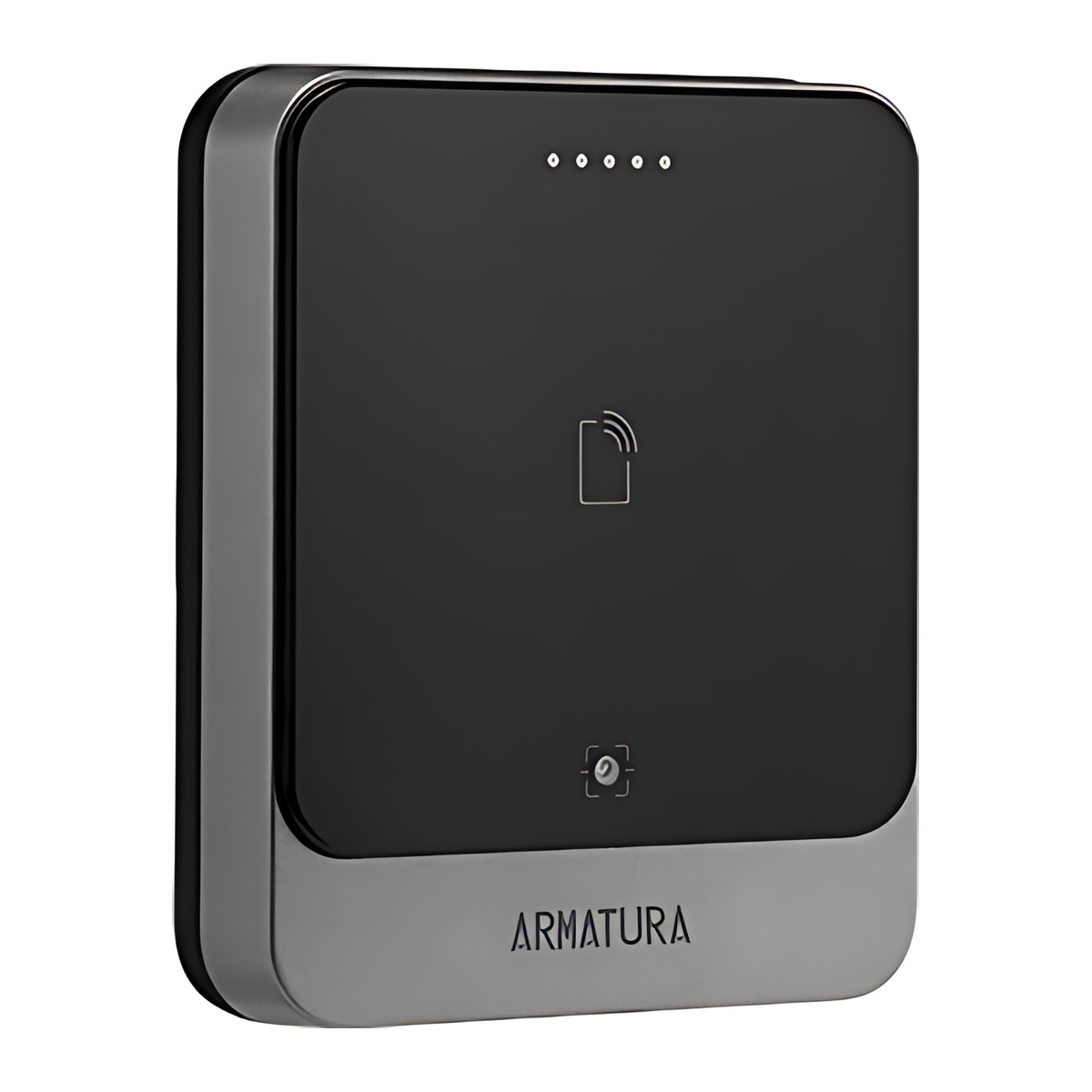
Armatura EP20CQ [RNI] Outdoor Card, Mobile and QR Code Reader, IP68
₹61,182 Incl. GST
₹51,849 + 18% GST
At a glance
- Operating Frequency
- 125 kHz, 13.56 MHz, 2.4 GHz Bluetooth
- Reading Distance
- Up to 60 mm for 13.56 MHz and 125 kHz cards
- Communication
- Wiegand, OSDP v2.2 over RS-485
- Protection
- IP68 weather and dust, IK07 vandal resistance
- Power Supply
- 9 to 24 V DC
- Mounting
- Asian, European or single-gang box, or flat surface
Weatherproof wall reader that opens a door with an access card, a phone or a QR code, useful for visitor passes at offices and residential entrances. Reads 125 kHz and 13.56 MHz cards and Bluetooth, OSDP or Wiegand, IP68. [RNI] card module.
- RNI
- The card module fitted to this version. Operating frequency: 125 kHz; 13.56 MHz (ISO 14443 A and B, ISO 15693); 2.4 GHz Bluetooth.
- WarrantyManufacturer warranty under Armatura's terms. Warranty claims
- DeliveryPrice, availability and delivery charges are confirmed in your quotation. Shipping and delivery
Overview
The Armatura EP20CQ [RNI] is a wall reader for an access control panel. It opens a door with an access card or tag, a phone or a QR code, and because it is sealed to IP68 it suits outdoor gates and entrances as well as indoor doors at offices, apartment buildings and shops. The reader itself does not decide who may enter: it passes the credential to the panel or standalone controller it is wired to. This version is supplied with the [RNI] card module.
Is it right for you?
- Suits doors and gates exposed to rain and dust: the housing is rated IP68 and the reader works from -30 to 70 °C.
- Suits a building that already has, or is getting, an access control panel with Wiegand or OSDP reader ports. It is a reader, not a standalone door controller.
- Suits entrances where visitors arrive with a QR code pass, such as office receptions and residential gates. If you also want PIN entry, the EP20CKQ adds a touch keypad.
- Suits new installations that want OSDP with a secure channel, and also older panels that only accept Wiegand.
- If staff should use a fingerprint as well as a card, the Armatura EP30CF is the fingerprint reader in the same family.
Key features
- Reads 125 kHz and 13.56 MHz cards (ISO 14443 A and B, ISO 15693) at up to 60 mm, so one reader covers both common card families.
- Bluetooth 5.2 mobile credentials at up to 10 m, with the distance configurable on each reader, so a phone can open a gate from a car or only at arm’s length.
- Area-image QR scanner (648 × 488 pixel array) with a 66° horizontal and 50° vertical scan angle, reading QR, PDF417, Data Matrix, MicroPDF417 and Aztec codes as well as common 1D barcodes.
- Wiegand or Open Supervised Device Protocol (OSDP) v2.2 over RS-485 with an up to 128-bit secure channel (SCP), AES128 encryption between reader and controller, and credential data held in an EAL6+ certified crypto chip.
- Magnetic tamper detection with a tamper alarm, so the panel is told if the reader is pulled off the wall.
- RGB LEDs and a buzzer with adjustable intensity, both set from the Armatura Connect app, and firmware updates through the app or the panel.
- Polycarbonate UL94-V0 housing, 89.8 mm wide and 107.8 mm high, mounting on an Asian, European or single-gang box or a flat surface.
What else you need
- An access control panel or standalone controller with a Wiegand or OSDP (RS-485) reader port.
- A 9 to 24 V DC supply giving at least 2.4 W per reader above 0 °C. Below 0 °C the reader needs 8 W and a separate supply.
- Cable from the reader to the panel: an RS-485 pair for OSDP, or Wiegand wiring for older panels.
- Cards or tags at 125 kHz or 13.56 MHz that match the [RNI] card module, or phones with Bluetooth for mobile credentials.
- Only if you use QR codes, you also need a way to issue them, such as a visitor system or software that produces QR passes for the panel.
Installation
An access control installer should fit it. The reader mounts on an Asian, European or single-gang back box, or on a flat surface, and is wired back to the panel over RS-485 (OSDP) or Wiegand. The installer then sets the LED colours and buzzer level in the Armatura Connect app, checks the tamper alarm at the panel and, for Bluetooth, sets the read distance for the door.
Software and licences
The Armatura Connect mobile app configures the LEDs and buzzer and can update the firmware; the panel can also push firmware. Access rights, schedules and user records live in the panel and its management software, not in the reader. No licence is stated for the reader itself.
Before you buy
- The code in the model name, here [RNI], is the card module fitted. It sets which card technologies the reader accepts, so check it against the cards or tags you already use, or tell us your card technology when you order.
- Read distances depend on the environment and the card or phone, so the 60 mm and 10 m figures are maximums, not guarantees.
- For installations that can fall below 0 °C, plan the 8 W supply from the start.
- This model has no keypad. Choose the EP20CKQ if you want PIN entry as well.
Technical specifications
Key facts
- How is it powered?
- 9 to 24 V DC
- Does it support RS-485?
- Yes
- Does it support OSDP?
- YesOSDP v2.2
- Does it support Wiegand?
- Yes
- Can it be used outdoors?
- IP68, IK07
- Which documents are available?
- Brochure, datasheet, quick start guide, software (4), online specifications Open documents
- Can SecurityGearHub help with installation?
- Setup guidanceManuals, wiring guides and answers to setup questions. On-site work is arranged separately where available. Ask about installation
- Not stated by the manufacturer
- PoE, box contents
RelatedGuideAccess control door setup checklistDocumentsAll Armatura documents
General
- Model / configuration
- EP20CQ [RNI]
- Configuration
- 1.Multi-tech RFID and Mobile Credential
2.Supports Wiegand and OSDP(RS485). 3.Connection with
panels and standalone devices
4.Ability to work in both indoor and outdoor environments.
IP68/IK06+/UL94-V0 rating
5.Asian/European/Single-gang box
6.Ability to upgrade firmware through [Armatura Connect] or
panels
7.9 V DC to 24 V DC/-22°F to 158°F /-30 °C to 70 °C
8.Tamper alarm
9.EAL 6+ Certified Crypto Chip
10.Certification:FCC,CE,UL294 (announced by the manufacturer, not yet available) - Communication
- Wiegand; OSDP v2.2 over RS-485 (up to 128-bit SCP secure channel)
- Reading Distance
- Up to 60 mm for 13.56 MHz and 125 kHz cards; up to 10 m with a Bluetooth smartphone (configurable)
- Data Protection
- AES128 between reader and controller; secure storage in EAL6+ certified crypto chip
- Indicators
- RGB LEDs and buzzer, configurable in the Armatura Connect app
- Card Module
- [RNI]
- Operating Frequency
- 125 kHz; 13.56 MHz (ISO 14443 A and B, ISO 15693); 2.4 GHz Bluetooth
- Functions
- RFID, Bluetooth 5.2 and QR code
- QR Code Scanner
- Area image, 648 × 488 pixel array; scan angle 66° horizontal, 50° vertical
- QR and Barcode Types
- QR code, PDF417, Data Matrix, MicroPDF417, Aztec, plus common 1D codes (Code 128, Code 39, EAN, UPC and others)
- Power Supply
- 9 to 24 V DC; minimum 2.4 W above 0 °C, 8 W and separate supply below 0 °C
Protection
- Tamper
- Magnetic tamper detection
Environment
- Operating Temperature
- -30 °C to +70 °C
- Protection
- IP68 weather and dust; IK07 vandal resistance
Physical
- Housing Material
- Polycarbonate UL94-V0 and UL746C (F1)
- Dimensions
- 89.8 × 107.8 × 21.9 mm
- Mounting
- Asian, European or single-gang box, or flat surface
Approvals
- Certifications
- CE, FCC, RoHS 3.0, WEEE, UL 294, IEC EN / BS EN 60839 Grade 4
- Warranty
- Manufacturer warranty under Armatura's terms. How claims work
Product attributes and shipping details
| Brand | Armatura |
|---|---|
| IP Rating | IP68 |
| Connectivity | OSDP, Wiegand, RS-485 |
Downloads
Download software
- Armatura Connect (iOS)Version 3.9 · iOS 14.1+ · Released June 24, 2026Prerequisites: Bluetooth (smartphone-based parameter configuration); LED/buzzer settings 'Configurable By Armatura Connect Mobile APP'Licence: FreeSoftware · Family · apps.apple.comView official download page
- Armatura Connect (Android)Version 1.2.9 · Android 9+ · Released October 30, 2026Prerequisites: Bluetooth; LED/buzzer settings 'Configurable By Armatura Connect Mobile APP'Licence: FreeSoftware · Family · play.google.comView official download page
- Armatura ID (iOS)Version 3.3.2 · iOS 17.0+ · Released October 30, 2026Prerequisites: Mobile credential enabled in Armatura One; Mobile credential; Armatura ID user manual listed on pageLicence: Free; account requiredSoftware · Family · apps.apple.comView official download page
- Armatura ID (Android)Version 4.0.4 · Android 9+ · Released November 3, 2026Prerequisites: Mobile credential enabled in Armatura One; Mobile credential; Armatura ID user manual listed on pageLicence: Free; account requiredSoftware · Family · play.google.comView official download page
Documentation
- Armatura EP20CQ family brochureBrochure · Family · d1agmp9y4cki1i.cloudfront.netDownload
- Explorer Series EP20C/CK/CQ/CKQ All Weather Outdoor Multi-tech Smart Reader DatasheetModels: EP20C, EP20CK, EP20CQ, EP20CKQ · Revision 20260324Datasheet · Family · armatura.usDownload
- Armatura EP20CQ [RNI] product pageOnline specifications · Family · zkteco.inView official page
User manual
- Explorer Series EP20C Series Quick Start GuideModels: EP20C, EP20CK, EP20CQ, EP20CKQ · Revision v1.0, 20220830Quick start guide · Family · armatura.usDownload
Series documents can differ from your exact model. Report a wrong or missing file
Questions about this product
Can it be used outdoors?
Yes. The housing is rated IP68 against dust and water and the reader works from -30 to 70 °C, so it can be fitted at an outdoor gate or entrance.
Does it work on its own without a panel?
No. It is a reader that sends the credential to an access control panel or standalone controller over Wiegand or OSDP. The panel or controller decides whether to open the door.
What power does it need?
9 to 24 V DC, at least 2.4 W per reader above 0 °C. Below 0 °C it needs 8 W and a separate supply.
Can staff open the door with their phones?
Yes. It reads Bluetooth 5.2 mobile credentials at up to 10 m, and the distance can be set on each reader.
Which cards does it read?
125 kHz and 13.56 MHz cards (ISO 14443 A and B, ISO 15693) at up to 60 mm. The exact card technologies depend on the [RNI] card module, so check it against your cards before ordering.
Does it have a keypad?
No. The EP20CQ reads cards, phones and QR codes but has no keypad. The EP20CKQ adds a touch keypad.
Ask about this modelSetup, compatibility, what is in the box
Answers are automated. Do not enter personal or account details.
Looking for an alternative?
We list alternatives only when we have checked they suit the same job. Compare other models in the category, or ask us to suggest one for your site.