
At a glance
- Camera
- 1/2.5 in 8 MP CMOS, 4K 30 fps output
- Field of View
- 69.5 degree, PTZ, 12x zoom
- Video Conferencing
- Built-in MCU, 5-way 1080p, 9-way 720p
- Video Outputs
- 1 x HDMI 2.0 (up to 4K, CEC), 1 x HDMI 1.4 (up to 1080p)
- Protocols
- SIP, H.323, BFCP, TIP
- Network Ports
- 1 x 10/100/1000 Mbps Ethernet
In the box
- GMD1208 wireless microphone
- Remote control
- Power supply (48 V DC 0.7 A)
- Network cable
- HDMI cable
- Mounting bracket
 Model GVC3220Current model
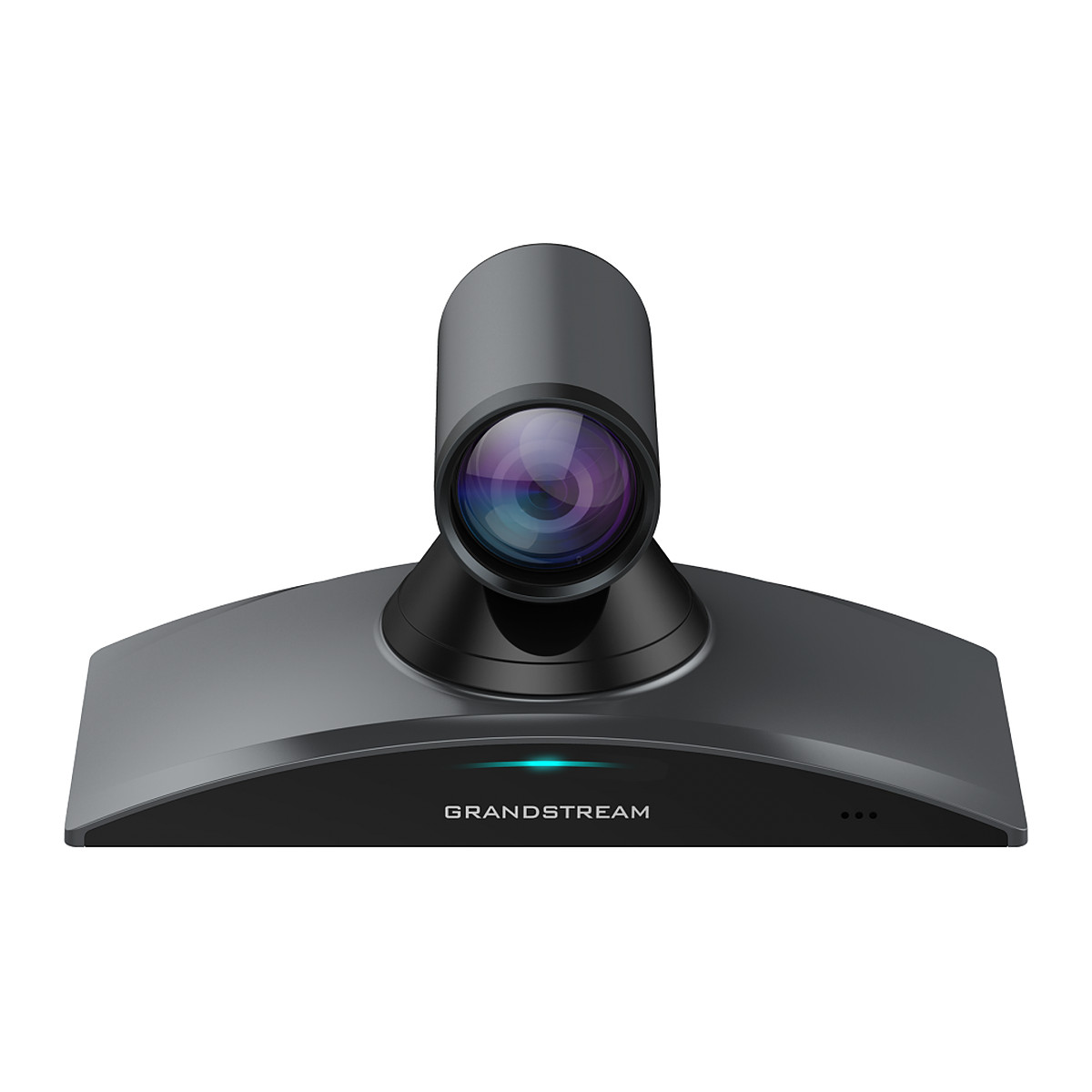
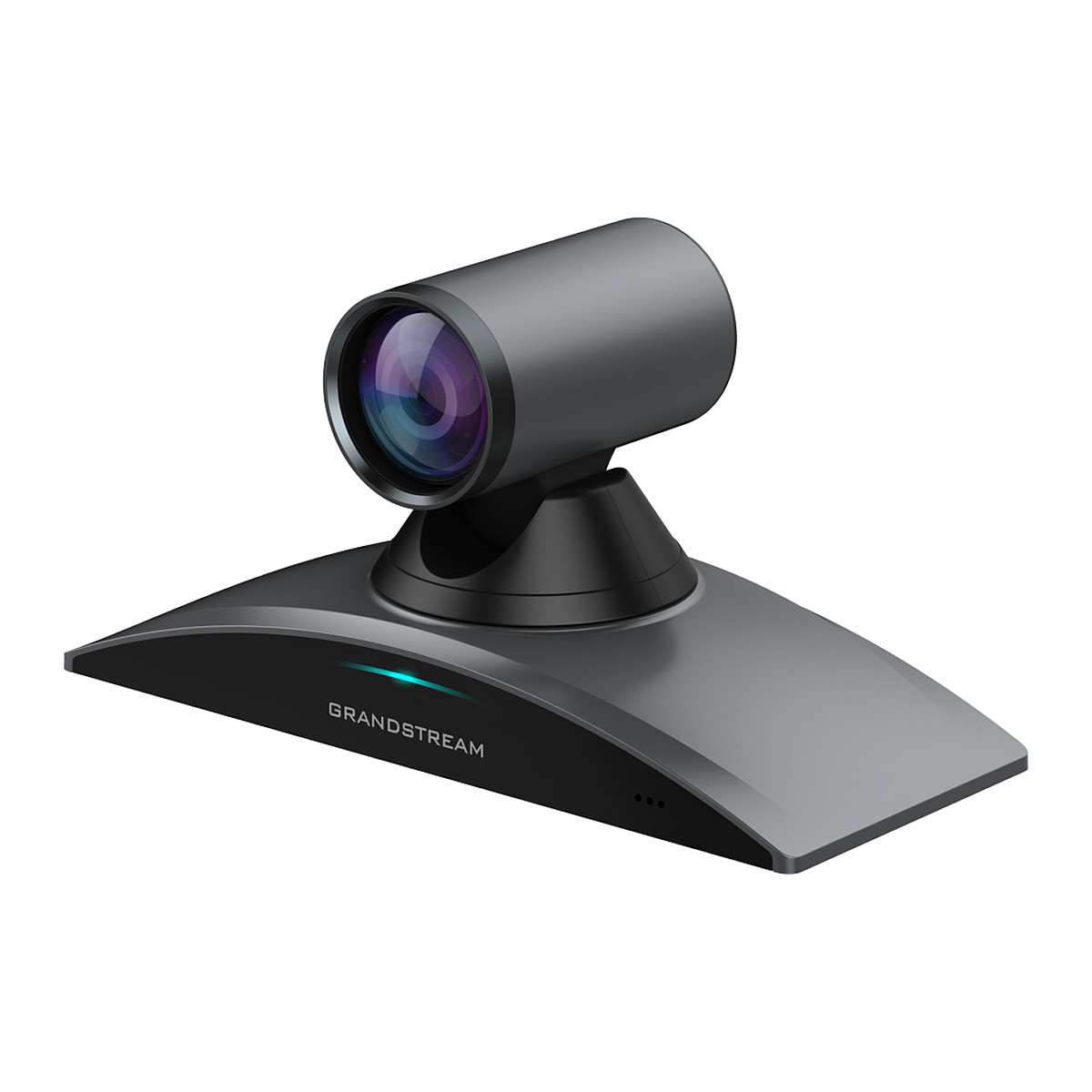
Grandstream GVC3220 4K Video Conferencing System, 12x PTZ Camera
₹377,449 Incl. GST
₹319,872 + 18% GST
At a glance
- Camera
- 1/2.5 in 8 MP CMOS, 4K 30 fps output
- Field of View
- 69.5 degree, PTZ, 12x zoom
- Video Conferencing
- Built-in MCU, 5-way 1080p, 9-way 720p
- Video Outputs
- 1 x HDMI 2.0 (up to 4K, CEC), 1 x HDMI 1.4 (up to 1080p)
- Protocols
- SIP, H.323, BFCP, TIP
- Network Ports
- 1 x 10/100/1000 Mbps Ethernet
A video conferencing system for boardrooms, meeting rooms and classrooms that join video calls and share a PC screen. 8 MP pan-tilt-zoom camera with 12x zoom, 4K HDMI output, built-in 5-way 1080p bridge and a wireless desktop microphone.
- WarrantyManufacturer warranty under Grandstream's terms. Warranty claims
- DeliveryPrice, availability and delivery charges are confirmed in your quotation. Shipping and delivery
Overview
The Grandstream GVC3220 is a video conferencing system for a meeting room: a camera unit that connects to the room’s TV or display, joins video calls and shares a PC screen. Its 8 MP pan-tilt-zoom camera with 12x zoom can frame a boardroom table or a classroom, and a wireless desktop microphone comes in the package. It suits boardrooms, conference rooms, classrooms and auditoriums.
Is it right for you?
- Suits boardrooms, conference rooms, classrooms and auditoriums that join SIP or H.323 video calls, including calls with third-party video platforms.
- The built-in bridge hosts up to 5 locations at 1080p, or 9 locations at 720p, without a separate server.
- It needs a TV or display with HDMI, and a Session Initiation Protocol (SIP) or H.323 call server or video platform to register to.
- To host meetings on Grandstream’s IPVideoTalk cloud service, you also need a paid plan with a GVC device option (GVC-Standard, or GVC-Lite on a Basic account).
Key features
- 1/2.5 inch 8 MP CMOS camera with 4K 30 fps output, 12x zoom, pan-tilt-zoom (PTZ) control and a 69.5 degree field of view.
- Built-in multipoint bridge (MCU): 5-way at 1080p or 9-way at 720p.
- SIP, H.323, BFCP and TIP protocols, with dual-stream video: people video up to 4K plus content video up to 1080p.
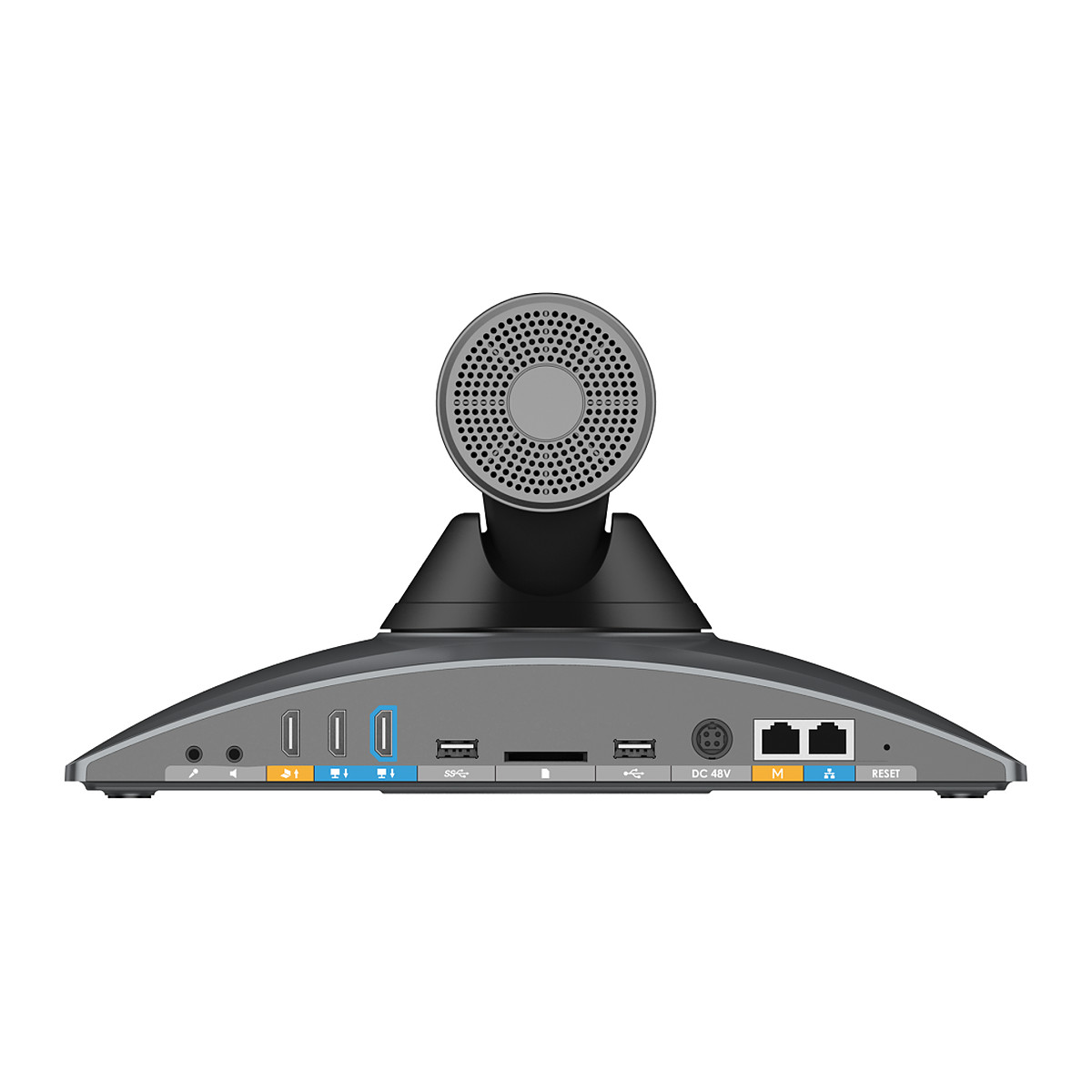
- 2 HDMI outputs (one HDMI 2.0 up to 4K with CEC, one HDMI 1.4 up to 1080p) and 1 HDMI 1.4a input for PC screen sharing up to 1080p.
- Dual-band 802.11ac Wi-Fi (2.4 GHz and 5 GHz) and Bluetooth 5.0 + EDR, plus a Gigabit Ethernet port.
- Bluetooth and infrared remote control with touchpad.
- Audio: 1 built-in speaker, line in and out, a media port, and an external Bluetooth or 2.4 GHz microphone (the GMD1208 comes in the package).
- Voice codecs G.711µ/a, G.722, G.722.1, G.722.1c, G.726-32, iLBC, Opus and G.729A/B; H.264 video. Runs Android 9.
- Ports: 1 x USB 3.0, 1 x USB 2.0 and 1 x SD card slot.
What else you need
- A TV or display with an HDMI input.
- A SIP or H.323 call server or video platform, such as a Grandstream IP PBX or a third-party video conferencing platform.
- Mains power for the power adapter that comes in the package (100 to 240 V AC input, 48 V DC 0.7 A output).
- A Gigabit Ethernet connection to the room, or a Wi-Fi network.
- Only if you host on IPVideoTalk: a paid IPVideoTalk plan with the GVC-Standard option, or the GVC-Lite option on a Basic account.
- Only for a long table: a second GMD1208 microphone, as the GMD1208 can cascade up to 2 units.
Installation
Mount the camera unit above or below the room display using the bracket that comes in the package, connect it to the display over HDMI and run Gigabit Ethernet to it. Place the wireless microphone centrally on the table. An AV or telephony installer then registers the system to the call server or video platform and sets up the room.
Software and licences
Interoperates with third-party SIP and H.323 video platforms, bridges SIP calls with Android VoIP apps, supports LDAP phonebooks, and is provisioned through TR-069 or AES-encrypted XML. Hosted meetings on IPVideoTalk need a paid plan with a GVC device option.
Before you buy
- A TV or display with an HDMI input is needed.
- The package includes a GMD1208 wireless microphone, remote control, power supply, network and HDMI cables and a mounting bracket.
- Hosting on IPVideoTalk needs a paid plan with a GVC device option; joining other platforms’ calls does not.
- Operating temperature 0 to 40 °C, so it is for indoor rooms.
Technical specifications
Key facts
- What is it?
- Conference Phones & Video ConferencingBrand Grandstream, model GVC3220
- How is it powered?
- 48 V DC
- What comes in the box?
- GMD1208 wireless microphone; Remote control; Power supply (48 V DC 0.7 A); Network cable and 2 more
- Which documents are available?
- Datasheet, quick start guide, user guide, certificate, firmware Open documents
- Not stated by the manufacturer
- PoE
- Camera
- 1/2.5 in 8 MP CMOS, 4K 30 fps output
- Field of View
- 69.5 degree, PTZ, 12x zoom
- Video Conferencing
- Built-in MCU, 5-way 1080p, 9-way 720p
- Protocols
- SIP, H.323, BFCP, TIP
- Video Outputs
- 1 x HDMI 2.0 (up to 4K, CEC), 1 x HDMI 1.4 (up to 1080p)
- Video Input
- 1 x HDMI 1.4a, up to 1080p
- Network Ports
- 1 x 10/100/1000 Mbps Ethernet
- Wi-Fi
- Dual-band 802.11 a/b/g/n/ac (2.4 GHz and 5 GHz)
- Bluetooth
- Bluetooth 5.0 + EDR
- Audio
- 1 built-in speaker, line in/out, media port; external Bluetooth or 2.4 GHz microphone
- Codecs
- Voice: G.711µ/a, G.722, G.722.1, G.722.1c, G.726-32, iLBC, Opus, G.729A/B; video: H.264
- Operating System
- Android 9
- Ports
- 1 x USB 3.0, 1 x USB 2.0, 1 x SD
- Power
- Included adapter, 100 to 240 V AC input, 48 V DC 0.7 A output
- Operating Temperature
- 0 °C to 40 °C
- Warranty
- Manufacturer warranty under Grandstream's terms. How claims work
Product attributes and shipping details
| Brand | Grandstream |
|---|---|
| WiFi Standard | Wi-Fi 5 (802.11ac) |
| Connectivity | Bluetooth, SIP, Wi-Fi |
Downloads
Documentation
- GVC3220 DatasheetDatasheet · This model · 552.8 KBDownload
Certificate and compliance document (1)
- EU Declaration of Conformity No 315, GVC3220Certificate · This model · 182.9 KBDownload
User manual
- GVC3220 User GuideUser guide · This model · 9.4 MBDownload
Installation guide
- GVC3220 Quick Installation GuideQuick start guide · This model · 11.6 MBDownload
Firmware
- Grandstream firmware: GVC3220Version 1.0.1.37 · n/a (device firmware)Prerequisites: Read release notes and warnings in the row (downgrade limits, backups); Firmware update only from this exact model row; read release notes firstLicence: FreeFirmware · Family · grandstream.comView official download page
Series documents can differ from your exact model. Report a wrong or missing file
Works with this product
Relevant accessories
- Grandstream IPVideoTalk GVC-Standard Option, GVC Device as Meeting HostIPVideoTalk GVC-Standard Add-On
Why GVC devices join IPVideoTalk meeting plans as a device add-on.
₹54,374Add to cart - Grandstream IPVideoTalk GVC-Lite Option, GVC Room System on Basic PlanIPVideoTalk GVC-Lite Add-On
Why GVC devices join IPVideoTalk meeting plans as a device add-on.
₹27,187Add to cart

Questions about this product
Does the GVC3220 include a microphone?
Yes. A GMD1208 wireless desktop microphone comes in the package, and a second GMD1208 can be added for a longer table.
How many locations can join a call?
The built-in bridge supports 5-way at 1080p or 9-way at 720p.
Does it work with non-Grandstream systems?
Yes. It supports SIP and H.323, so it can connect to third-party SIP or H.323 video conferencing platforms.
Do I need a TV or monitor?
Yes. It connects to a display over HDMI, with one output up to 4K and a second up to 1080p.
Can I share a laptop screen?
Yes. The HDMI input takes a PC signal up to 1080p and sends it as content video alongside the people video.
Do I need an IPVideoTalk subscription?
Only to host meetings on IPVideoTalk, which needs a paid plan with a GVC device option. SIP and H.323 calls to other platforms do not need it.
Ask about this modelSetup, compatibility, what is in the box
Answers are automated. Do not enter personal or account details.
Looking for an alternative?
We list alternatives only when we have checked they suit the same job. Compare other models in the category, or ask us to suggest one for your site.