
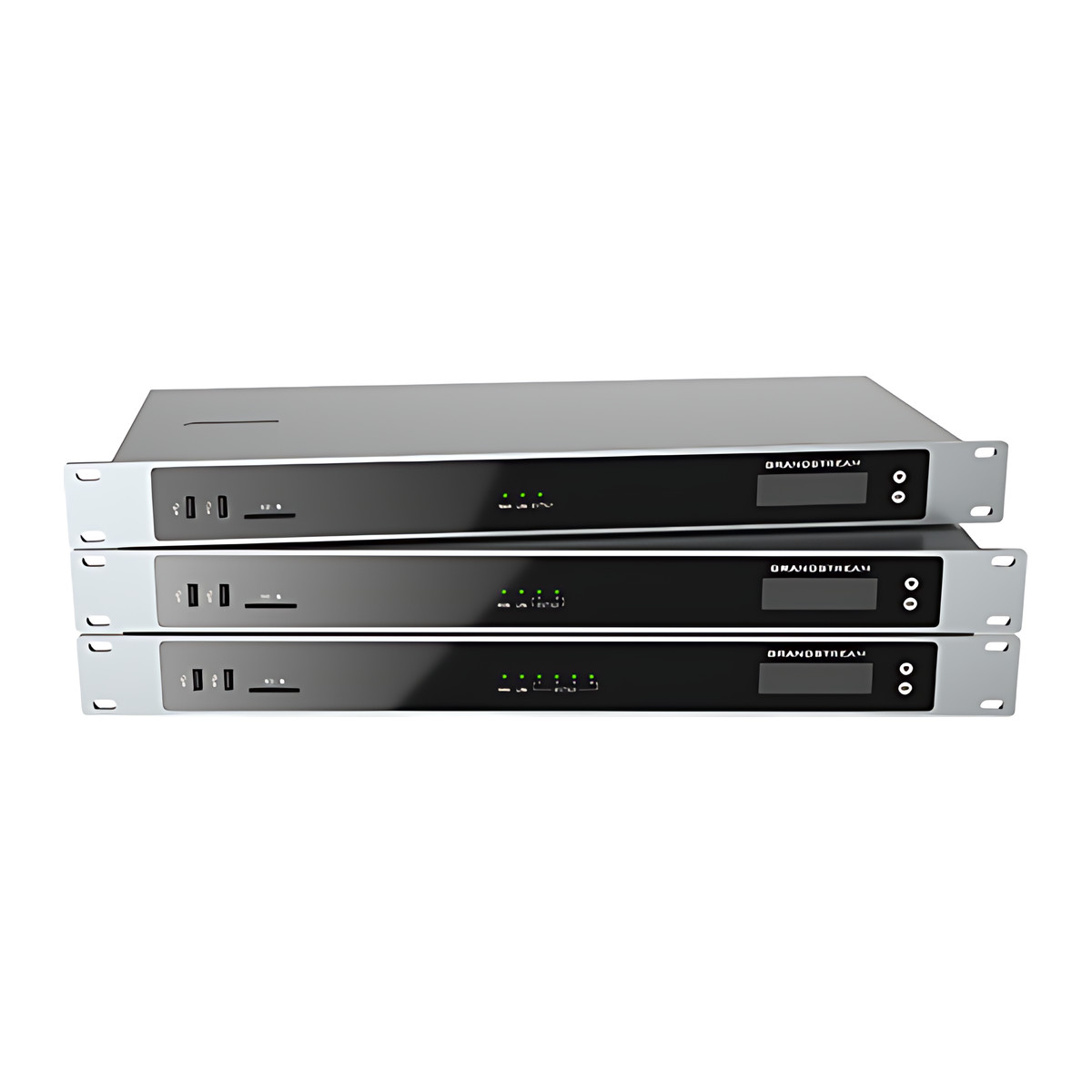
At a glance
- E1/T1 Ports
- 4 x RJ45 E1/T1/J1 spans
- Concurrent Calls
- Up to 120
- Network Ports
- 2 x Gigabit
- Protocols
- SIP (RFC 3261) over UDP/TCP/TLS, PRI, SS7, MFC R2
- Power
- Adapter, input 100 to 240 V AC, output 12 V DC 2 A
- Peripheral Ports
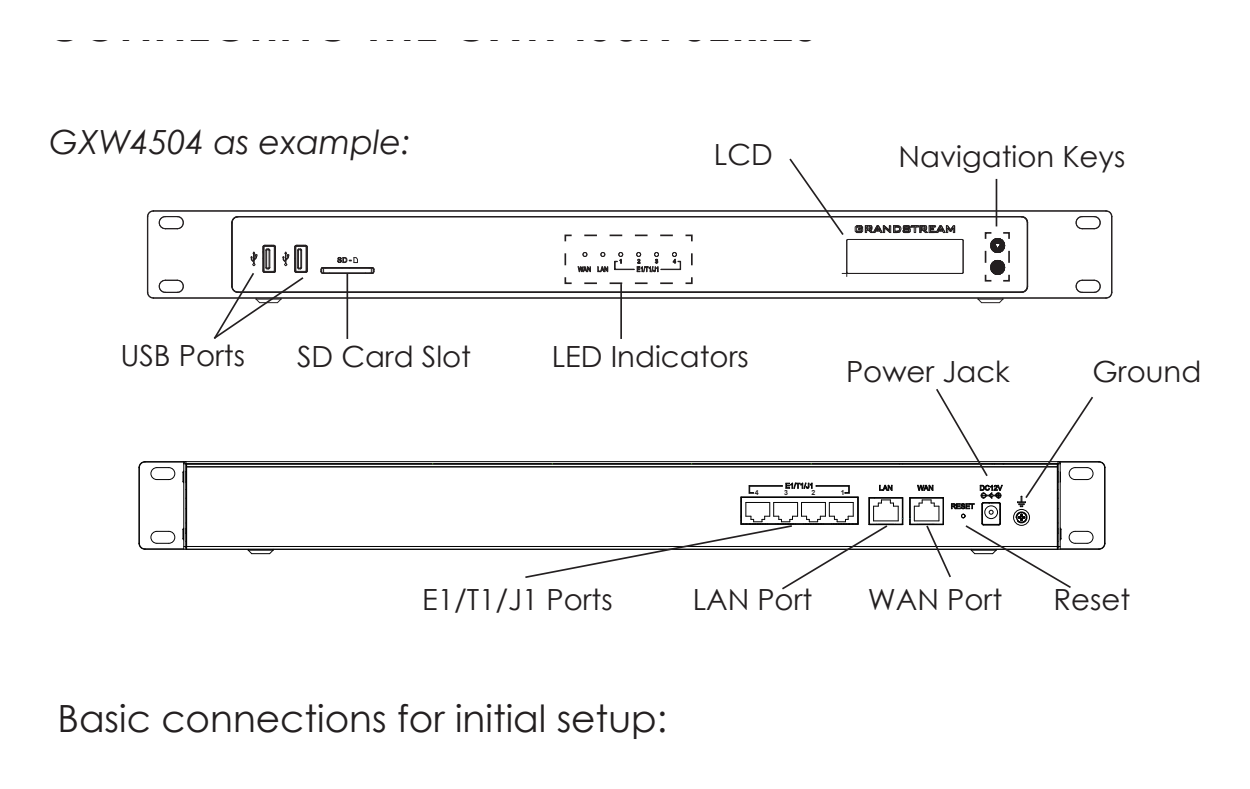
- 2 x USB 3.0, 1 x SD card
In the box
- Power adapter, 12 V DC
- Ethernet cable
 Model GXW4504Current model
Grandstream GXW4504 E1/T1 Digital VoIP Gateway, 4 Spans, 120 Calls
₹385,731 Incl. GST
₹326,891 + 18% GST
At a glance
- E1/T1 Ports
- 4 x RJ45 E1/T1/J1 spans
- Concurrent Calls
- Up to 120
- Network Ports
- 2 x Gigabit
- Protocols
- SIP (RFC 3261) over UDP/TCP/TLS, PRI, SS7, MFC R2
- Power
- Adapter, input 100 to 240 V AC, output 12 V DC 2 A
- Peripheral Ports
- 2 x USB 3.0, 1 x SD card
Connects digital phone trunks from a telecom carrier or an older PBX to a SIP phone system. Four E1/T1/J1 spans with PRI, SS7 or MFC R2 signalling, carrying up to 120 concurrent calls.
- WarrantyManufacturer warranty under Grandstream's terms. Warranty claims
- DeliveryPrice, availability and delivery charges are confirmed in your quotation. Shipping and delivery
Overview
The Grandstream GXW4504 connects digital phone trunks to an internet phone system (SIP, Session Initiation Protocol). It sits between your SIP network and the digital lines (E1, T1 or J1) from a telecom operator, ISDN trunks or an older digital PBX, with four spans carrying up to 120 calls at once. Larger businesses and call centres use it to keep E1 PRI lines while moving to an IP PBX, or to link an existing TDM PBX with a new VoIP system during a migration.
Is it right for you?
- Suits a business with up to four E1, T1 or J1 trunks to connect to a SIP phone system, or an old digital PBX to bridge into a new one.
- For one or two spans, the GXW4501 and GXW4502 cover the same job at a smaller size.
- It is an indoor rack or desktop unit rated for 0 to 45 °C.
Key features
- Four RJ45 E1/T1/J1 ports for up to 120 simultaneous VoIP calls.
- PRI (Euro ISDN, national and Q.SIG), SS7 (ITU, ANSI and China) and MFC R2 signalling, so it matches what most operators supply on E1 trunks.
- Two Gigabit network ports that can be switched or routed.
- Codecs G.711 A-law and U-law, G.722, G.723.1, G.726, G.729A/B and iLBC, with T.38 fax relay up to 14.4 kbps and G.711 pass-through.
- SRTP, TLS, HTTPS, SSH and 802.1X, plus Fail2ban, whitelist and blacklist protection against call fraud attempts.
- Two USB 3.0 ports, an SD card slot and a 128 x 32 dot matrix LCD.
What else you need
- A SIP server or IP PBX, such as a Grandstream UCM.
- E1, T1 or J1 trunk cables, which come from your service provider.
- A mains socket for the power adapter in the box (100 to 240 V AC in, 12 V DC 2 A out).
Installation
Mount it in a rack or stand it on a desk (485 x 191 x 46.2 mm, 2.38 kg). Connect the trunks to the E1/T1 ports, the network to one of the Gigabit ports, then set up the spans and the SIP trunks to your IP PBX.
A phone system installer who works with digital trunks should fit it. Confirm the signalling type with your operator first, because the span settings depend on it.
Software and licences
Configure it from its web interface. It uses standard SIP over UDP, TCP or TLS towards any compliant IP PBX or soft-switch.
Before you buy
- Confirm the signalling your operator provides (PRI and MFC R2 are common on E1 trunks) and that you need four spans; the GXW4501 and GXW4502 cover one and two spans.
- A SIP server such as a Grandstream UCM is required.
- The box holds a 12 V power adapter and an Ethernet cable with the gateway. Trunk cables come from the service provider.
- Package weight is 3.16 kg.
Technical specifications
Key facts
- What is it?
- VoIP Gateways & ATAsBrand Grandstream, model GXW4504
- How is it powered?
- Adapter, input 100 to 240 V AC, output 12 V DC 2 A
- What comes in the box?
- Power adapter, 12 V DC; Ethernet cable
- Which documents are available?
- Datasheet, user guide, quick start guide, certificate, firmware Open documents
- E1/T1 Ports
- 4 x RJ45 E1/T1/J1 spans
- Concurrent Calls
- Up to 120
- Network Ports
- 2 x Gigabit (switched or routed)
- Protocols
- SIP (RFC 3261) over UDP/TCP/TLS, PRI (Euro ISDN, national, Q.SIG), SS7 (ITU, ANSI, China), MFC R2
- Codecs
- G.711 A-law/U-law, G.722, G.723.1, G.726, G.729A/B, iLBC
- Fax Over IP
- T.38 Group 3 fax relay up to 14.4 kbps, G.711 pass-through
- Peripheral Ports
- 2 x USB 3.0, 1 x SD card
- Display
- 128 x 32 dot matrix LCD
- Security
- SRTP, TLS, HTTPS, SSH, 802.1X, Fail2ban, whitelist, blacklist
- Power
- Adapter, input 100 to 240 V AC, output 12 V DC 2 A
- Mounting
- Rack mount or desktop
- Dimensions
- 485 x 191 x 46.2 mm
- Weight
- 2.38 kg (package 3.16 kg)
- Operating Temperature
- 0 to 45 °C
- Warranty
- Manufacturer warranty under Grandstream's terms. How claims work
Product attributes and shipping details
| Brand | Grandstream |
|---|---|
| Ports | 4 x E1/T1 + 2 x GigE |
| Connectivity | Ethernet |
| Supply Voltage | 12 V DC |
Downloads
Documentation
- GXW4500 Series DatasheetDatasheet · Family · 590.4 KBDownload
Certificate and compliance document (1)
- GXW45xx EU Declaration of ConformityCertificate · This model · 239.8 KBDownload
User manual
- GXW4500 Series User ManualUser guide · Family · 4.5 MBDownload
Installation guide
- GXW4500 Series Quick Installation GuideQuick start guide · Family · 4.8 MBDownload
Firmware
- Grandstream firmware: GXW4501, GXW4502, GXW4504Version 1.0.1.13 · n/a (device firmware)Prerequisites: Read release notes and warnings in the row (downgrade limits, backups); Firmware update only from this exact model row; read release notes firstLicence: FreeFirmware · Family · grandstream.comView official download page
Series documents can differ from your exact model. Report a wrong or missing file
Questions about this product
How many calls can the GXW4504 carry?
Up to 120 simultaneous VoIP calls across its four E1/T1/J1 spans.
Does it support PRI and MFC R2?
Yes. It supports PRI (Euro ISDN, national and Q.SIG), SS7 and MFC R2 signalling.
What comes in the box?
A 12 V power adapter and an Ethernet cable with the gateway. E1 trunk cables are supplied by the service provider.
Does it need an internet connection?
It needs a network connection to your SIP server or IP PBX. A hosted phone system needs internet access; an IP PBX on your own network works over the local network.
Can it connect an old digital PBX to a new VoIP system?
Yes. It can sit between a legacy TDM PBX and a SIP system so both work together during a migration.
Ask about this modelGate sizing, power, accessories
Answers are automated. Do not enter personal or account details.
Looking for an alternative?
We list alternatives only when we have checked they suit the same job. Compare other models in the category, or ask us to suggest one for your site.