
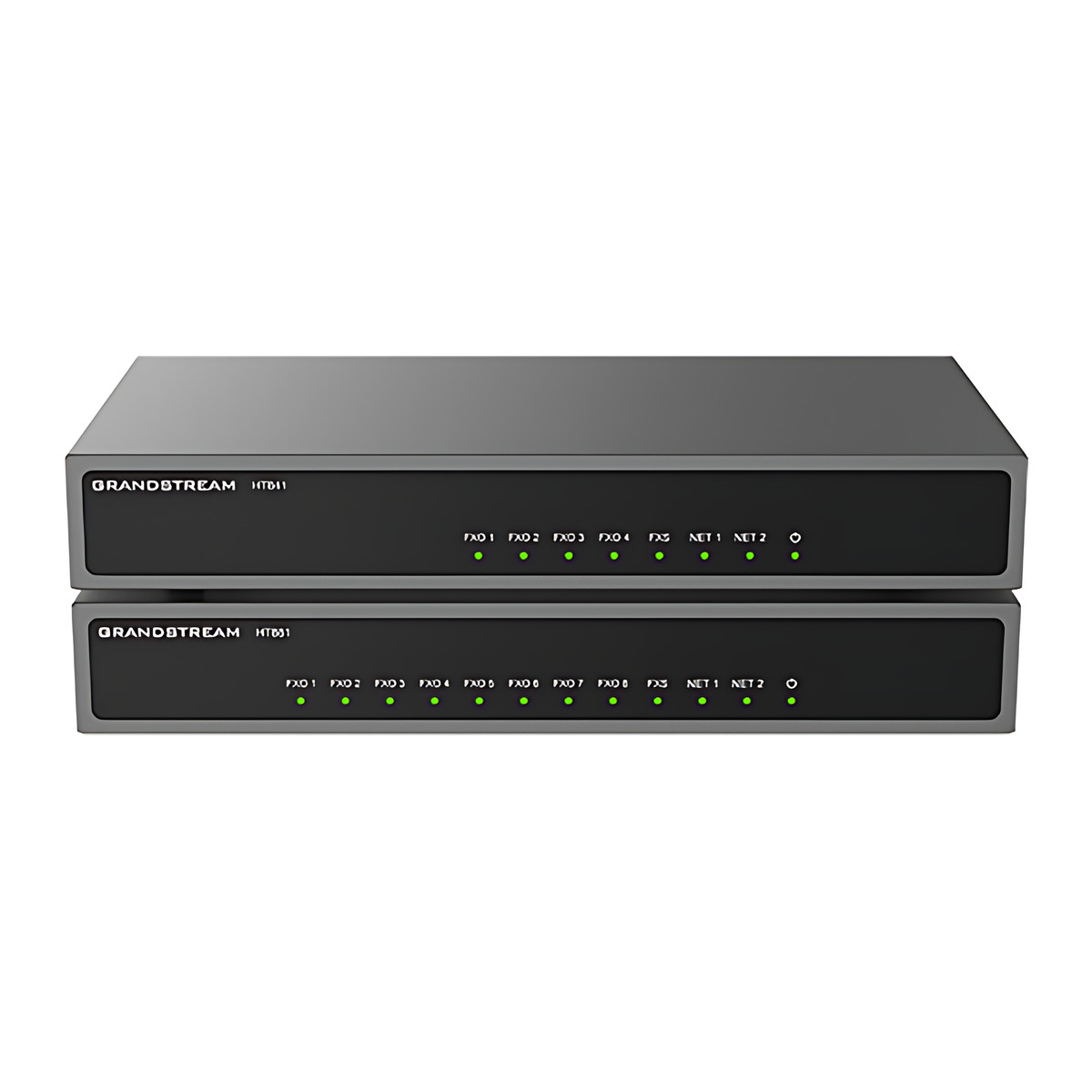
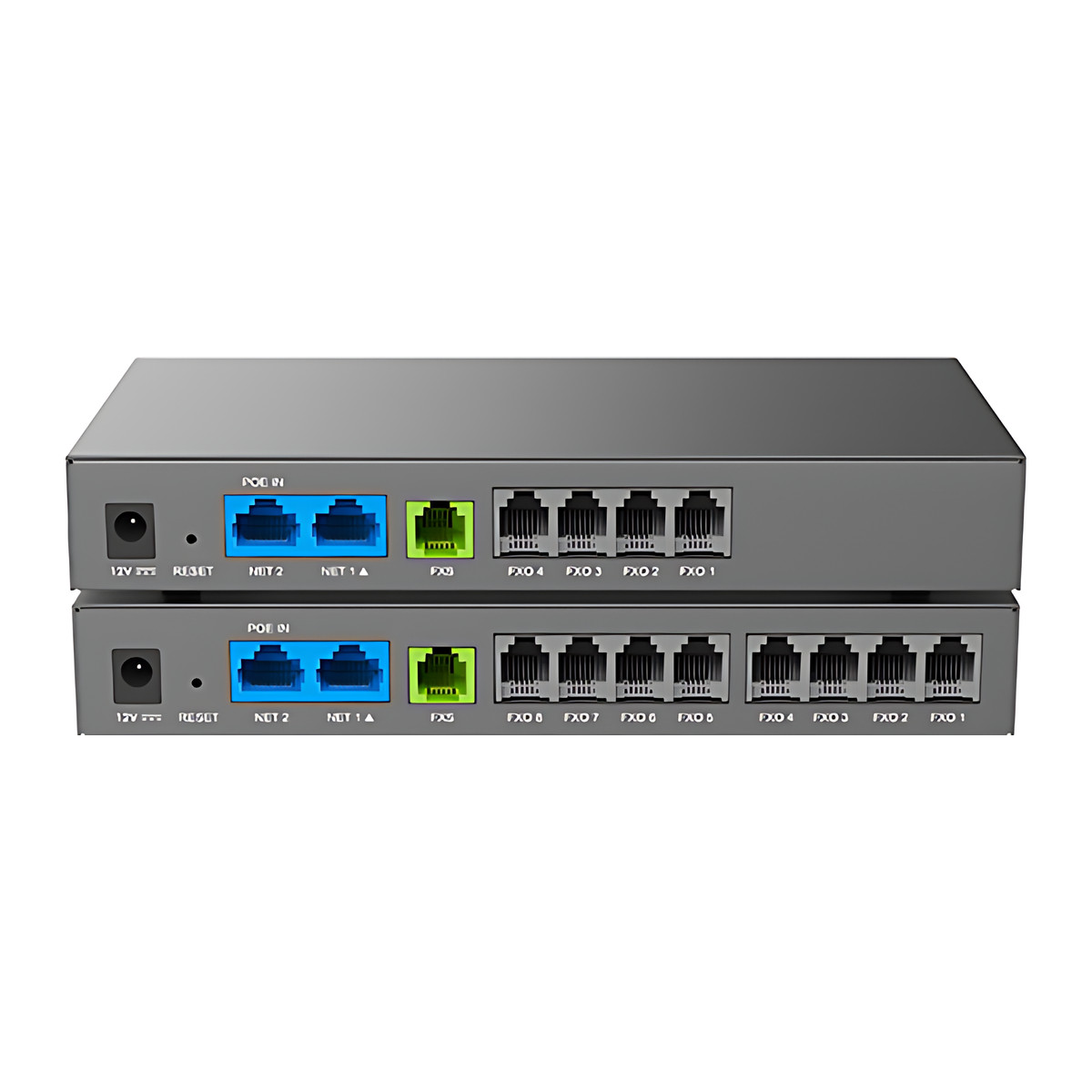
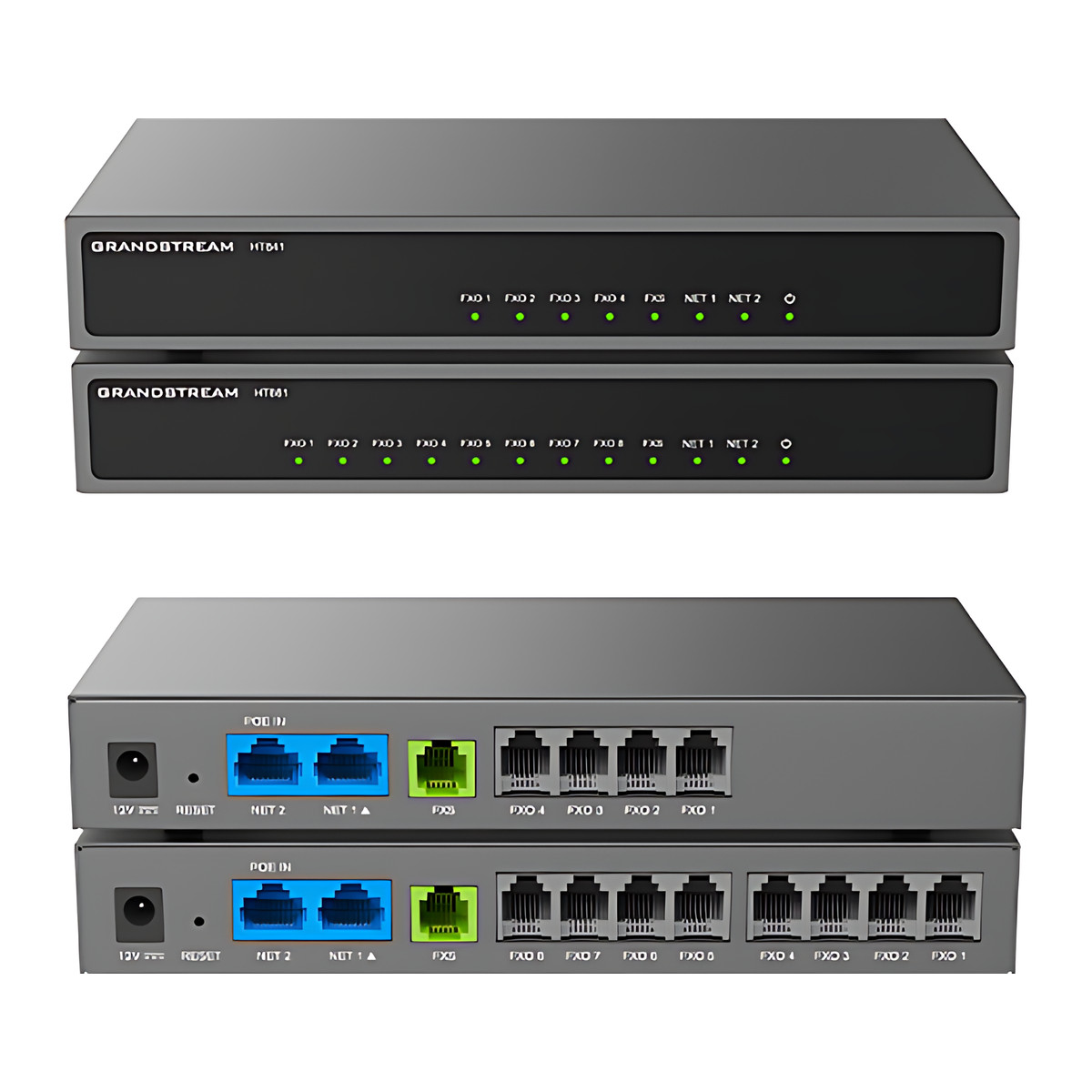
At a glance
- FXO Ports
- 8 x RJ11
- FXS Ports
- 1 x RJ11 with lifeline
- Network Ports
- 2 x 10/100/1000 Mbps RJ45, one with 802.3af PoE input
- SIP Accounts
- 3 SIP profiles
- Power
- 802.3af PoE (48 V 0.5 A) or 12 V DC 1 A input
- Dimensions
- 190 x 100 x 28 mm
In the box
- HT881
- Ethernet cable
- Quick installation guide
 Model HT881Current model
Grandstream HT881 FXO Gateway, 8 PSTN Line Ports + 1 FXS, PoE Powered
₹39,666 Incl. GST
₹33,615 + 18% GST
At a glance
- FXO Ports
- 8 x RJ11
- FXS Ports
- 1 x RJ11 with lifeline
- Network Ports
- 2 x 10/100/1000 Mbps RJ45, one with 802.3af PoE input
- SIP Accounts
- 3 SIP profiles
- Power
- 802.3af PoE (48 V 0.5 A) or 12 V DC 1 A input
- Dimensions
- 190 x 100 x 28 mm
Brings up to 8 existing analogue landlines into an internet or office IP phone system (SIP or IP PBX). 8 line ports (FXO), one phone port (FXS), power-fail lifeline, dual Gigabit ports and Power over Ethernet (PoE) power.
Part of the Grandstream HT841/HT881 series. Compare both models
- WarrantyManufacturer warranty under Grandstream's terms. Warranty claims
- DeliveryPrice, availability and delivery charges are confirmed in your quotation. Shipping and delivery
Overview
The Grandstream HT881 brings up to eight existing analogue landlines into an internet phone system. Your office phone system (IP PBX), whether in the building or hosted, routes incoming and outgoing calls through those lines, so you keep the numbers you already have while staff use internet (SIP, Session Initiation Protocol) handsets. It also has one phone port for an analogue phone or fax, which keeps working on a landline during a power cut.
It suits businesses that are moving to VoIP but want to keep their telecom operator lines, and branch offices that still depend on local landline numbers.
Is it right for you?
- Suits a place with up to eight analogue landlines (PSTN) to connect to a SIP phone system.
- For four lines, the HT841 is the same gateway with four FXO ports.
- It connects lines, not phones: for a block of analogue handsets you need an FXS gateway or HT8xx adapter, which can be peered with this unit.
- It is an indoor desktop unit rated for 0 to 40 °C.
Key features
- 8 RJ11 line ports (FXO, Foreign Exchange Office) for landlines and 1 RJ11 phone port (FXS, Foreign Exchange Station), with 3 SIP profiles.
- Lifeline: during a power cut the phone port is switched directly to a landline, so an analogue phone can still make and take calls.
- Two 10/100/1000 Mbps RJ45 network ports, one of which takes 802.3af Power over Ethernet (PoE), so it can run from a PoE switch without a separate adapter.
- Routing at up to 1000 Mbps in bridge mode and up to 100 Mbps in NAT mode.
- T.38 fax relay (up to 14.4 kbps), G.711 pass-through and 3-way conferencing on each port.
- Codecs G.711, G.723.1, G.726-32, G.729, iLBC and Opus.
- Ring load of 3 REN and up to 1 km of 24 AWG cable.
- AES-encrypted provisioning with a security certificate per unit, SIP over TLS, SRTP, SNMP and TR-069.
What else you need
- An IP PBX or SIP server to create the line trunks on, such as a Grandstream UCM.
- Power from an 802.3af PoE switch or injector (48 V 0.5 A), or a 12 V DC 1 A adapter. No power supply is in the box.
- Analogue landlines from your telecom operator, connected with RJ11 cords.
Installation
Place it indoors on a desk or shelf (190 x 100 x 28 mm, 0.46 kg). Connect the landlines to the FXO ports, the network uplink to the PoE-enabled port and, if wanted, an analogue phone or fax to the FXS port. Then configure the trunks on your IP PBX.
A phone system installer or your IT support should set it up, since trunk routing on the PBX decides how calls flow through the lines.
Software and licences
Configure it from its web interface or through a provisioning server with AES-encrypted configuration and TR-069. Grandstream publishes guides for connecting the HT841 and HT881 to UCM6xxx IP PBXs and for peering them with GXW42xx FXS gateways and HT8xx adapters.
Before you buy
- The box holds the HT881, an Ethernet cable and a quick installation guide. A power supply is not included: plan an 802.3af PoE switch or injector, or source a compatible 12 V DC 1 A adapter separately.
- Routing speed is Gigabit in bridge mode but limited to 100 Mbps in NAT mode.
- The HT841 is the four-line version of the same gateway.
Technical specifications
Key facts
- What is it?
- VoIP Gateways & ATAsBrand Grandstream, model HT881
- How is it powered?
- 802.3af PoE (48 V 0.5 A) or 12 V DC 1 A input
- Does it support PoE?
- YesPoE (IEEE 802.3af)
- What comes in the box?
- HT881; Ethernet cable; Quick installation guide
- Which documents are available?
- Datasheet, user guide, quick start guide, certificate, firmware Open documents
RelatedSeriesGrandstream HT841/HT881 series, 2 modelsDocumentsAll Grandstream documents
- FXO Ports
- 8 x RJ11
- FXS Ports
- 1 x RJ11 with lifeline
- Network Ports
- 2 x 10/100/1000 Mbps RJ45, one with 802.3af PoE input (up to 1000 Mbps in bridge mode, up to 100 Mbps in NAT mode)
- SIP Accounts
- 3 SIP profiles
- Codecs
- G.711 (Annex I PLC, Annex II VAD/CNG), G.723.1, G.729, G.726-32, iLBC, Opus
- Fax Over IP
- T.38 Group 3 fax relay up to 14.4 kbps, G.711 pass-through
- Conference
- 3-way voice conferencing per port
- Ring Load
- 3 REN, up to 1 km on 24 AWG
- Protocols
- SIP, SIP over TCP/TLS, SRTP, SNMP, TR-069, IMS/3GPP, IPoE
- Power
- 802.3af PoE (48 V 0.5 A) or 12 V DC 1 A input; power supply not included
- Dimensions
- 190 x 100 x 28 mm
- Weight
- 0.46 kg
- Operating Temperature
- 0 to 40 °C
- Compliance
- FCC, CE, RCM, IC, UKCA
- Warranty
- Manufacturer warranty under Grandstream's terms. How claims work
Product attributes and shipping details
| Brand | Grandstream |
|---|---|
| Ports | 8 x FXO + 1 x FXS + 2 x GigE |
| Connectivity | PoE, Ethernet |
| Supply Voltage | 12 V DC |
Downloads
Documentation
- HT841/HT881 DatasheetDatasheet · Family · 652.2 KBDownload
Certificate and compliance document (1)
- HT841/HT881 EU Declaration of ConformityCertificate · Family · 193.2 KBDownload
User manual
- HT841/HT881 User ManualUser guide · Family · 2.9 MBDownload
Installation guide
- HT841/HT881 Quick Installation GuideQuick start guide · Family · 1.0 MBDownload
Firmware
- Grandstream firmware: HT841, HT881Version 1.0.11.8 · n/a (device firmware)Prerequisites: Read release notes and warnings in the row (downgrade limits, backups); Firmware update only from this exact model row; read release notes firstLicence: FreeFirmware · Family · grandstream.comView official download page
Series documents can differ from your exact model. Report a wrong or missing file
Works with this product
Relevant accessories
- Grandstream UCM6302 IP PBX, 1000 Users, 2 FXS + 2 FXO, Video MeetingsUCM6302
Why Grandstream guide for connecting UCM6xxx with HT841/HT881 FXO gateways.
₹87,456Add to cart - Grandstream GXW4216V2 FXS Gateway, 16 Analog Ports, Gigabit, GDMS ManagedGXW4216V2
Why Grandstream guide for peering GXW42xx FXS gateways with HT8x1 FXO gateways.
₹90,473Add to cart
Other models in the series
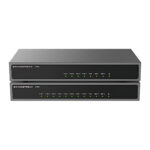
- Grandstream HT841 FXO Gateway, 4 PSTN Line Ports + 1 FXS, PoE PoweredHT841
Why Same gateway with 4 FXO ports.
₹26,922Add to cart
Questions about this product
Is a power adapter included with the HT881?
No. The box holds the gateway, one Ethernet cable and a quick installation guide. Power it from an 802.3af PoE switch or injector, or a 12 V DC 1 A adapter bought separately.
Can I connect it to a Grandstream UCM?
Yes. Grandstream publishes a guide for connecting UCM6xxx IP PBXs with the HT841 and HT881.
What happens during a power cut?
The lifeline feature switches the FXS phone port straight through to one of the landlines, so an analogue phone plugged into it can still use the landline.
Does it need an internet connection?
It needs a network connection to your IP PBX or SIP server. If that system is hosted, it needs internet access; with an IP PBX on your own network it works over the local network.
Can I connect analogue phones to it?
One. It has a single FXS port for an analogue phone or fax machine, plus the FXO line ports. For more analogue phones, add an FXS adapter or gateway.
Ask about this modelGate sizing, power, accessories
Answers are automated. Do not enter personal or account details.
Looking for an alternative?
We list alternatives only when we have checked they suit the same job. Compare other models in the category, or ask us to suggest one for your site.