
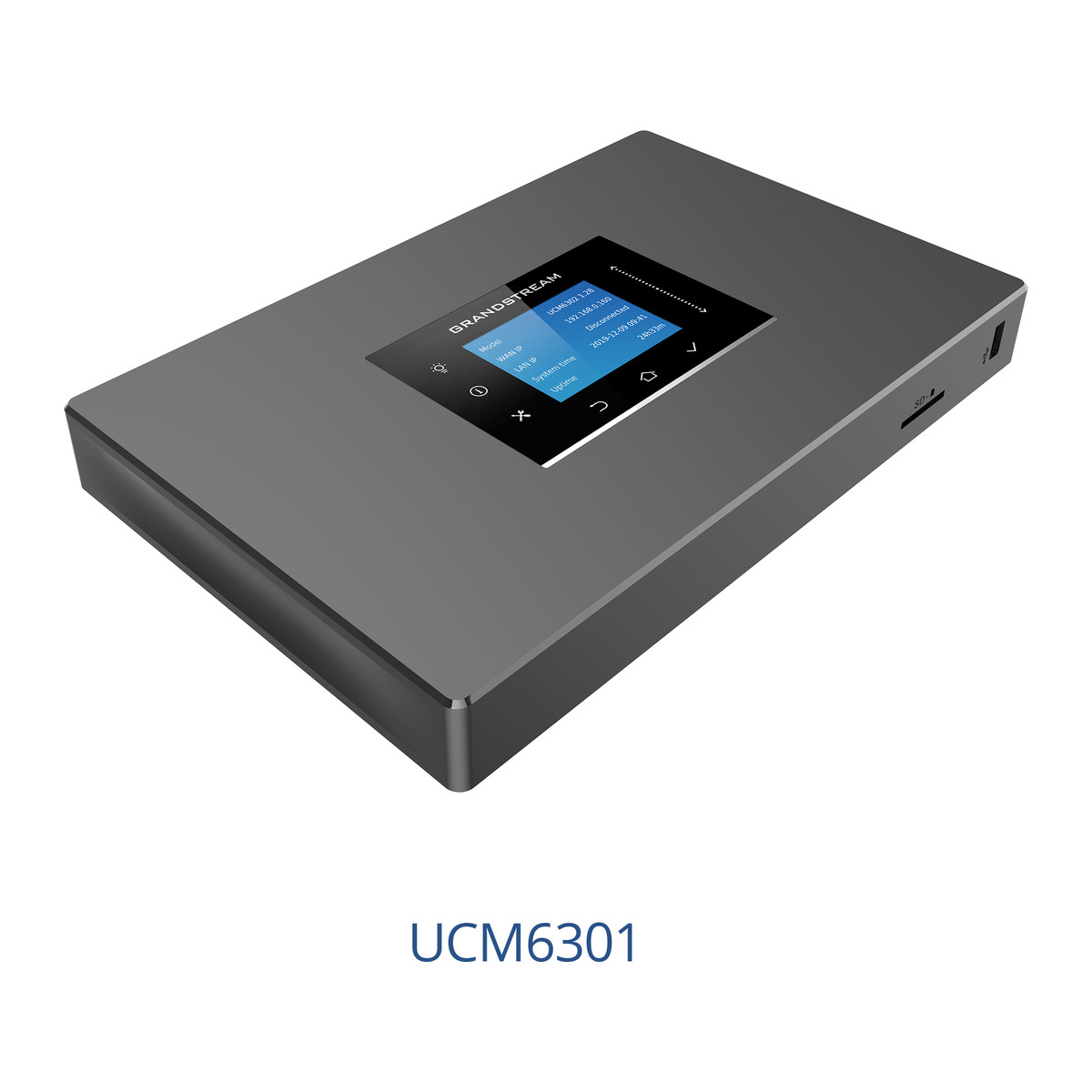
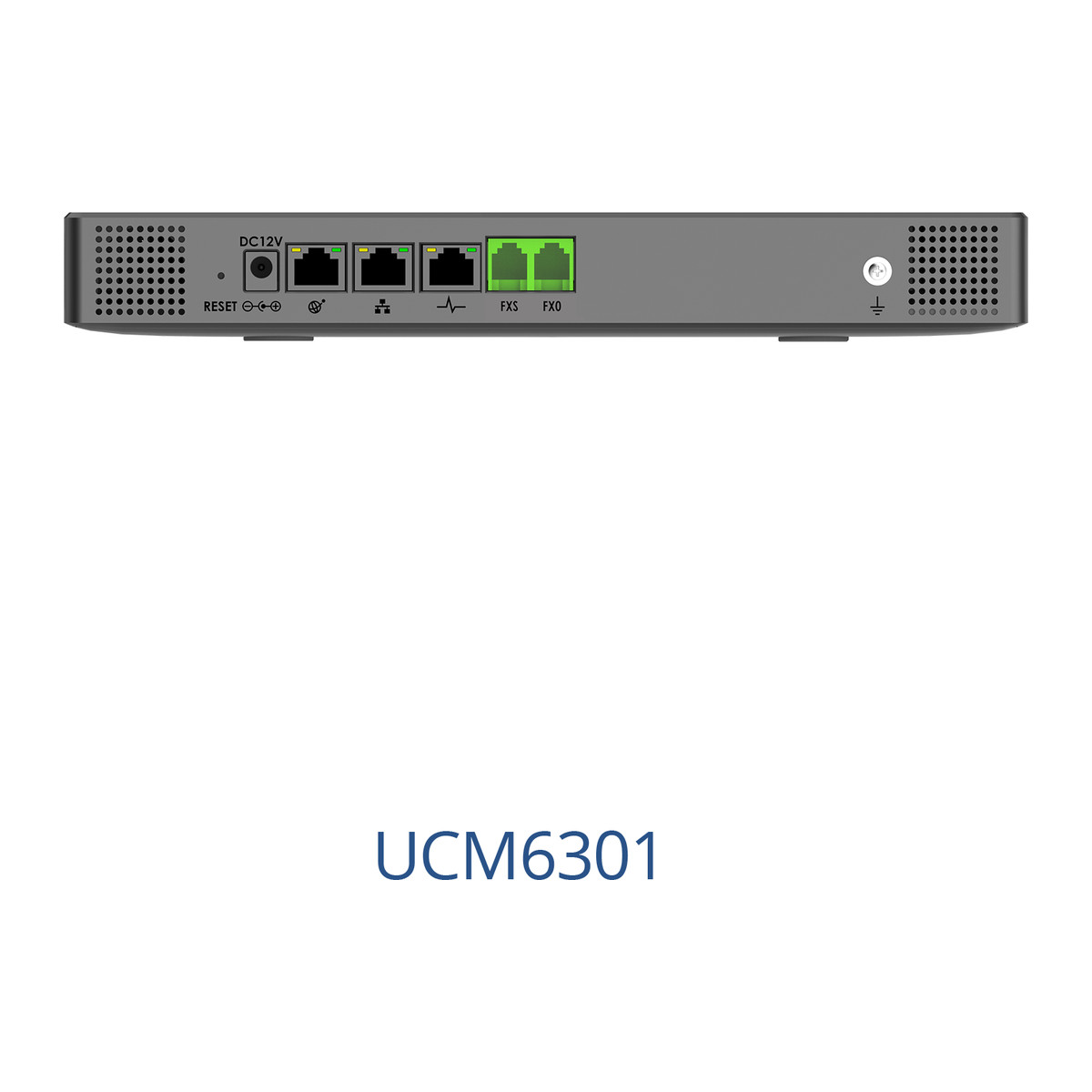
At a glance
- Max Users
- 500
- Concurrent Calls
- 75 (G.711), 50 with SRTP
- FXS Ports
- 1 x RJ11 with lifeline
- Network Ports
- 3 x Gigabit RJ45 with PoE+
- Peripheral Ports
- 1 x USB 3.0, 1 x SD card
- Display
- 320 x 240 colour touch LCD
In the box
- UCM6301 IP PBX
- Ethernet cable
- 12 V power adapter
- Quick installation guide
 Model UCM6301Current model
Grandstream UCM6301 IP PBX, 500 Users, 1 FXS + 1 FXO, Video Meetings
₹63,561 Incl. GST
₹53,865 + 18% GST
At a glance
- Max Users
- 500
- Concurrent Calls
- 75 (G.711), 50 with SRTP
- FXS Ports
- 1 x RJ11 with lifeline
- Network Ports
- 3 x Gigabit RJ45 with PoE+
- Peripheral Ports
- 1 x USB 3.0, 1 x SD card
- Display
- 320 x 240 colour touch LCD
An office phone system (IP PBX) for up to 500 users that runs on your premises, with built-in video meetings and the Wave app for staff on the move. 75 concurrent calls, 1 analogue phone port (FXS) and 1 landline port (FXO).
- Peripheral ports
- 500
- 1 x USB 3.0, 1 x SD card
- 1000
- 1 x USB 2.0, 1 x USB 3.0, 1 x SD card
- 2000
- 2 x USB 3.0, 1 x SD card
- 3000
- 2 x USB 3.0, 1 x SD card
Part of the Grandstream UCM6300 series. Compare all 4 models
- WarrantyManufacturer warranty under Grandstream's terms. Warranty claims
- DeliveryPrice, availability and delivery charges are confirmed in your quotation. Shipping and delivery
Overview
An office phone system (IP PBX) links desk phones, Wi-Fi phones, intercoms and a softphone app, and sends calls out over Session Initiation Protocol (SIP) trunks or landlines. The Grandstream UCM6301 is a phone system for up to 500 users that runs in your own building, with video conferencing and web meetings built in. It is a compact desktop or wall-mount unit with one analogue phone port (FXS) and one landline port (FXO), made for small and medium offices.
Is it right for you?
- Suits small and medium offices with up to 500 users and up to 75 calls at once (50 with SRTP encryption).
- Suits teams that want internal video meetings without a separate service: unlimited rooms, up to 4 public rooms at once and 75 participants in total.
- Suits offices keeping one analogue phone or fax (FXS) and one landline (FXO); for more landlines add an FXO gateway such as the HT841, and for more analogue phones an FXS gateway such as the GXW4216V2.
- Choose the UCM6302, UCM6304 or UCM6308 for more users and more analogue ports, or the UCM6302A if video meetings are not needed.
Key features
- Up to 500 registered users and 75 concurrent G.711 calls (50 with SRTP encryption).
- 1 FXS (analogue phone) and 1 FXO (landline) RJ11 ports, both with power-fail lifeline, so an analogue phone can still reach the landline in a power cut.
- Video conferencing and web meetings: unlimited rooms, up to 4 simultaneous public rooms, 75 participants in total and up to 9 video feeds per room.
- Three Gigabit network ports that work in switched, routed or dual mode, with PoE+, and a NAT router mode, so it can sit behind your router or act as one for the phone network.
- Call centre queues with skills-based distribution, up to 64 IVR (voice menu) layers, voicemail and fax to email.
- Free Wave app for desktop, web and mobile, so staff on the move use their extension from a laptop or phone.
- Secure boot, a unique certificate, a random default password, SRTP, TLS and ZRTP encryption, and hot standby high availability.
- A 320 x 240 colour touch screen on the unit, a USB 3.0 port and an SD card slot.
What else you need
- A SIP desk phone, Wi-Fi phone or the Wave app for each user. Grandstream phones get zero-configuration provisioning; other makes register over standard SIP. Phones are bought separately.
- SIP trunks from a provider for outside calls, or one landline (FXO) on the FXO port. Trunks are bought separately.
- A network switch for the phones, connected to the LAN port, and your internet router, connected to the WAN port.
- Power from the included 12 V DC adapter (100 to 240 V AC in, 1.5 A out). The PBX itself needs mains power or an uninterruptible power supply (UPS) to keep working in a power cut; only the analogue ports have lifeline.
- Only if staff work from outside the office, a UCM RemoteConnect (UCMRC) cloud plan, which handles NAT traversal for remote users and devices.
- Only if you need more landlines or analogue phones than the built-in ports, an FXO gateway such as the HT841 or an FXS gateway such as the GXW4216V2.
Installation
A phone system installer or IT team should set it up. The hardware side is a desktop or wall-mount job: connect the WAN port to the internet router and the LAN port to the phone switch, then plug in the adapter. The rest is configuration in the web interface: extensions, trunks, voice menus, queues, voicemail and meeting rooms.
The unit measures 270 x 175 x 36 mm and is rated for 0 to 45 °C, so it belongs in a dry, ventilated spot such as a network cabinet or office shelf.
Software and licences
The system runs on an Asterisk 16 based operating system. The Wave app is free and runs on desktop, web and mobile. UCM RemoteConnect is a cloud plan for remote users, bought separately. Grandstream Device Management System (GDMS) provides cloud management, and a full API allows integration with CRM (customer relationship management) and hotel PMS (property management system) software.
Before you buy
- Phones and SIP trunks are bought separately.
- If video meetings are not needed, the UCM6302A in the UCM6300 Audio series is the voice-only alternative.
- It is a desktop or wall-mount unit, not a rack unit; the UCM6304 and UCM6308 are the rack models.
- Built-in analogue capacity is 1 FXS and 1 FXO.
Technical specifications
Key facts
- What is it?
- IP PBX systemBrand Grandstream, model UCM6301
- How is it powered?
- Universal adapter, input 100 to 240 V AC, output 12 V DC 1.5 A (1 included)
- Does it support PoE?
- YesPoE+ (IEEE 802.3at)
- What capacity does it support?
- 500 users
- What comes in the box?
- UCM6301 IP PBX; Ethernet cable; 12 V power adapter; Quick installation guide
- Which documents are available?
- Quick start guide, datasheet, user guide, certificate, firmware, and more Open documents
RelatedSeriesGrandstream UCM6300 series, 4 modelsDocumentsAll Grandstream documents
- Max Users
- 500
- Concurrent Calls
- 75 (G.711), 50 with SRTP
- FXS Ports
- 1 x RJ11 with lifeline
- FXO Ports
- 1 x RJ11 with lifeline
- Video Conferencing
- Yes, unlimited rooms, up to 4 simultaneous public rooms, 75 participants total, up to 9 video feeds per room
- Network Ports
- 3 x Gigabit RJ45 (switched, routed or dual mode) with PoE+
- Peripheral Ports
- 1 x USB 3.0, 1 x SD card
- Display
- 320 x 240 colour touch LCD
- Codecs
- Opus, G.711, G.722, G.722.1, G.722.1C, G.723.1, G.726-32, G.729A/B, iLBC, GSM; T.38 fax
- Video Codecs
- H.265, H.264, H.263, H.263+, VP8
- Protocols
- SIP, IAX, RTP/RTCP, SRTP, TLS, ZRTP, LDAP, STUN, PPPoE, IPv6, OpenVPN, 802.1X
- Operating System
- Based on Asterisk 16
- Power
- Universal adapter, input 100 to 240 V AC, output 12 V DC 1.5 A (1 included)
- Mounting
- Wall mount or desktop
- Dimensions
- 270 x 175 x 36 mm
- Weight
- 715 g (package 1211 g)
- Operating Temperature
- 0 to 45 °C
- Warranty
- Manufacturer warranty under Grandstream's terms. How claims work
Product attributes and shipping details
| Brand | Grandstream |
|---|---|
| Ports | 1 x FXS + 1 x FXO + 3 x GigE |
| Connectivity | PoE, Ethernet |
| Supply Voltage | 12 V DC |
Downloads
Download software
- Wave (desktop, web, mobile)Windows, macOS (desktop installers at https://fw.gdms.cloud/wave/download), Android (https://play.google.com/store/apps/details?id=com.grandstream.ucm), iOS (https://apps.apple.com/us/app/grandstream-wave/id1523254549, iOS 13.0+) · Released October 23, 2026Prerequisites: UCM extension; remote use needs UCM RemoteConnect; Wave clients for UCM6300 users; remote use needs UCM RemoteConnectLicence: FreeSoftware · Family · grandstream.comView official download page
Documentation
- UCM6300 Series DatasheetDatasheet · Family · 668.5 KBDownload
Certificate and compliance document (1)
- UCM6301 EU Declaration of ConformityCertificate · This model · 174.5 KBDownload
User manual
- UCM630x Series User ManualUser guide · Family · 35.4 MBDownload
Installation guide
- UCM6301/6302/6300A/6302A Quick Installation GuideQuick start guide · This model · 6.7 MBDownload
Firmware
- Grandstream product pageVersion 1.0.33.42 · n/a (device firmware)Prerequisites: Full backup before 1.0.27.x+; downgrade below 1.0.25.9 needs factory reset; Firmware update only from this row; back up firstLicence: FreeFirmware · Family · grandstream.comView official download page
Series documents can differ from your exact model. Report a wrong or missing file
Works with this product
Relevant accessories
- Grandstream UCMRC Remote Connect Plan for UCM6300 IP PBX - Plus, AnnualGRANDSTREAM-UCMRC-PLUS
Why UCM RemoteConnect is Grandstream's companion cloud service for UCM6300 series, providing NAT traversal for remote users.
₹26,432Add to cart - Grandstream GXW4216V2 FXS Gateway, 16 Analog Ports, Gigabit, GDMS ManagedGXW4216V2
Why Analog FXS capacity can be expanded by peering with an FXS gateway.
₹90,473Add to cart - Grandstream HT841 FXO Gateway, 4 PSTN Line Ports + 1 FXS, PoE PoweredHT841
Why Grandstream guide for connecting UCM6xxx with HT841/HT881 FXO gateways for more PSTN lines.
₹26,922Add to cart

Replacements and alternatives
- Grandstream UCM6302A Audio IP PBX, 500 Users, 2 FXS + 2 FXOUCM6302A
Why UCM6300 Audio series model without video conferencing.
₹71,526Add to cart
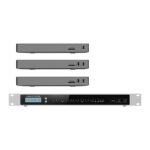
Other models in the series
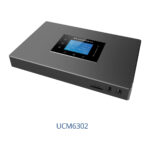
- Grandstream UCM6302 IP PBX, 1000 Users, 2 FXS + 2 FXO, Video MeetingsUCM6302
Why Same series, different capacity and analog port count.
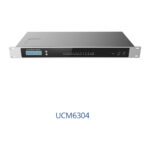
₹87,456Add to cart - Grandstream UCM6304 IP PBX, 2000 Users, 4 FXS + 4 FXO, Video MeetingsUCM6304
Why Same series, different capacity and analog port count.
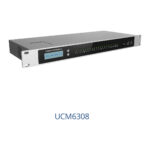
₹206,931Add to cart - Grandstream UCM6308 IP PBX, 3000 Users, 8 FXS + 8 FXO, Video MeetingsUCM6308
Why Same series, different capacity and analog port count.
₹271,721Add to cart
Questions about this product
How many extensions can the UCM6301 handle?
Up to 500 users and 75 concurrent G.711 calls, or 50 concurrent calls with SRTP encryption.
Can staff use it from outside the office?
Yes. The free Wave app works on desktop, web and mobile, and the UCM RemoteConnect cloud service provides NAT traversal for remote users and devices.
Does it need an internet connection?
It runs in your building, so calls between extensions stay on your network. You need an internet connection for SIP trunks, for the Wave app outside the office and for UCM RemoteConnect.
Does it work during a power cut?
The analogue FXS and FXO ports have lifeline capability, so an analogue phone can use the landline during a power cut. The PBX itself needs power or a UPS.
Can I connect a landline?
Yes. It has 1 FXO port for landlines and 1 FXS port for analogue phones or fax machines. For more lines, add an FXO gateway such as the HT841.
Is it rack mountable?
No. It is a wall mount or desktop unit; the UCM6304 and UCM6308 are the rack models.
Ask about this modelSetup, compatibility, what is in the box
Answers are automated. Do not enter personal or account details.