
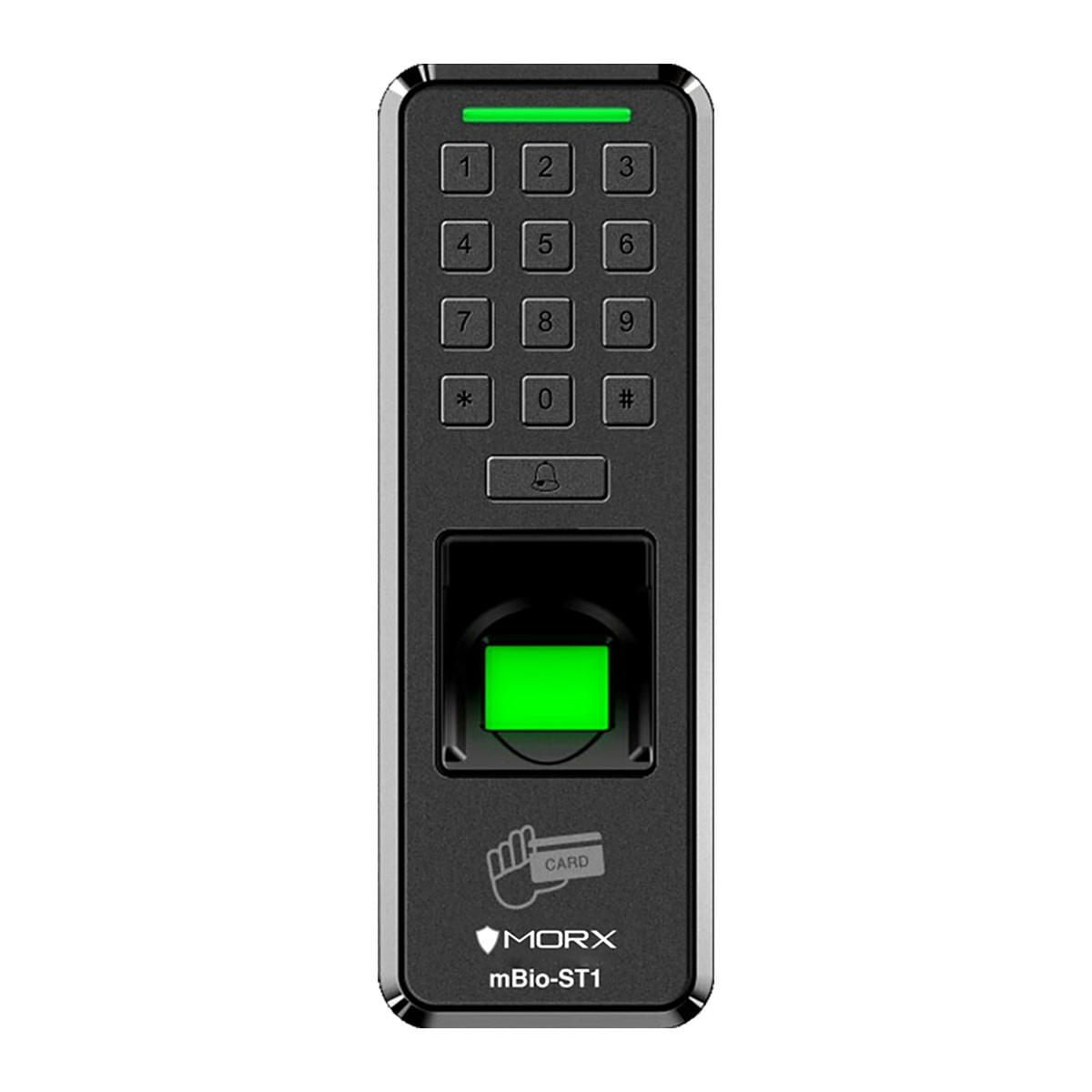
At a glance
- Fingerprint Capacity
- 1,000
- Communication
- USB drive
- Transaction capacity
- 100,000
- Power Supply
- 9 to 12 V DC

MORX mBio-ST1 (EXCEL) Standalone Fingerprint Access Control with Excel Reports
₹7,785 Incl. GST
₹6,597 + 18% GST
At a glance
- Fingerprint Capacity
- 1,000
- Communication
- USB drive
- Transaction capacity
- 100,000
- Power Supply
- 9 to 12 V DC
Standalone fingerprint unit that opens a single office or shop door and also keeps attendance, with Excel reports saved to a USB drive. Fingerprint, proximity card or password, stores 1,000 fingerprints, and can also work as a Wiegand 26/34 reader.
- WarrantyManufacturer warranty under MORX's terms. Warranty claims
- DeliveryPrice, availability and delivery charges are confirmed in your quotation. Shipping and delivery
Overview
The MORX mBio-ST1 (EXCEL) is a standalone fingerprint unit that opens a single door and keeps attendance at the same time, with no controller, PC or network needed. It verifies a fingerprint, RFID (radio frequency identification) proximity card or password, drives the door lock directly, and writes attendance reports as Excel files to a USB drive. It is made for single doors in offices, banks, server rooms, clinics, schools and shops.
Is it right for you?
- It suits one door with up to 1,000 people, where you want both door control and attendance records without software.
- It suits a place with no network at the door: data moves only by USB drive.
- It can also act as a reader for a third-party access control panel over Wiegand 26/34.
- If you only need door control and no attendance records, the mBio-ST2 is the simpler choice. If you want records pushed live to a PC, choose a networked terminal.
Key features
- 1,000 fingerprints, 1,000 cards and 1,000 passwords, with 100,000 records.
- Optical fingerprint sensor identifying a person in under 0.5 s.
- False rejection rate below 1% and false acceptance rate below 0.0001%.
- Relay contacts for a door lock, with exit switch, alarm and door sensor connections.
- Wiegand 26/34 output, so it can feed an access control panel instead of switching the lock itself.
- USB drive port for offline backup and Excel report export.
What else you need
- A 9 to 12 V DC power supply; the unit is supplied without a power adaptor, so budget a 12 V, 2 A supply.
- An electromagnetic (EM) lock or electric strike and an exit button.
- A door sensor and alarm sounder if you want door-held-open or forced-door alarms.
- A USB drive to collect reports and back up users.
Installation
An access control installer should mount it beside the door, wire the lock relay, exit button, power and, if used, the door sensor and alarm, then enrol users on the unit. There is no network cabling to run.
Software and licences
None required. Reports are exported as Excel files on a USB drive.
Before you buy
- Confirm the colour on the order.
- Confirm the card type on the order: proximity cards are supported, and Mifare support is not confirmed.
- The unit is supplied without a power adaptor (12 V, 2 A).
- There is no network port, so records cannot be pushed to a PC; they travel by USB drive.
Technical specifications
Key facts
- What is it?
- Fingerprint, Card & Keypad TerminalsBrand MORX
- How is it powered?
- 9 to 12 V DC
- Does it support Wiegand?
- Yes26, 34-bit
- What capacity does it support?
- 1,000 fingerprints1,000 cards1,000 PIN codes100,000 transaction records
- Can SecurityGearHub help with installation?
- Setup guidanceManuals, wiring guides and answers to setup questions. On-site work is arranged separately where available. Ask about installation
- Which documents are available?
- On request. Ask us for the datasheet.
- Not stated by the manufacturer
- PoE, RS-485, OSDP, outdoor rating, software, box contents
RelatedGuideFace vs fingerprint attendance machineDocumentsAll MORX documents
- Model / configuration
- mBio-ST1(EXCEL)
- Features and configuration
- Time Attendance and Access Control - 1,000 Fingerprint/Card/Pin - Standalone with Wiegand - 100,000 Transactions - Identification Type: Finger/Card/Pin - Pen drive Communication - Support Wiegand26/34 Card Reader - Available Colours: Black - Without Power Adaptor (12v 2amp)
- Identification Type
- Finger/Card/Pin
- Available Colours
- Black
- Transaction capacity
- 100,000
- Fingerprint Capacity
- 1,000
- Card Capacity
- 1,000
- Password Capacity
- 1,000
- Fingerprint Sensor
- Optical
- Identification Time
- Under 0.5 s
- False Rejection Rate
- Below 1%
- False Acceptance Rate
- Below 0.0001%
- Communication
- USB drive
- Wiegand Output
- Wiegand 26/34
- Report Output
- Excel
- Power Supply
- 9 to 12 V DC
- Warranty
- Manufacturer warranty under MORX's terms. How claims work
Product attributes and shipping details
| Brand | MORX |
|---|---|
| Connectivity | Wiegand |
| Verification | Card, Fingerprint, PIN |
Questions about this product
Does it need a PC or software?
No. It verifies users and drives the lock on its own, and writes Excel attendance reports to a USB drive.
Does it need a network or internet connection?
No. It has no network port; data moves by USB drive.
What power does it need?
9 to 12 V DC. No power adaptor is supplied, so add a 12 V, 2 A supply.
How many users can it hold?
1,000 fingerprints, 1,000 cards and 1,000 passwords, with 100,000 records.
Can it work with an existing access control panel?
Yes. Its Wiegand 26/34 output passes the user ID to a panel, so the panel controls the door.
Does it read Mifare cards?
Proximity cards are supported. Mifare support is not confirmed, so tell us your card type when you order.
Ask about this modelSetup, compatibility, what is in the box
Answers are automated. Do not enter personal or account details.
Looking for an alternative?
We list alternatives only when we have checked they suit the same job. Compare other models in the category, or ask us to suggest one for your site.