
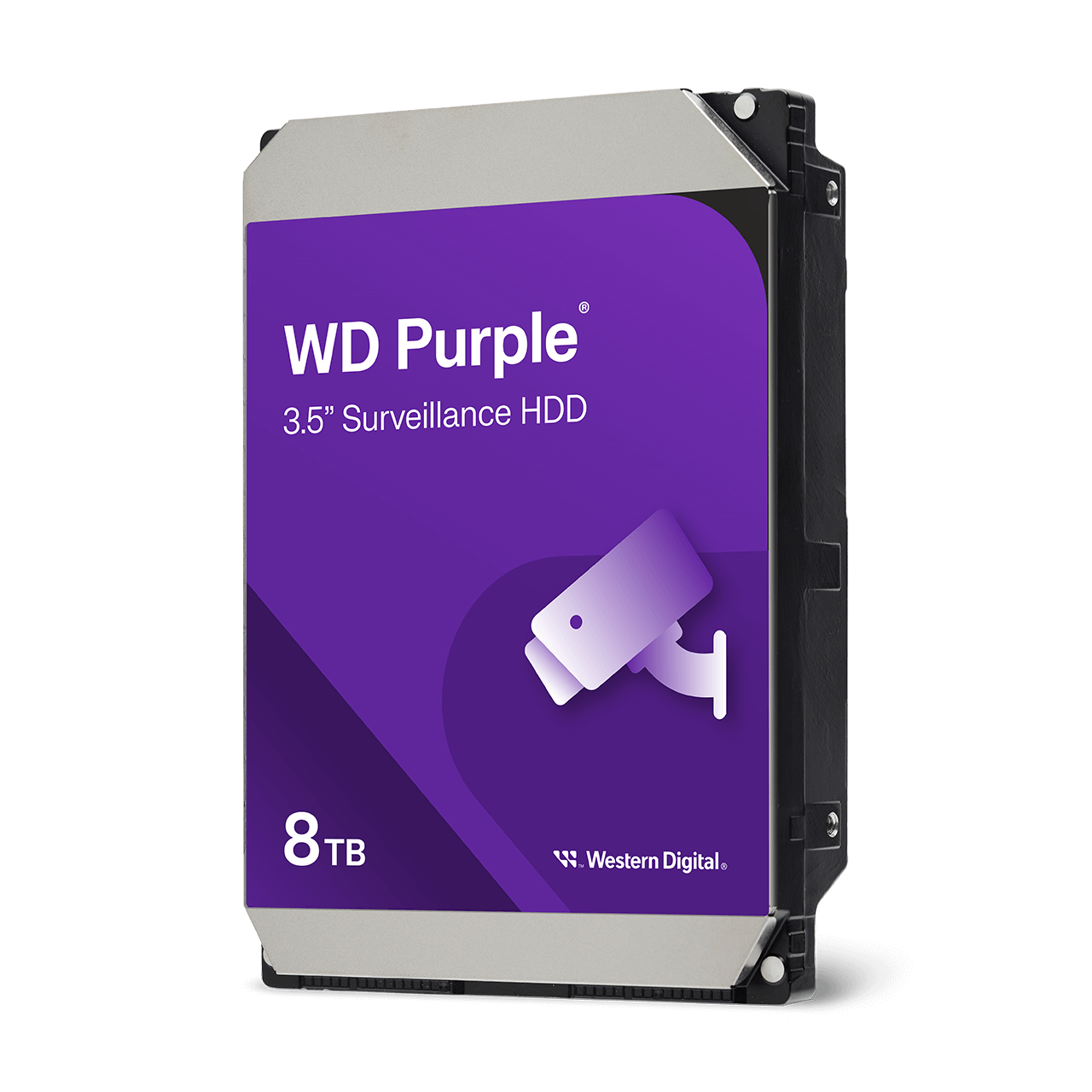
At a glance
- Interface
- SATA 6 Gb/s
- Form factor
- 3.5 inch
- Workload rate
- Up to 180 TB/year
- Firmware
- AllFrame
 Model WD85PURZCurrent model
WD Purple Surveillance Hard Drive, 3.5 Inch SATA, 1 TB to 8 TB
Price on request
At a glance
- Interface
- SATA 6 Gb/s
- Form factor
- 3.5 inch
- Workload rate
- Up to 180 TB/year
- Firmware
- AllFrame
A hard drive built for 24/7 recording in CCTV recorders (NVRs and DVRs), in capacities from 1 TB to 8 TB. Pick more capacity for more cameras or a longer recording history. Up to 64 HD cameras, 180 TB/year workload, up to 16 bays.
8 TB, WD85PURZ, 6 TB, WD64PURZ, 4 TB, WD43PURZ (256 MB cache), 4 TB, WD44PURZ (128 MB cache), 3 TB, WD33PURZ (256 MB cache), 3 TB, WD34PURZ (128 MB cache), 2 TB, WD22PURZ (256 MB cache), 2 TB, WD23PURZ (64 MB cache), 1 TB, WD11PURZ
Include the required quantity and configuration in your quote request. Price and availability will be confirmed in the quotation.
- WarrantyManufacturer warranty under WD's terms. Warranty claims
- DeliveryPrice, availability and delivery charges are confirmed in your quotation. Shipping and delivery
Overview
WD Purple is a hard drive made for CCTV. It records video around the clock in network video recorders (NVRs) and digital video recorders (DVRs), where an ordinary desktop drive is built for shorter daily use. Choose the capacity from the option above; all sizes share the same surveillance design.
Is it right for you?
Choose it to fit or replace the drive in a home, shop or office CCTV recorder, or a business system with up to 16 drive bays. It suits mainstream camera systems that record around the clock. For AI recorders, video servers or larger systems, WD Purple Pro is the higher-workload option.
How to choose capacity: every camera adds to the amount of video written each day, so more cameras, higher resolution, higher frame rates or a longer history (retention) all need more space. A larger drive keeps more days of footage on the same cameras. The exact number of days depends on resolution, frame rate, compression (H.264 or H.265) and whether the recorder saves continuously or on motion only. Your recorder’s storage calculator gives a figure, or ask our team.
Key features
- Built for always-on recording, with the heat and vibration found inside recorders.
- Records from up to 64 HD cameras (one 1080p, H.265, 25 fps stream per camera at 3.2 Mbps).
- AllFrame firmware helps reduce dropped video frames and improves playback.
- Workload rating of up to 180 TB/year, for continuous writing of video.
- 5400 rpm class rotational speed (the 8 TB model runs at 5640 rpm) and conventional recording (CMR).
- Cache of 64 MB, 128 MB or 256 MB depending on the model you choose.
- RAID error recovery control to help reduce failures in supported recorders.
- Rotational vibration (RV) sensors and tarnish-resistant components on the 3 TB to 8 TB models, for multi-bay recorders.
What else you need
- A CCTV recorder (NVR or DVR) or video server with a free 3.5 inch SATA bay that accepts the capacity you choose.
- Cameras and cabling for your system; the drive only stores the video.
Installation
Switch off and unplug the recorder, fit the drive in a free bay and connect the SATA data and power cables. Start the recorder and format (initialise) the drive from its storage menu before recording. Formatting erases anything already on the drive. Then set the recording schedule and turn on overwrite so the oldest footage is replaced when the drive is full.
Before you buy
- Check the largest drive size your recorder accepts and how many bays it has. The 1 TB and 2 TB models are rated for recorders with up to 8 bays; the 3 TB to 8 TB models for up to 16 bays.
- Capacity is in decimal units (1 TB = 1 trillion bytes), so the recorder shows slightly less usable space.
- Camera counts assume one 1080p stream per camera. 4K cameras, several streams per camera or high bit rates reduce the number of cameras one drive can record.
- At 2 TB, 3 TB and 4 TB, WD makes two models in each capacity. They differ in cache size and power figures; both are listed as separate options so you can match an existing drive or a recorder’s compatibility list.
Technical specifications
Key facts
- What is it?
- HDD & StorageBrand WD, model WD85PURZ
- Can SecurityGearHub help with installation?
- Setup guidanceManuals, wiring guides and answers to setup questions. On-site work is arranged separately where available. Ask about installation
- Which documents are available?
- On request. Ask us for the datasheet.
- Not stated by the manufacturer
- power, PoE, outdoor rating, software, box contents
RelatedDocumentsAll WD documents
General
- Capacity options
- 1 TB, 2 TB, 3 TB, 4 TB, 6 TB and 8 TB (two models each at 2 TB, 3 TB and 4 TB, differing in cache size)
- Interface
- SATA 6 Gb/s
- Form factor
- 3.5 inch
- Recording technology
- CMR
- Workload rate
- Up to 180 TB/year
- Cameras supported
- Up to 64 HD (1080p, H.265, 25 fps, 3.2 Mbps single stream)
- Firmware
- AllFrame
- Advanced Format (AF)
- Yes
- Load/unload cycles
- 300,000
- Non-recoverable read errors
- Less than 1 in 10^14 bits read
- Rotational speed
- 5400 rpm class (8 TB WD85PURZ: 5640 rpm)
- Cache
- 64 MB, 128 MB or 256 MB by model (see capacity option)
- Supported drive bays
- Up to 8 (1 TB and 2 TB models), up to 16 (3 TB to 8 TB models)
- Tarnish-resistant components
- 3 TB to 8 TB models
- Interface transfer rate, host to/from drive
- 175 to 215 MB/s by model
- Power, read/write (average)
- 3.8 to 5.3 W by model
- Power, idle (average)
- 3.2 to 4.7 W by model
Environment
- Operating temperature
- 0 to 65 °C (base casting)
- Non-operating temperature
- -40 to 70 °C
- Rotational vibration sensors
- 3 TB to 8 TB models
Physical
- Dimensions (H x W x L)
- 26.1 x 101.6 x 147 mm
- Weight
- 0.45 to 0.72 kg by model
Approvals
- MTBF
- 1,000,000 hours
- RoHS compliant
- Yes
- Warranty
- Manufacturer warranty under WD's terms. How claims work
Product attributes and shipping details
| Capacity | 8 TB, WD85PURZ, 6 TB, WD64PURZ, 4 TB, WD43PURZ (256 MB cache), 4 TB, WD44PURZ (128 MB cache), 3 TB, WD33PURZ (256 MB cache), 3 TB, WD34PURZ (128 MB cache), 2 TB, WD22PURZ (256 MB cache), 2 TB, WD23PURZ (64 MB cache), 1 TB, WD11PURZ |
|---|
Questions about this product
How many cameras can this drive record?
Up to 64 HD cameras, based on one 1080p, H.265, 25 fps stream per camera at 3.2 Mbps. Higher resolutions, more streams per camera or higher bit rates lower that number.
Which capacity should I choose?
Add up your cameras and how many days of footage you want to keep. More cameras, higher resolution or a longer history need a larger drive. If you are between two sizes, the larger one gives you more days of recording for the same cameras.
How many days of footage will it hold?
It depends on camera count, resolution, frame rate, compression and recording mode. More cameras or a longer history need more capacity. Use your recorder's storage calculator, or ask our team with your camera details.
What is the difference between the two models at the same capacity?
At 2 TB, 3 TB and 4 TB, WD makes two current models. One has a 256 MB cache; the other has a 64 MB cache (2 TB) or a 128 MB cache (3 TB and 4 TB). Power and acoustic figures differ slightly. Both share the same workload rating, camera count and bay rating. Pick the one on your recorder's compatibility list, or the 256 MB version if either is accepted.
Can I use it in a recorder with several drives?
Yes. The 3 TB to 8 TB models are rated for recorders with up to 16 drive bays and have rotational vibration sensors. The 1 TB and 2 TB models are rated for up to 8 bays.
What is the difference between WD Purple and WD Purple Pro?
WD Purple is for mainstream recorders with up to 16 bays and a 180 TB/year workload. WD Purple Pro runs at 7200 rpm, is rated for 550 TB/year, supports 32 AI streams and has no drive-bay limit, for AI recorders and video servers.
Ask about this modelSetup, compatibility, what is in the box
Answers are automated. Do not enter personal or account details.
Looking for an alternative?
We list alternatives only when we have checked they suit the same job. Compare other models in the category, or ask us to suggest one for your site.