
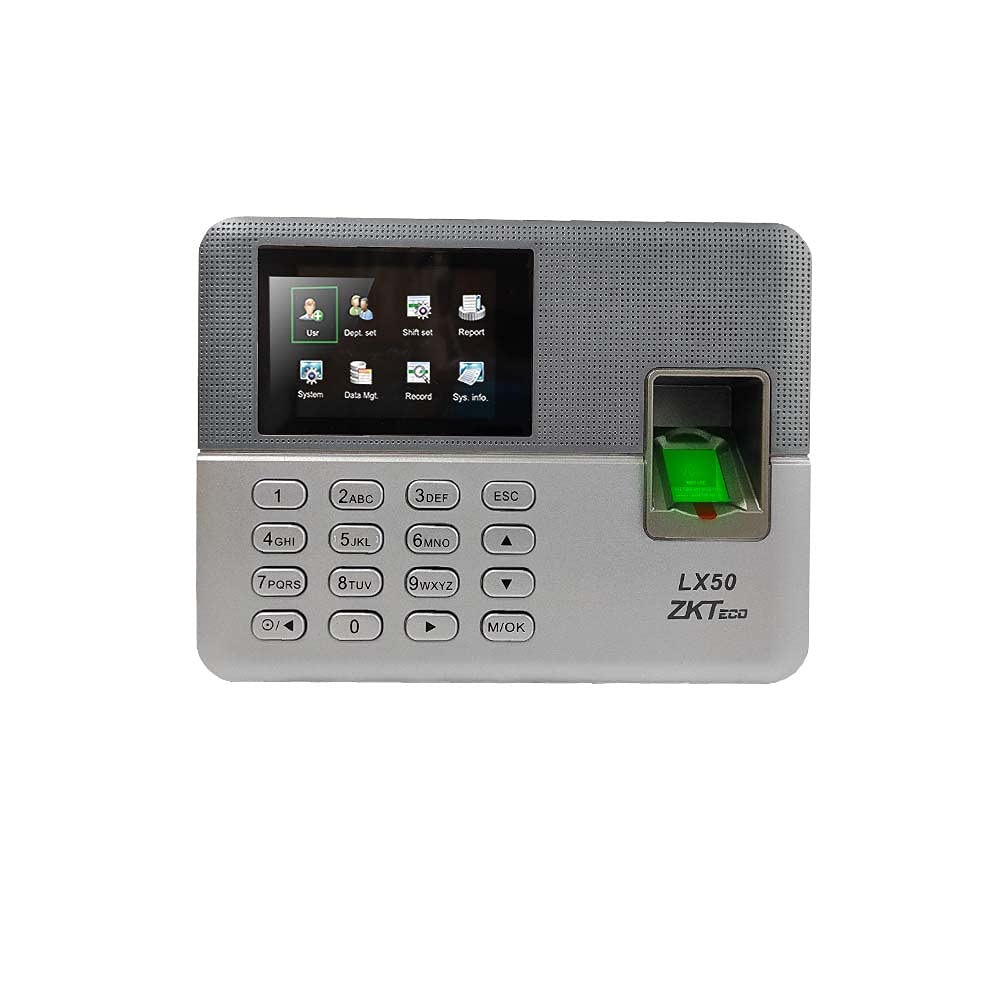
At a glance
- Fingerprint Capacity
- 500
- Display
- 2.8 inch TFT screen
- Communication
- USB host, USB client
- Dimension
- 180 x 132 x 32 mm
- Transaction Capacity
- 50,000
 Model LX50
ZKTeco LX50 Fingerprint Attendance Machine with Built-in Excel Reports
₹4,967 Incl. GST
₹4,209 + 18% GST
At a glance
- Fingerprint Capacity
- 500
- Display
- 2.8 inch TFT screen
- Communication
- USB host, USB client
- Dimension
- 180 x 132 x 32 mm
- Transaction Capacity
- 50,000
Simple fingerprint attendance machine that keeps reports on the device: download them to a USB flash drive and open them in Excel, with no software to install. 2.8-inch colour screen, 500 users, 50,000 records, scheduled bell.
- WarrantyManufacturer warranty under ZKTeco's terms: 1 year. Warranty claims
- DeliveryPrice, availability and delivery charges are confirmed in your quotation. Shipping and delivery
Overview
The ZKTeco LX50 is a simple fingerprint attendance machine that keeps its reports on the device. You download them to a USB flash drive and open them in Excel, with no software to install and no network needed. It suits small businesses, small chain stores, shops, clinics and offices that want fingerprint attendance without a PC system.
Is it right for you?
- It suits a small team: 500 users, 500 fingerprints and 50,000 records.
- It suits a place without a network or attendance software, since reports come off on a USB drive.
- It has no network port and no door control output, so it cannot report live or open a door. For networked attendance, consider the K45 Pro or MB10-VL.
- It reads fingerprints only, without cards or face recognition.
Key features
- Built-in self-service recorder (SSR) reports exported in Excel format, with employee details editable in Excel.
- ZKFinger VX10.0 fingerprint algorithm.
- 2.8-inch colour screen with T9 input and multiple languages.
- USB host for flash drives and USB client for a PC connection.
- Scheduled bell, record checking and 9-digit user IDs.
- Compact 180 × 132 × 32 mm body.
What else you need
- A USB flash drive and a PC with Excel or a compatible spreadsheet program to read the reports.
- A mains power point near the mounting position.
Installation
It mounts on an indoor wall near a power point. There is no network or door wiring, so an office manager can set it up and enrol staff on the device.
Software and licences
None required. Reports are produced on the device and opened in Excel.
Before you buy
- No TCP/IP or Wi-Fi: data moves by USB only.
- No access control output for a door lock.
- Fingerprint only; no card or face reading.
Technical specifications
Key facts
- What is it?
- Fingerprint, Card & Keypad TerminalsBrand ZKTeco
- What capacity does it support?
- 500 fingerprints500 users50,000 transaction records
- Which documents are available?
- Datasheet, online specifications Open documents
- Can SecurityGearHub help with installation?
- Setup guidanceManuals, wiring guides and answers to setup questions. On-site work is arranged separately where available. Ask about installation
- Not stated by the manufacturer
- power, PoE, RS-485, OSDP, wiegand, outdoor rating, software, box contents
RelatedGuideFace vs fingerprint attendance machineDocumentsAll ZKTeco documents
- Dimension
- 180 x 132 x 32 mm
- Transaction Capacity
- 50,000
- User Capacity
- 500
- Fingerprint Capacity
- 500
- Algorithm
- ZKFinger VX10.0
- Communication
- USB host, USB client
- Display
- 2.8 inch TFT screen
- Standard Functions
- Scheduled bell, SSR recorder, 9 digit user ID, T9 input, record checking, multiple languages
- Warranty
- Manufacturer warranty under ZKTeco's terms: 1 year. How claims work
Product attributes and shipping details
| Brand | ZKTeco |
|---|---|
| Verification | Fingerprint |
Downloads
Documentation
- ZKTeco LX50 datasheetDatasheet · This model · d1agmp9y4cki1i.cloudfront.netDownload
- ZKTeco LX50 product pageOnline specifications · This model · zkteco.inView official page
Series documents can differ from your exact model. Report a wrong or missing file
Questions about this product
Does the LX50 need software?
No. Reports are kept on the device, downloaded to a USB flash drive and opened in Excel.
Can it connect to a network?
No. It has USB host and USB client only, with no TCP/IP or Wi-Fi.
Can it open a door?
No. It has no access control output.
How many staff can it hold?
500 users and 500 fingerprints, with 50,000 records.
What power does it need?
Not stated by the manufacturer. Plan a mains power point near the mounting position.
Ask about this modelSetup, compatibility, what is in the box
Answers are automated. Do not enter personal or account details.
Looking for an alternative?
We list alternatives only when we have checked they suit the same job. Compare other models in the category, or ask us to suggest one for your site.