Online checkout is currently closed. Browse products, build your list and request a quotation. Need help? Call or WhatsApp us.Online checkout is currently closed. Call or WhatsApp for enquiries.

  • Sold by Sada Smart Solutions LLP, GSTIN 29AEJFS5796N1ZTSada Smart Solutions LLP

Call or WhatsApp +91 96060 62750 / 62751, Mon to Sat, 9:00 AM to 6:30 PM

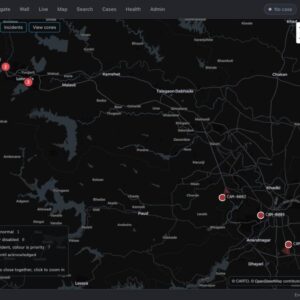
EdgeTrack VMS operator view: open incidents by priority, a map of camera locations and a live violation feed

Traffic control rooms

Central traffic monitoring

For road authorities, toll operators, cities and control rooms. Bring supported site events and evidence into a defined monitoring workflow. Confirm device integrations, operator roles, review steps and retention requirements.

Suits Highway control rooms, Toll operators and concessionaires, City traffic departments and enforcement teams, Integrators running several Stellarview systems

Brands for this system: Stellarview

The problem

A control room with many cameras cannot run one console per camera. Stellarview EdgeTrack brings every Stellarview camera and application onto one dashboard, so operators see violations, incidents, traffic data, evidence and device health for the whole network in one place, in the cloud or on a server on your premises.

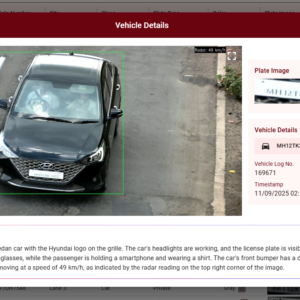
Live violation and incident feeds are filtered by place, date, vehicle or violation type. Every event shows the plate crop, full frame, time, site, lane and confidence, and operators approve violations and send them to the fines system (e-challan). Alerts arrive on screen, by SMS and by email, including device downtime; uptime and health are shown for every unit, with reports for service-level checks; allow and block lists are synced to every device; and a map view shows the corridor with device status and incident markers. Daily and weekly reports arrive by email, with CSV, Excel and PDF exports, and role-based access separates administrators, staff and operators. Each camera or gantry keeps working on its own if its link drops.
How it works

In 6 steps

  1. 01ConnectEach Stellarview camera or gantry connects to EdgeTrack over fibre or the internet, and keeps working on its own if the link drops. Cloud hosting is standard; on-premises hosting is available where data must stay on your network.
  2. 02See everything in one placeInstead of one console per camera, operators see live violation and incident feeds for the whole network, filtered by place, date, vehicle or violation type, with a map view of the corridor showing device status and incident markers.
  3. 03Review evidenceEvery event shows the plate crop, the full frame, time, site, lane and confidence.
  4. 04Approve and sendOperators approve violations and send them to the fines system (e-challan). Central allow and block lists are synced to every device.
  5. 05Watch the devicesUptime and health are shown for every unit, with alerts on screen, by SMS and by email, including device downtime, and reports for service-level checks.
  6. 06ReportDaily and weekly reports arrive by email, with CSV, Excel and PDF exports. Role-based access separates administrators, staff and operators. Links to fines systems, command centres and other software are scoped for each project.

One dashboard

The supported applications in one view

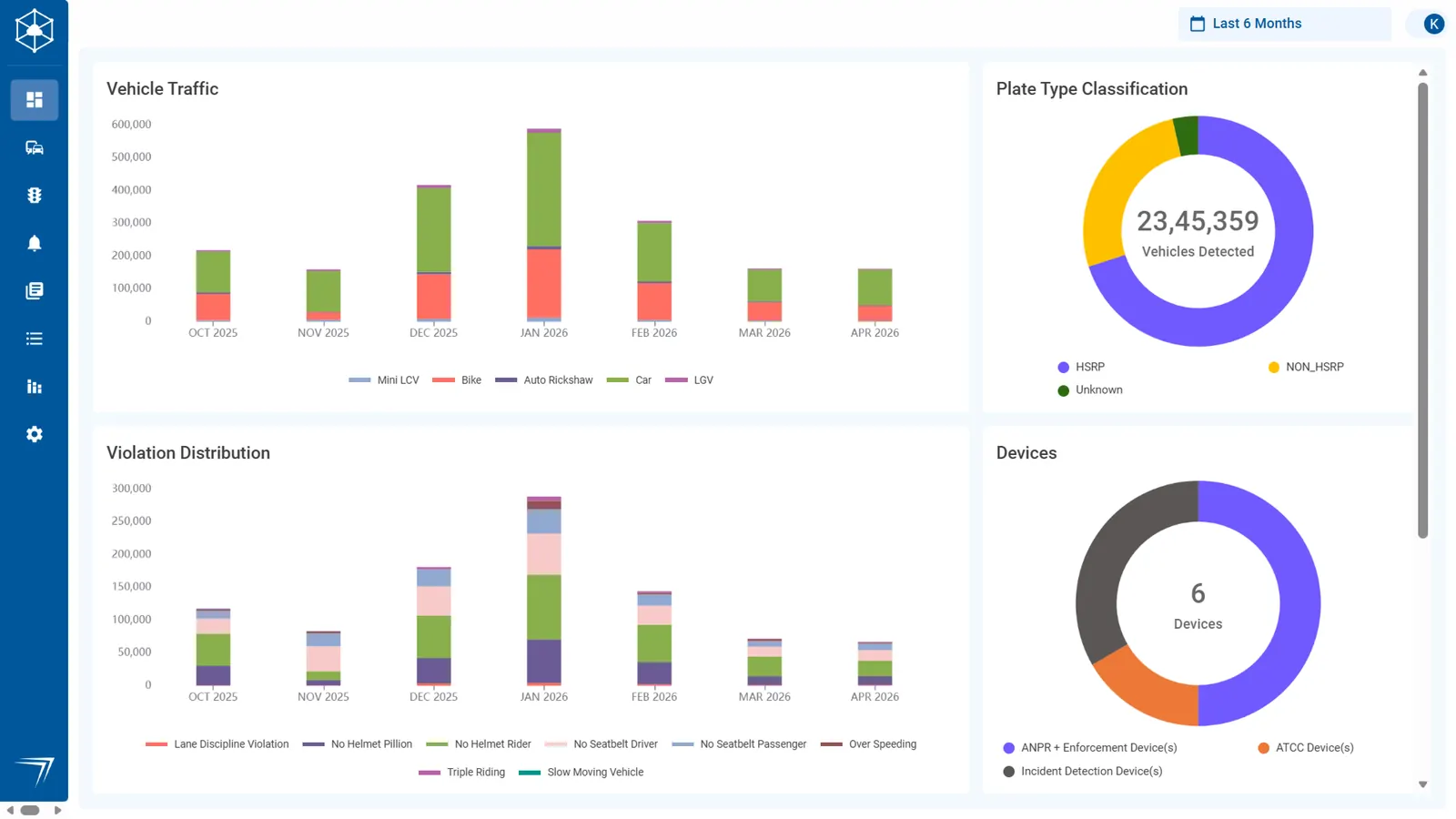
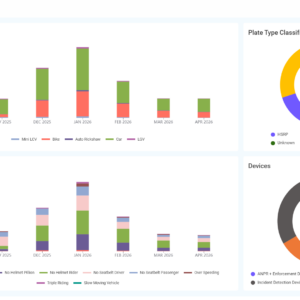
Violations, incidents, traffic counts and devices from every site appear on one dashboard, filtered by place, date, vehicle or violation type.

EdgeTrack dashboard with monthly vehicle traffic by class, violations by type, plate types and devices by application
EdgeTrack dashboard.

Configuration

Parts for one monitoring network

One EdgeTrack platform for all the sites of one operator, with the control room software added where live video is needed. Quantities follow the number of sites and devices and are confirmed in the quotation; the platform is priced on request.

Illustrative configuration. Models, quantities and installation are confirmed for your site before an order or quotation.

Equipment

PartItemQuantity
1EdgeTrack central platform
Stellarview EdgeTrack Central Traffic Monitoring and Enforcement Platform, Cloud or On-PremisesCloud hosting as standard, or on-premises hosting where data must stay on your network
One platform per network
2On-premises server
Specified by the manufacturer: Intel Core i7 class, Ubuntu; provided by you
One, only for on-premises hosting
3Recon global shutter camera
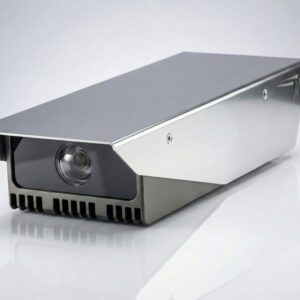
Stellarview Recon SV-ANPR-RC-1 Global Shutter ANPR Camera, 2 MP, 60 fps, 40 m IR, IP66Runs plate recognition, speed, incident or counting applications and feeds the platform
Per lane or site, as designed
5AI Search add-onOptional, one licence per camera

Licences and software

PartItemQuantity
4EdgeTrack VMSOptional, one per control room

Installation

Quoted after a site survey, or carried out by your own installer.

  • Setting up the platform in the cloud or on your server
  • Connecting each camera or gantry to the platform
  • Creating users, roles, alerts and scheduled reports

Assumptions

  • Cloud hosting unless on-premises hosting is chosen
  • Every site connects over fibre or the internet and keeps working on its own if the link drops
  • Role-based access for administrators, staff and operators

Prerequisites, not in this configuration

  • Stellarview devices at each site, or a plan to install them
  • Network links from each site
  • Server room and server for on-premises hosting

Not included

  • The on-premises server and server room
  • Network links from each site
  • Cameras and gantry systems, which are quoted with their own solutions
  • Links to fines systems, command centres and other software beyond the scope agreed for the project

Hardware

Platform, cameras and control room software

The platform is quoted after a survey of your sites and devices. Store products are listed with their role; the on-premises server is specified by the manufacturer and provided by you.

Details

Planning the system

What you need
  • The Stellarview EdgeTrack platform, hosted in the cloud as standard, or on a server on your premises where data must stay on your network; the manufacturer specifies the server (Intel Core i7 class, Ubuntu)
  • Stellarview Recon SV-ANPR-RC-1 cameras running plate recognition, speed, incident or counting applications at each site
  • Stellarview EdgeTrack VMS, optional, for live video, recording, playback and signed evidence export in the control room
  • Stellarview AI Search, optional, to search footage across cameras with a plain description
  • Stellarview devices at each site, or a plan to install them
  • Network links from each site, by fibre or the internet
  • For on-premises hosting, a server room and the server
  • Your user list, roles and the reports you need
Questions to ask
  • How many sites and devices will connect, now and later?
  • Must the data stay on your own network? If so, choose on-premises hosting and plan the server room.
  • Does the control room need live video and recording as well as events? If so, add EdgeTrack VMS.
  • Do operators need to find vehicles or people by description rather than plate number? AI Search adds this per camera.
  • Who are the administrators, staff and operators, and what should each role see?
  • Which reports do you need, and how often? Daily and weekly reports can be sent by email.
  • Which fines systems, command centres or other software must EdgeTrack link to? Integration is scoped for each project.

EdgeTrack is priced on request. Request a quote with the number of sites and devices, and whether you want cloud or on-premises hosting. Buying for clients or several sites? Trade accounts and project quotations are available.

Downloads

Datasheets for these parts

Search all datasheets, manuals and drawings

Questions

Frequently asked

Is EdgeTrack hosted in the cloud or on our own server?

Either. Cloud hosting is standard. On-premises hosting is available where data must stay on your network, and the manufacturer specifies the server (Intel Core i7 class, Ubuntu).

Which systems does it bring together?

Plate recognition, speed enforcement (VSDS), incident detection (VIDS), traffic counting (ATCC) and the combined VIDES gantry package, all on one dashboard.

What happens if a site loses its network link?

The camera or gantry keeps working on its own and reports to EdgeTrack when the link returns.

Do we need EdgeTrack VMS as well?

Only if the control room needs live video, recording, playback and signed evidence export. EdgeTrack on its own handles violations, incidents, traffic data, evidence images and device health.

Can operators search footage by describing what they are looking for?

Yes, with the optional AI Search add-on, which runs on the camera and shows results on the EdgeTrack dashboard.

How is EdgeTrack licensed?

Not stated by the manufacturer. The quotation sets out the terms for your number of sites and devices.

Get a quotation

Describe your deployment

What we need to quote:

  • Stellarview devices at each site, or a plan to install them
  • Network links from each site
  • For on-premises hosting, a server room and the server
  • User list, roles and the reports you need

Prefer to talk it through? Call or WhatsApp +91 96060 62750 / 62751 (WhatsApp), Monday to Saturday, 9:00 AM to 6:30 PM IST.