
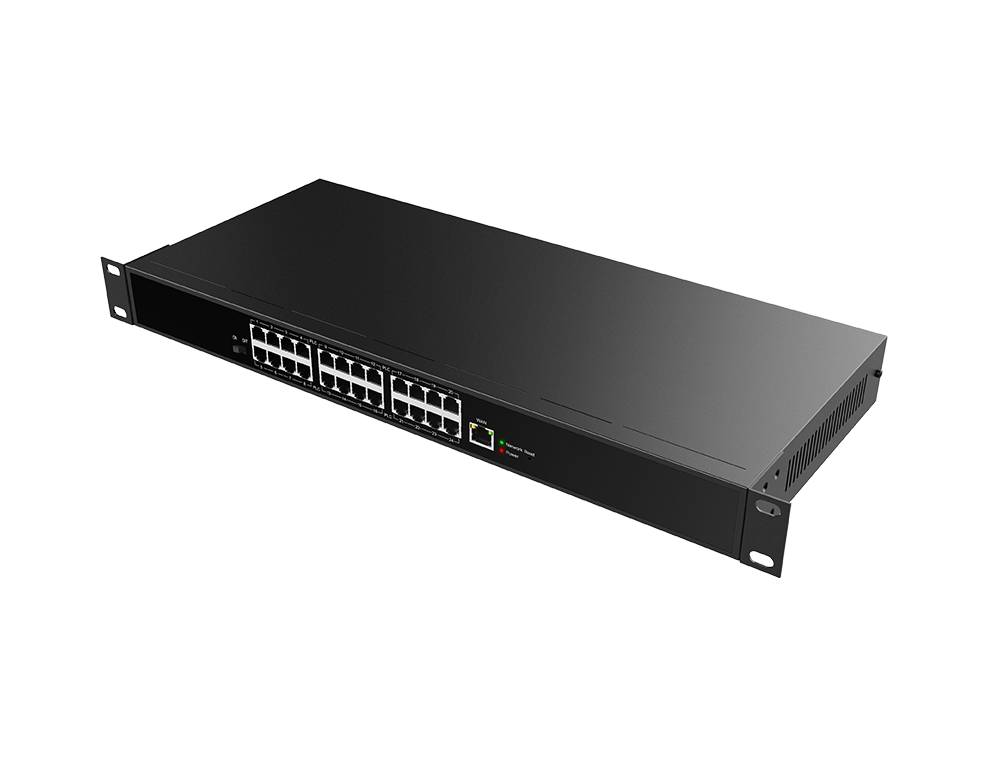
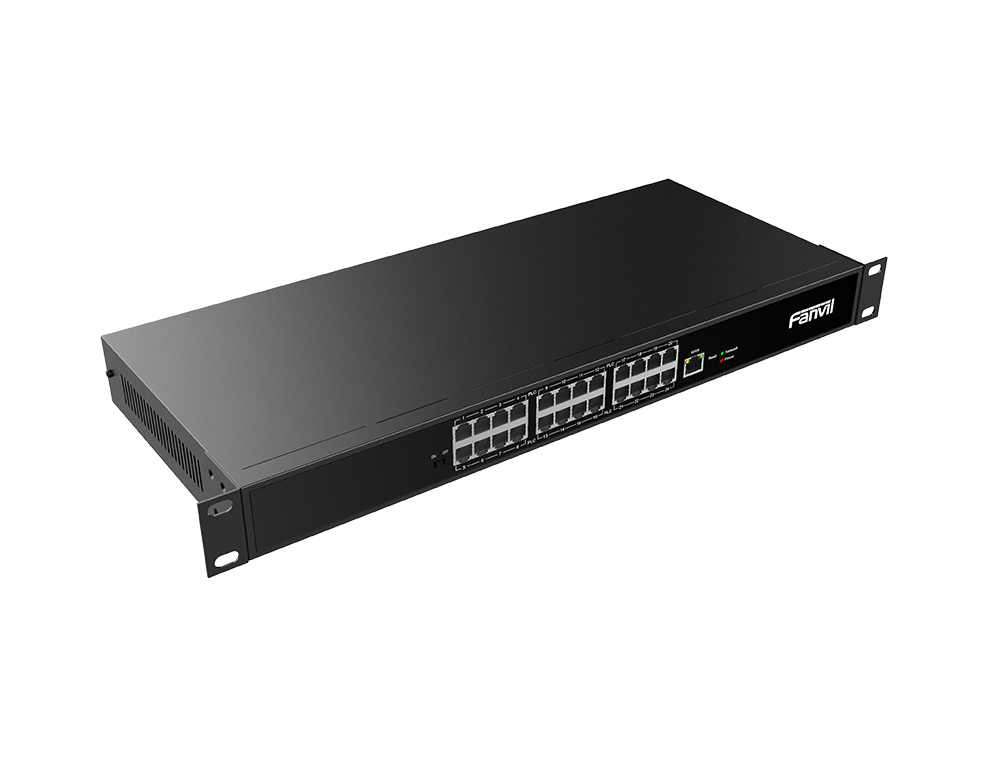
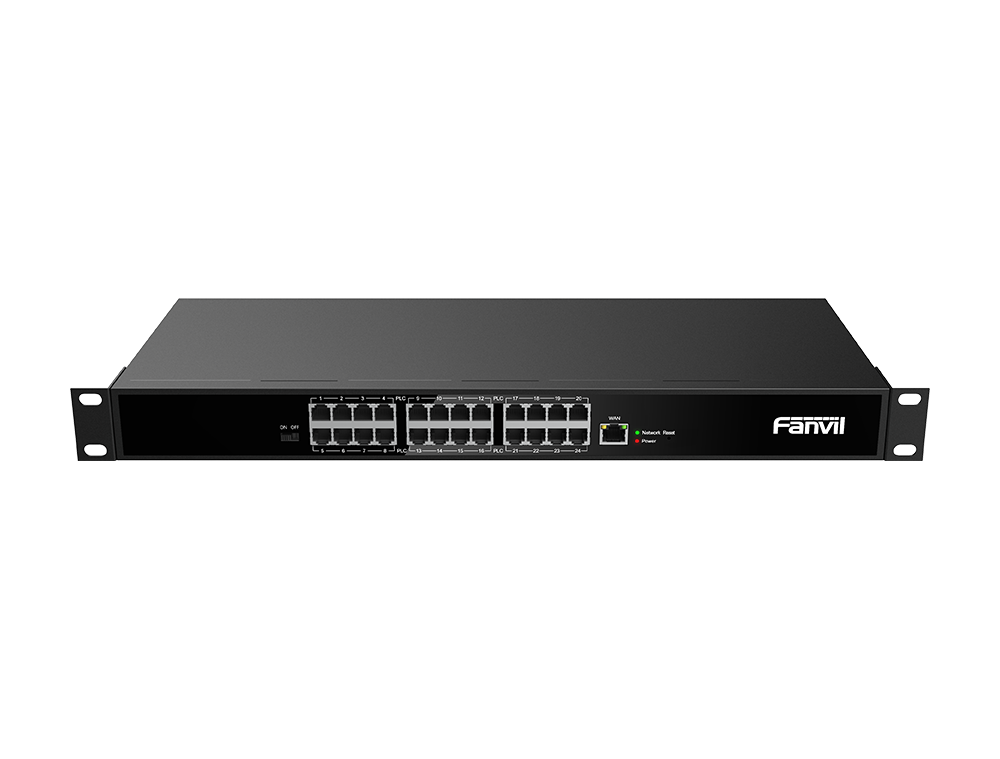
At a glance
- 2-wire ports
- 24 x RJ11
- Uplink port
- 1 x RJ45, 10/100 Mbps
- Mounting
- Desktop, wall or flush
- Dimensions
- 440 x 189.85 x 44 mm
In the box
- PN24
- Power cable
- Accessory pack
 Model PN24Current model
Fanvil PN24 2-Wire PoE Switch, 24 Ports, Network and Power over Phone Wiring
Price on request
At a glance
- 2-wire ports
- 24 x RJ11
- Uplink port
- 1 x RJ45, 10/100 Mbps
- Mounting
- Desktop, wall or flush
- Dimensions
- 440 x 189.85 x 44 mm
Fanvil PN24 feeds network and power to up to 24 Fanvil 2-wire phones over existing phone wiring, so hotels and older buildings can move to IP phones without rewiring. Up to 300 m per line, built-in power supply.
Include the required quantity and configuration in your quote request. Price and availability will be confirmed in the quotation.
- WarrantyManufacturer warranty under Fanvil's terms. Warranty claims
- DeliveryPrice, availability and delivery charges are confirmed in your quotation. Shipping and delivery
Overview
The Fanvil PN24 is a 2-wire PoE switch. It sends network and power over ordinary two-wire phone cabling to Fanvil 2-wire devices such as the H1-2 Wire hotel phone and the X303-2 Wire desk phone. It suits hotels, offices, apartment buildings and older buildings that want IP phones on their existing wiring.
Is it right for you?
Choose it if you have up to 24 rooms or desks wired with old phone cable and want Fanvil 2-wire IP phones there. For a smaller floor or building the 8-port PN8 may be enough.
Key features
- 24 RJ11 2-wire ports, each giving network and power to a Fanvil 2-wire device
- Up to 300 m per line
- Reuses existing phone (PSTN) and two-core cable
- One RJ45 uplink port; cascade more units over Ethernet cable
- Built-in power supply, 100 to 240 V input
- Mode switch for network and power, or network only
What else you need
- An uplink to your network switch or router
- An IP PBX or SIP phone service
- Fanvil 2-wire devices (for example the H1-2 Wire or X303-2 Wire), or PN1 converters for standard PoE devices
Installation
Install it where the old phone lines meet, for example the comms room or old PBX location. Connect each phone line to an RJ11 port and the uplink to your network. It can sit on a shelf or be fixed to a wall.
Before you buy
- It powers Fanvil 2-wire devices. Standard PoE phones need a PN1 converter at the device end
- Reach depends on the condition of the old cabling
- Working temperature -20 to 50 °C
Technical specifications
Key facts
- What is it?
- Network switchBrand Fanvil, model PN24
- How is it powered?
- Built-in power supply, 100 to 240 V input, up to 160 W output
- How does it mount?
- Desktop, wall or flush
- What comes in the box?
- PN24; Power cable; Accessory pack
- Which documents are available?
- On request. Ask us for the datasheet.
- Not stated by the manufacturer
- PoE
General
- 2-wire ports
- 24 x RJ11 (network and power)
- Uplink port
- 1 x RJ45, 10/100 Mbps
- Distance
- Up to 300 m
- Supported cable
- CAT 5e, 20 AWG, RVV 2 x 0.5
- Power switch
- 1
- Reset
- 1
- Indicators
- Power (red), network (green)
- Power
- Built-in power supply, 100 to 240 V input, up to 160 W output
Environment
- Working temperature
- -20 to 50 °C
- Storage temperature
- -20 to 70 °C
Physical
- Housing
- Galvanised steel, gunmetal colour
- Dimensions
- 440 x 189.85 x 44 mm
- Weight
- 2.53 kg
- Mounting
- Desktop, wall or flush
- Warranty
- Manufacturer warranty under Fanvil's terms. How claims work
Questions about this product
Which phones can it power?
Fanvil 2-wire devices such as the H1-2 Wire hotel phone and X303-2 Wire IP phone. Standard PoE devices connect through a PN1 converter.
Do I need new cabling?
No. It uses existing two-wire phone cabling, up to 300 m per line.
Does it need a separate power adapter?
No. The power supply is built in and accepts 100 to 240 V.
Can I connect more than one switch?
Yes. Units cascade over Ethernet cable.
Ask about this modelSetup, compatibility, what is in the box
Answers are automated. Do not enter personal or account details.
Looking for an alternative?
We list alternatives only when we have checked they suit the same job. Compare other models in the category, or ask us to suggest one for your site.