
At a glance
- Maximum resolution
- 3840 x 2160 at 60 Hz
- Dimensions
- 157 x 72 x 30 mm
- USB data rate
- Up to 5 Gbps, shared and host-dependent
- Host video inputs
- 4 x HDMI, 2 per computer
In the box
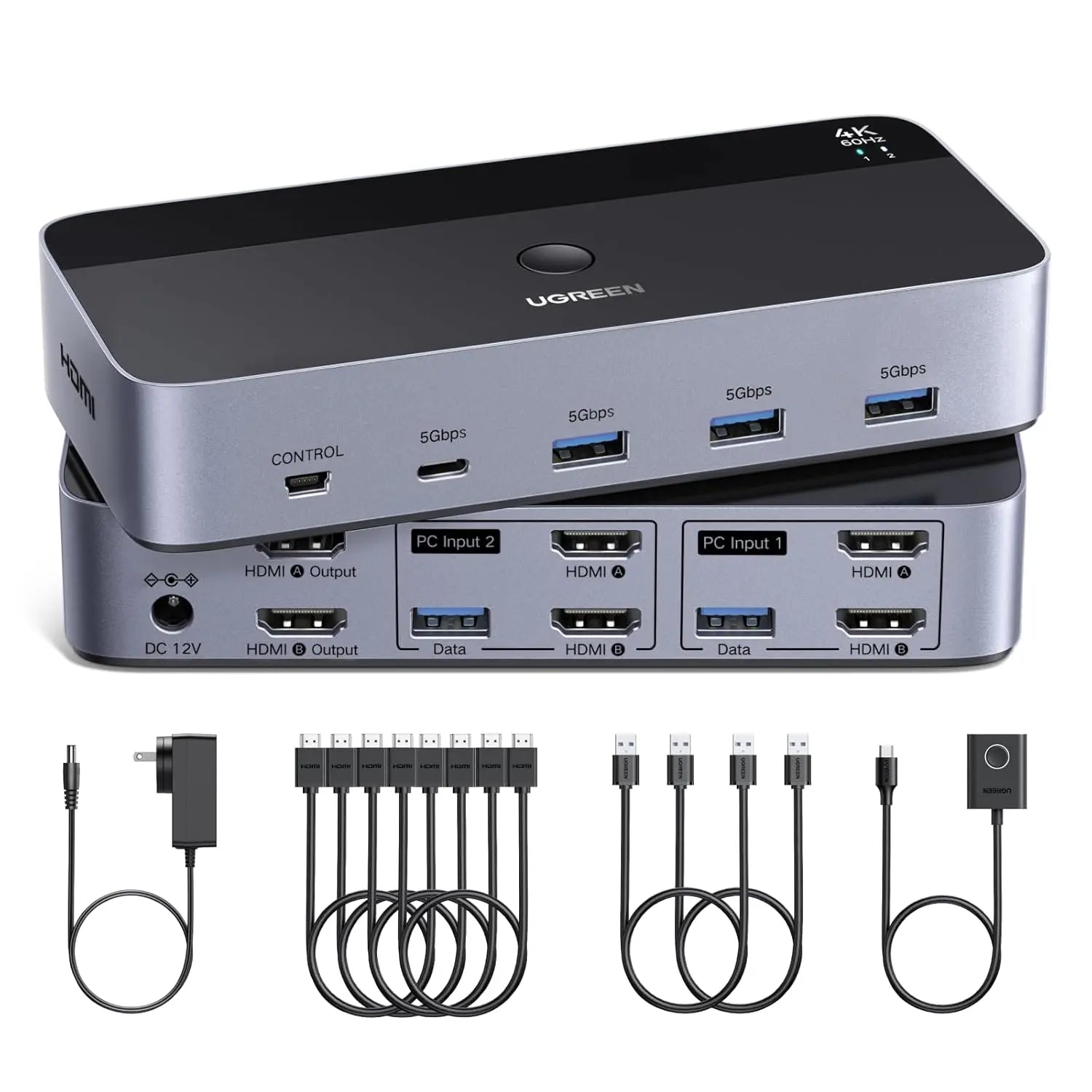
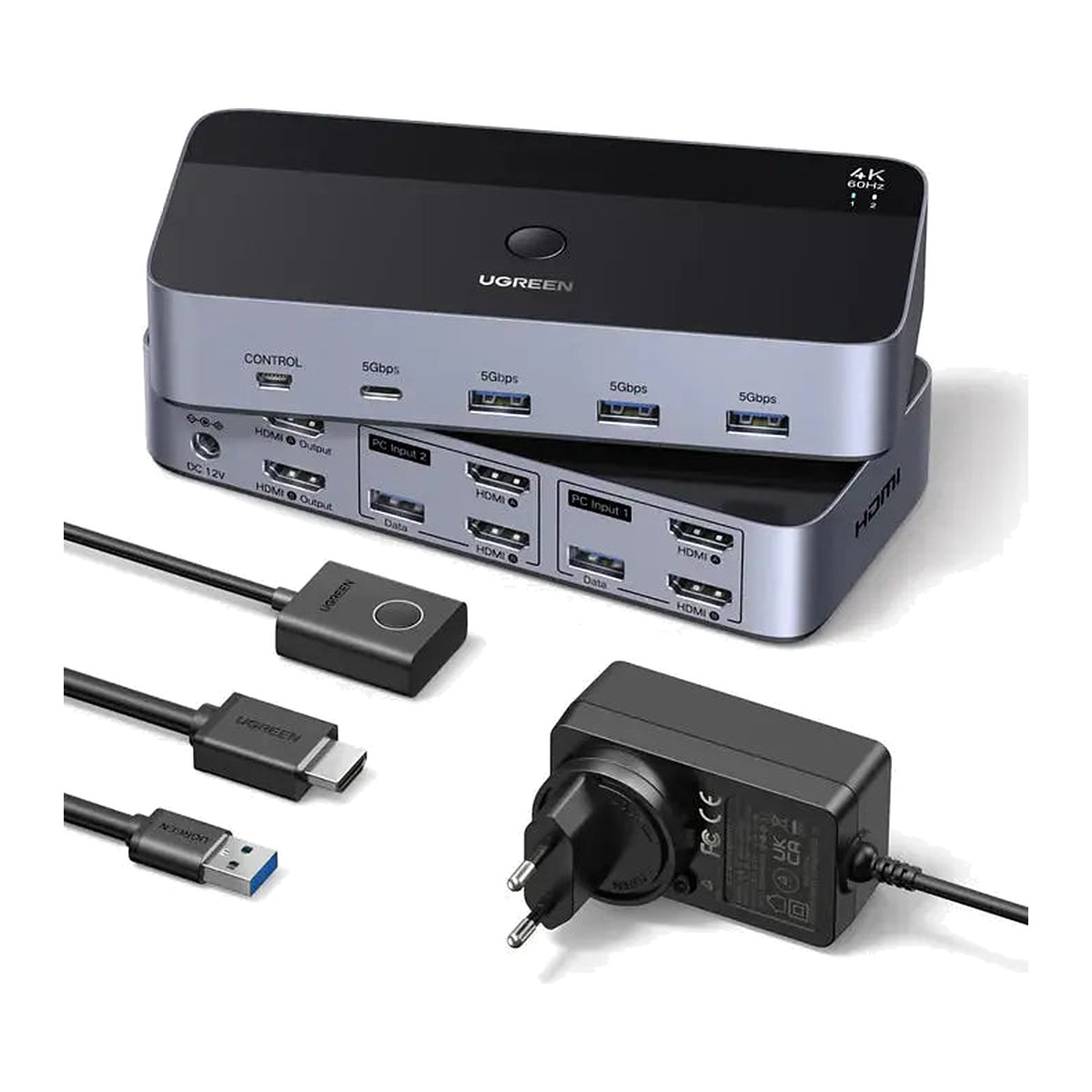
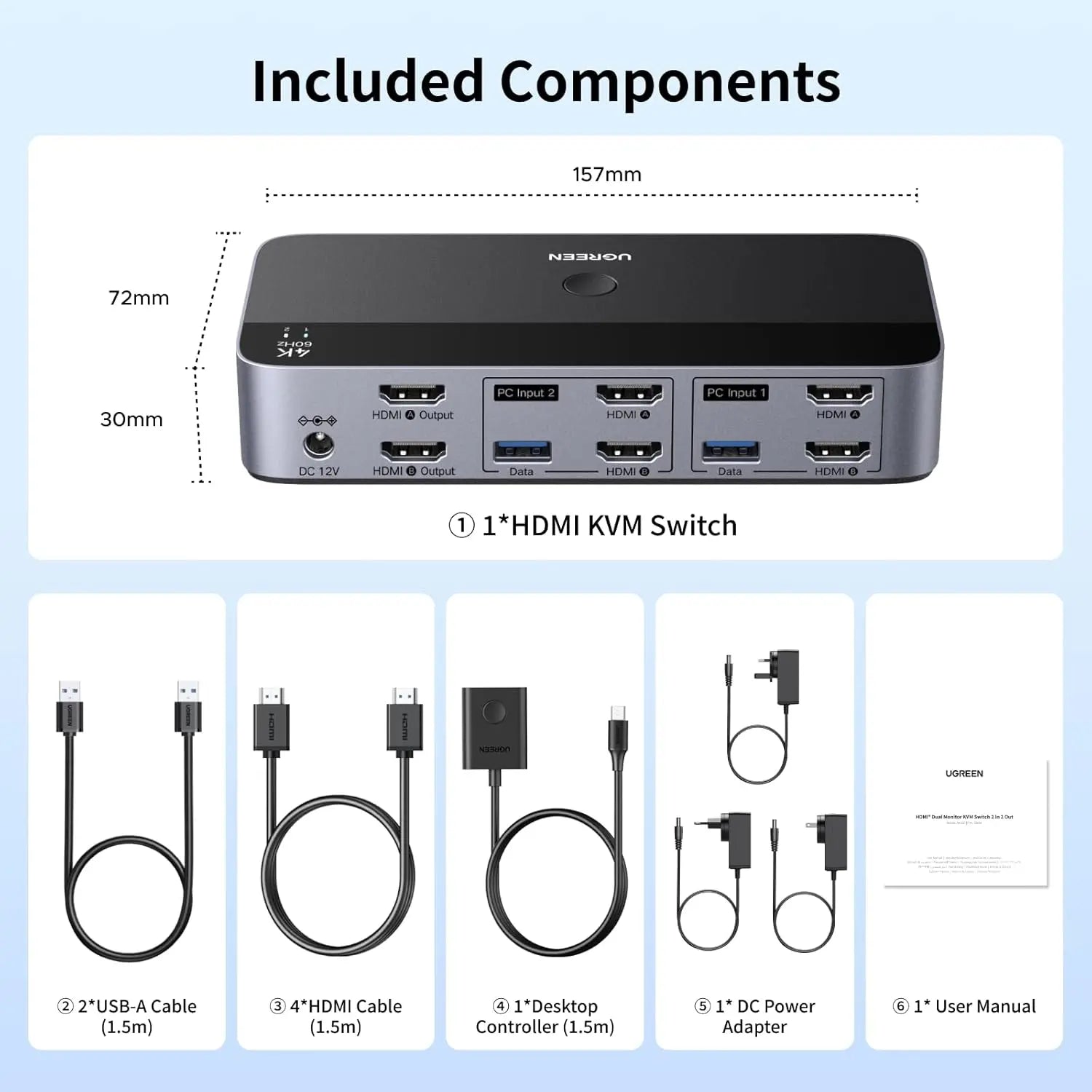
- Dual-monitor HDMI KVM switch
- 4 x HDMI 2.0 host cable, 1.5 m
- 2 x USB-A 3.0 host data cable, 1.5 m
- Wired desktop controller, 1.5 m
- 12 V 2 A power adapter, DC 5.5 mm
- User manual
 Model 55455
UGREEN Dual-Monitor HDMI KVM Switch for 2 Computers, 4K@60Hz (55455)
₹15,039 Incl. GST MRP ₹19,541 23% below MRP
₹12,745 + 18% GST
At a glance
- Maximum resolution
- 3840 x 2160 at 60 Hz
- Dimensions
- 157 x 72 x 30 mm
- USB data rate
- Up to 5 Gbps, shared and host-dependent
- Host video inputs
- 4 x HDMI, 2 per computer
Lets two computers share a two-monitor setup, keyboard, mouse and USB devices on one desk. HDMI KVM switch for two monitors at up to 4K at 60 Hz, three USB-A and one USB-C port, button and wired controller.
- WarrantyManufacturer warranty under UGREEN's terms. Warranty claims
- DeliveryPrice, availability and delivery charges are confirmed in your quotation. Shipping and delivery
Overview
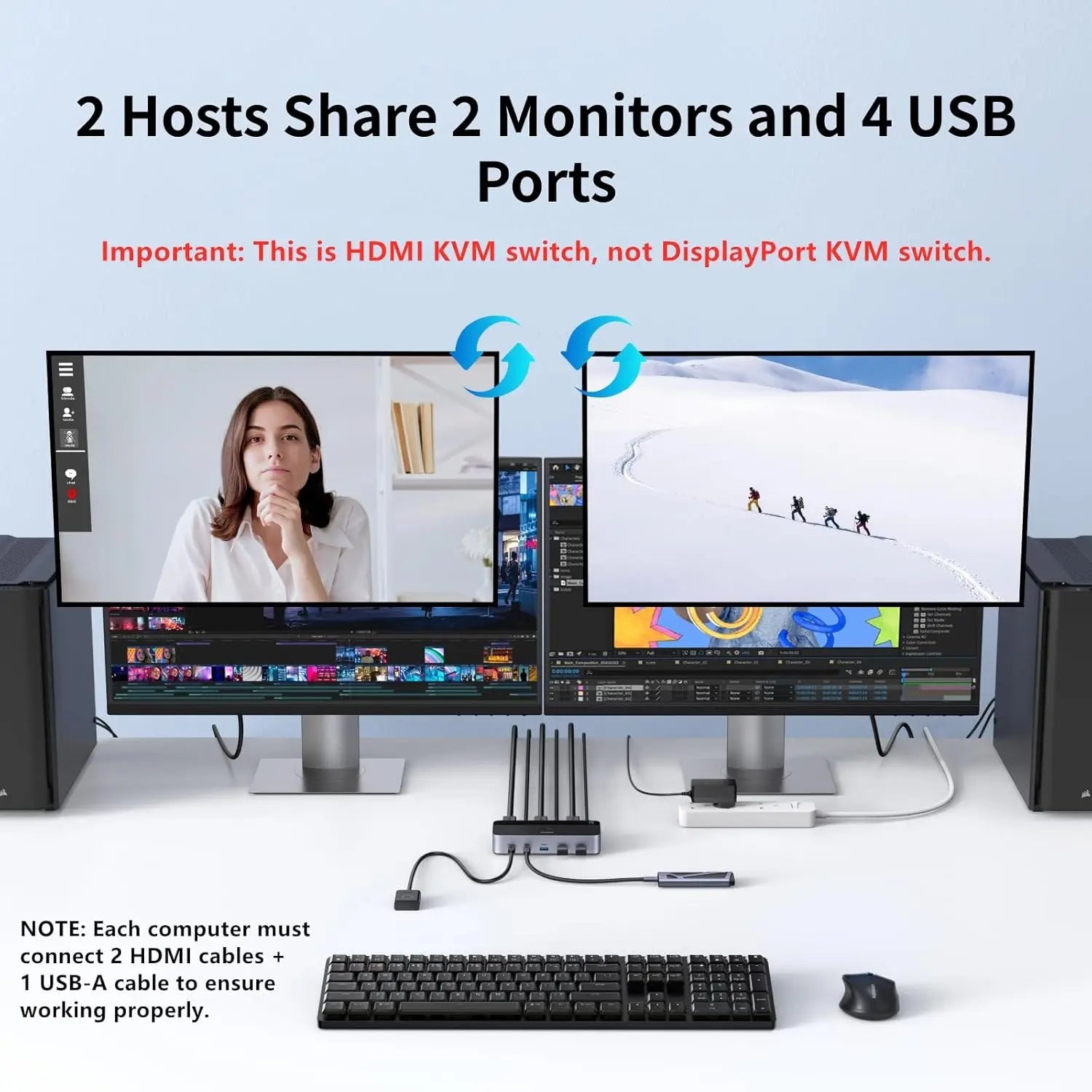
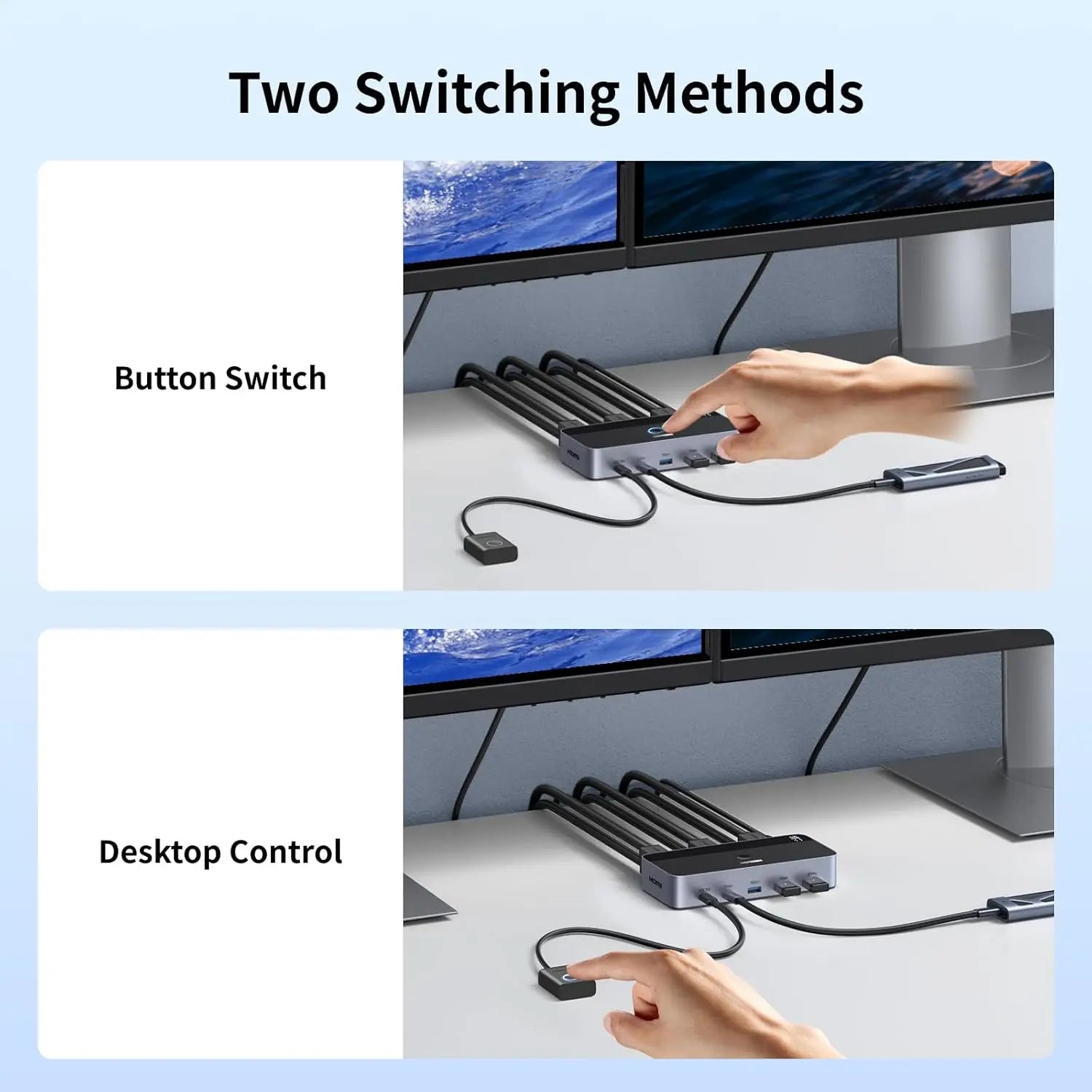
The UGREEN 55455 is a dual-monitor HDMI KVM (keyboard, video and mouse) switch for two computers. Each computer connects with two HDMI cables and one USB cable; two monitors, a keyboard, a mouse and up to two more USB devices connect to the switch, and the top button or the wired desk controller moves the whole set from one computer to the other. It suits a desk where a work laptop and a desktop PC both need the same two screens.
Is it right for you?
- Suits two computers that each have two independent HDMI outputs: a desktop with two HDMI ports, or a laptop with HDMI plus a dock or active adapter that gives a second HDMI stream.
- Both monitors always follow the selected computer. It cannot show computer 1 on one monitor and computer 2 on the other.
- A laptop with only one video stream cannot gain a second external display through this switch; it needs a multi-display dock or a different KVM design.
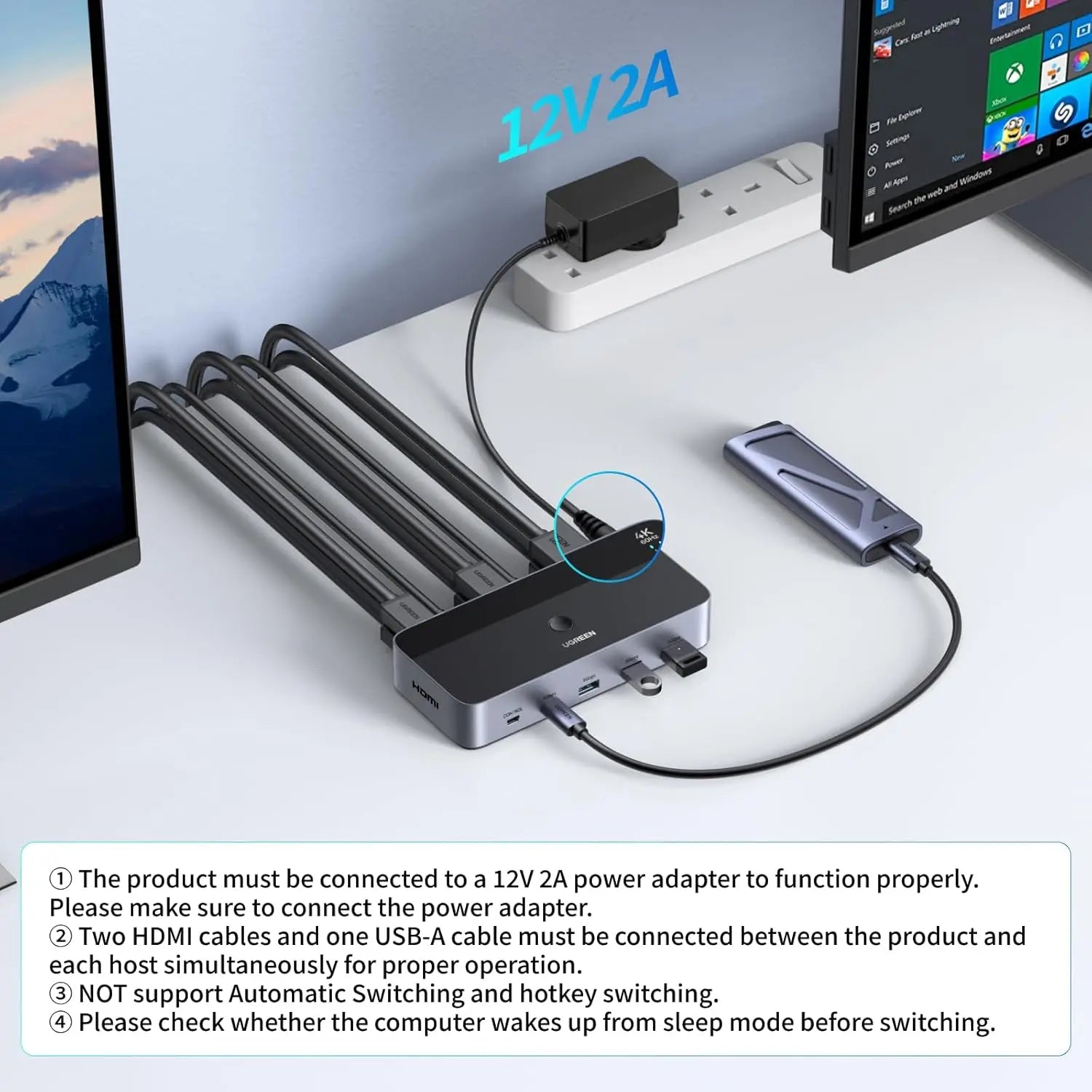
- Switching is by the top button or the wired controller. If you want keyboard hotkeys or automatic switching, this model does not offer them.
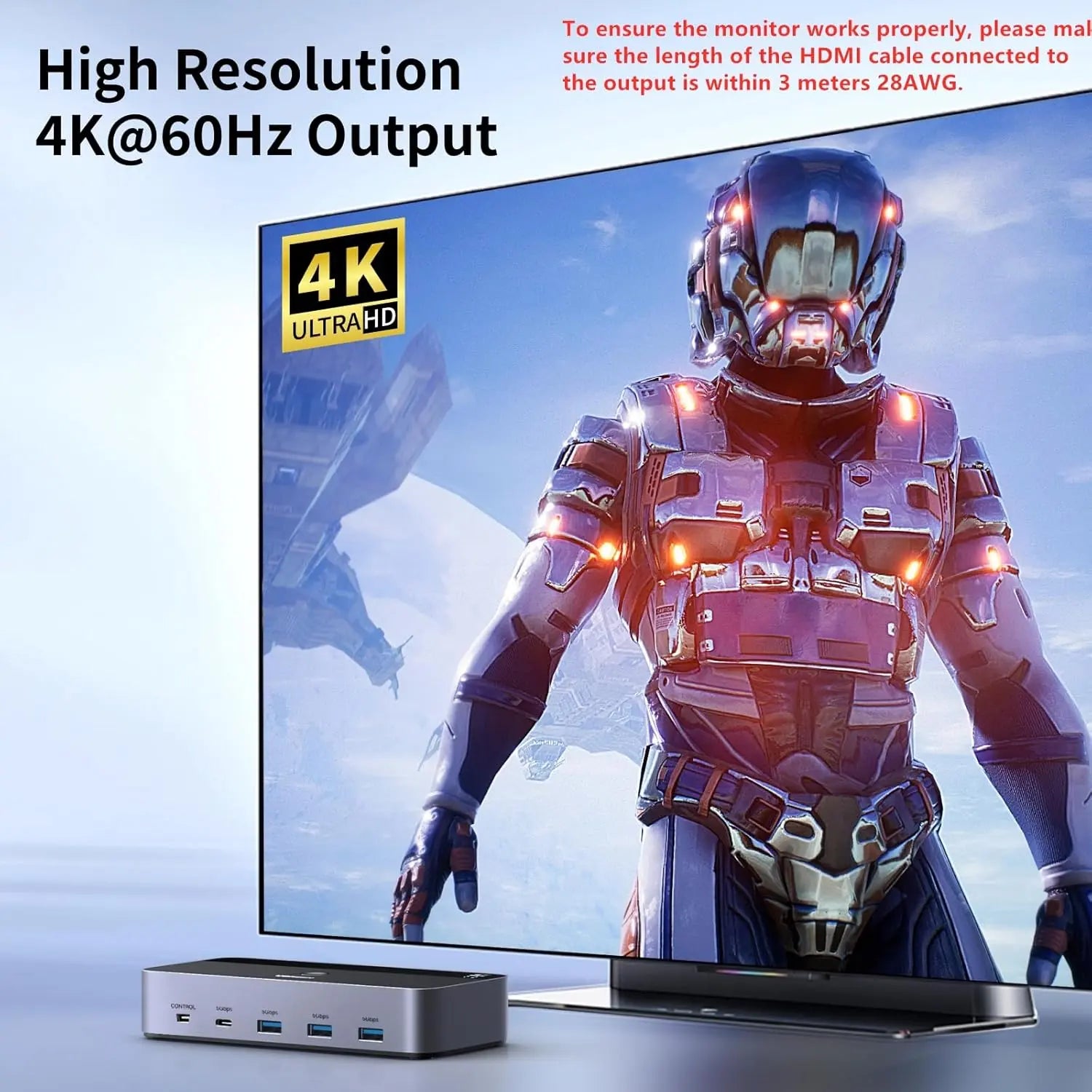
- Up to 4K at 60 Hz, 1440p at 120 Hz or 1080p at 240 Hz, provided every computer, cable and monitor in the chain supports the chosen mode.
Key features
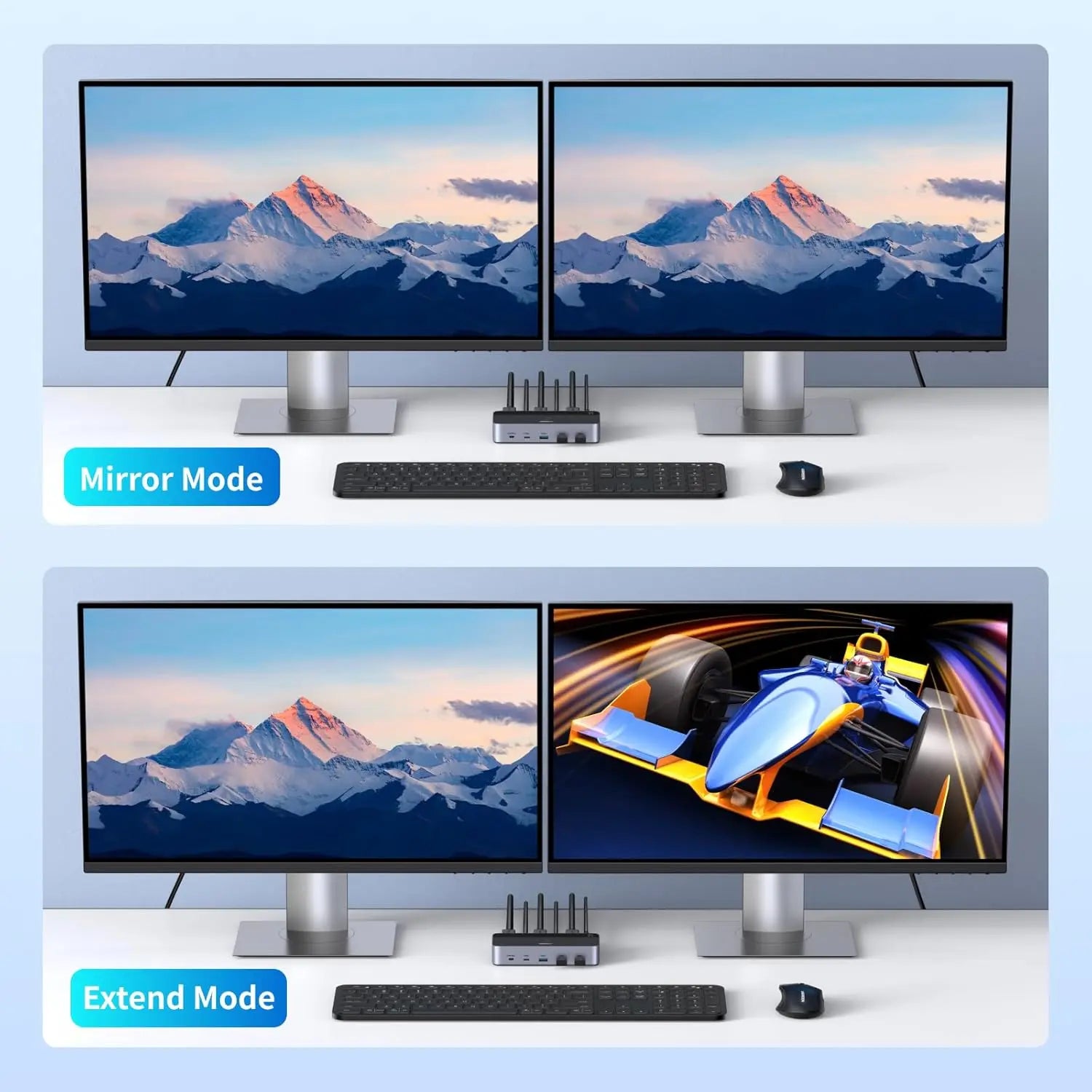
- Two HDMI monitors switched together, in a mirrored or extended layout set in the selected computer’s display settings.
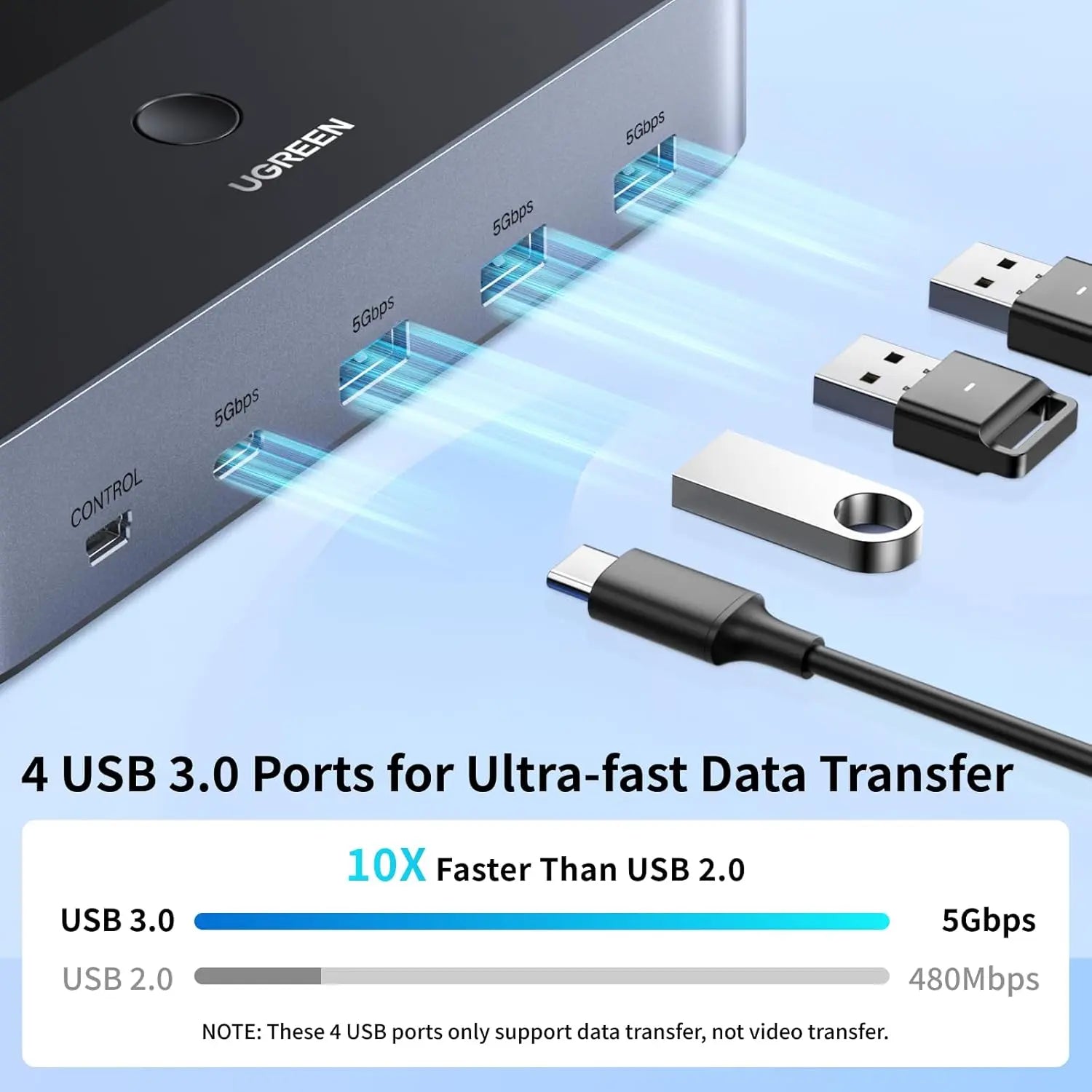
- Three USB-A 3.0 ports and one USB-C 3.0 port shared between the computers, at up to 5 Gbps.
- Video up to 3840 x 2160 at 60 Hz, with 4K at 30 Hz, 2560 x 1440 at 120 Hz and 1920 x 1080 at 240 Hz also supported.
- HDR passes through when the source, cable and display support it.
- Top button or 1.5 m wired desktop controller for switching.
- Four HDMI 2.0 cables and two USB-A 3.0 cables, each 1.5 m, are in the box for the computer side.
- 12 V DC 2 A adapter included; aluminium housing, 157 x 72 x 30 mm.
- Works with Windows, macOS and Linux.
What else you need
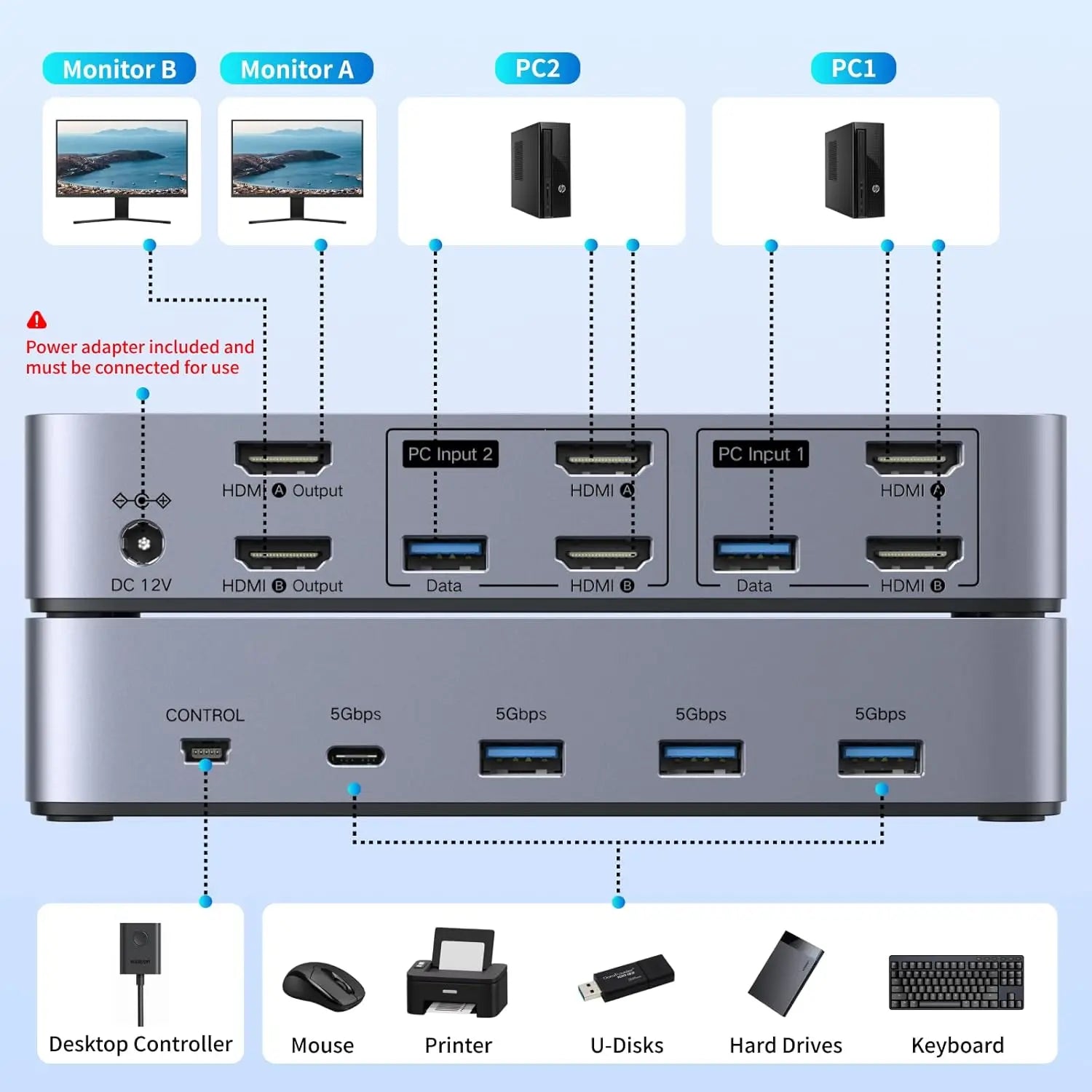
- Two HDMI cables from the switch’s HDMI A and HDMI B outputs to the two monitors. These are not included; keep them within 3 m and 28 AWG for reliable operation.
- On each computer: two HDMI outputs that can run the intended two-display mode, plus one USB-A data port.
- A mains socket for the 12 V 2 A adapter, which the switch needs to run.
- For a DisplayPort or USB-C video source, an active adapter in the correct direction to HDMI.
Installation
A desk job, no tools. Connect computer 1 to the HDMI A and HDMI B inputs for channel 1 and its USB cable, then do the same for computer 2. Connect the monitors so that HDMI A input feeds HDMI A output and HDMI B feeds HDMI B; do not cross channels. Plug in the adapter and the wired controller, then set the mirrored or extended layout in each computer’s display settings.
Before you buy
- The front USB-C port carries shared peripheral data only. It is not a host input, a video port or a laptop charging port.
- Safely eject USB storage before switching, because the devices disconnect from one computer and reconnect to the other.
- Wake a sleeping computer before switching; display and USB reconnection can take several seconds.
- Specialised peripherals such as some receivers, capture devices or encrypted drives may not reconnect identically after a switch; test them.
- Wireless keyboards and mice usually work through their USB receiver, but proprietary receivers should be tested.
- On a Mac, check that the model supports two external displays before relying on the two-monitor layout.
- 4K at 60 Hz or a high refresh rate is not guaranteed when any host, adapter, cable or monitor has a lower limit.
Technical specifications
Key facts
- What is it?
- Switches & ExtendersBrand UGREEN, model 55455
- What comes in the box?
- Dual-monitor HDMI KVM switch; 4 x HDMI 2.0 host cable, 1.5 m; 2 x USB-A 3.0 host data cable, 1.5 m; Wired desktop controller, 1.5 m and 2 more
- Which documents are available?
- Online specifications Open documents
- Device or platform
- Compatibility guidance
- Desktop PCs with two HDMI outputs
- Direct fit when both HDMI outputs can run the intended two-display mode and a USB-A data port is available.
- Laptops with one HDMI plus USB-C video
- May work through a compatible active adapter or dock that exposes a second independent HDMI stream; confirm two-display support.
- Laptops with only one video stream
- Cannot create a second external display through the KVM; a compatible multi-display dock or different KVM architecture is required.
- Windows systems
- Supported; display layout and refresh modes depend on the GPU, ports, drivers and monitors.
- macOS systems
- Supported.
- Linux systems
- Supported; graphics, USB re-enumeration and peripheral support depend on distribution, kernel and drivers.
- Wireless keyboards and mice
- Usually connect through their USB receiver, but proprietary or specialised receivers should be tested.
- USB-C peripherals
- The front USB-C port supports data peripherals only, not USB-C host video or laptop charging.
- Brand / product
- UGREEN dual-monitor HDMI KVM switch
- Computers supported
- 2; one active at a time
- Monitors supported
- 2 HDMI displays; both follow the selected computer
- Host video inputs
- 4 x HDMI; 2 per computer
- Monitor outputs
- 2 x HDMI; channel A and channel B
- Host USB data inputs
- 2 x USB-A 3.0; 1 per computer
- Shared downstream USB
- 3 x USB-A 3.0 plus 1 x USB-C 3.0
- USB data rate
- Up to 5 Gbps; shared and host-dependent
- Maximum resolution
- 3840 x 2160 at 60 Hz
- Other video modes
- 4K@30Hz; 2560 x 1440 at 120 Hz; 1920 x 1080 at 240 Hz
- Video feature
- HDR; source, cable and display support required
- Display layout
- Mirror or extend, configured by the selected host
- Switching methods
- Top button or supplied wired desktop controller
- Hotkey / auto-scan
- Not supported
- Power requirement
- 12 V DC/2 A through 5.5 mm input; adapter included
- Dimensions
- 157 x 72 x 30 mm
- Housing material
- Aluminium
- Operating systems
- Windows, macOS and Linux; follow current system and UGREEN guidance
- Monitor cable guidance
- Output HDMI cable within 3 m, 28AWG
- Weight
- 1215 g
- Country of origin
- China
- Manufacturer
- UGREEN Group Limited
- Warranty
- Manufacturer warranty under UGREEN's terms. How claims work
Product attributes and shipping details
| Brand | UGREEN |
|---|
Downloads
Documentation
- UGREEN 55455 product pageOnline specifications · This model · uk.ugreen.comView official page
Series documents can differ from your exact model. Report a wrong or missing file
Questions about this product
Can I show a different computer on each monitor?
No. Both monitors always follow the computer you select. The switch does not split sources between the two screens.
Does my laptop need two HDMI outputs?
Each computer needs two independent HDMI video streams. A laptop with one HDMI port may work through a compatible active adapter or dock that provides a second stream; a laptop with only one video stream cannot drive two monitors through this switch.
Are all the cables included?
The box holds four HDMI cables and two USB cables for the computer side, the wired controller and the 12 V adapter. The two HDMI cables from the switch to the monitors are not included.
Can I switch with a keyboard shortcut?
No. Switching is by the top button or the supplied wired desktop controller; keyboard hotkeys and automatic switching are not supported.
Does it need a power supply?
Yes. It needs the included 12 V 2 A DC adapter to operate.
Does it work with a Mac?
Yes, Windows, macOS and Linux are supported. Check that the Mac model supports two external displays.
Ask about this modelSetup, compatibility, what is in the box
Answers are automated. Do not enter personal or account details.
Looking for an alternative?
We list alternatives only when we have checked they suit the same job. Compare other models in the category, or ask us to suggest one for your site.