
At a glance
- Deployment
- Cloud
- Interface
- Browser, iOS app, Android app
 Model BioStar AirCurrent model
Suprema BioStar Air Cloud Access Control, Subscription Credits and SSO Add-on
Price on request
At a glance
- Deployment
- Cloud
- Interface
- Browser, iOS app, Android app
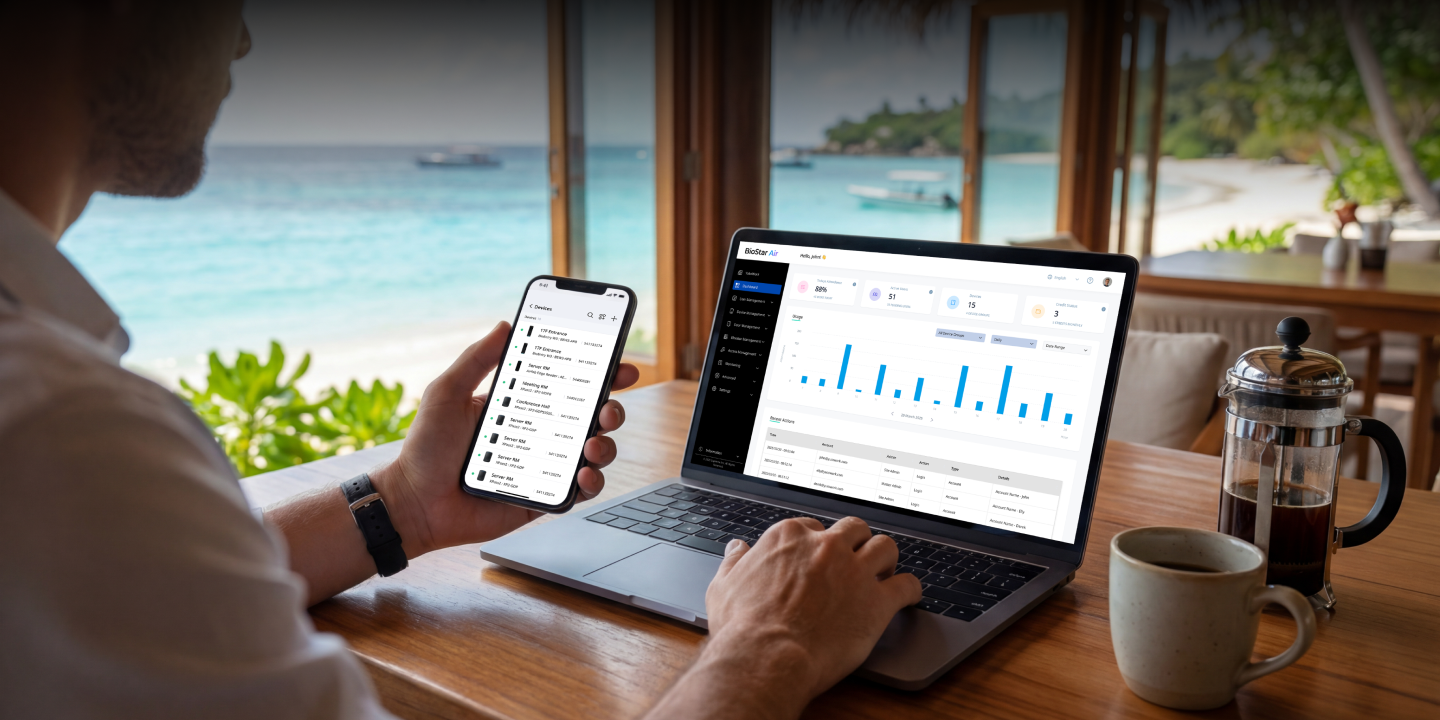
Cloud access control for offices, shops, clinics and multi-branch businesses, with no on-site server: Suprema readers connect straight to the cloud and you manage doors from a browser or app. Choose subscription credits to run your site, or the SSO and SCIM add-on.
Subscription credits, SSO and SCIM add-on (Microsoft Entra ID, Okta)
Include the required quantity and configuration in your quote request. Price and availability will be confirmed in the quotation.
- LicenceLicensed under Suprema's software licence terms. The package and licence term are confirmed in your quotation. Licence terms
- DeliveryDelivered by email. Licence delivery
Overview
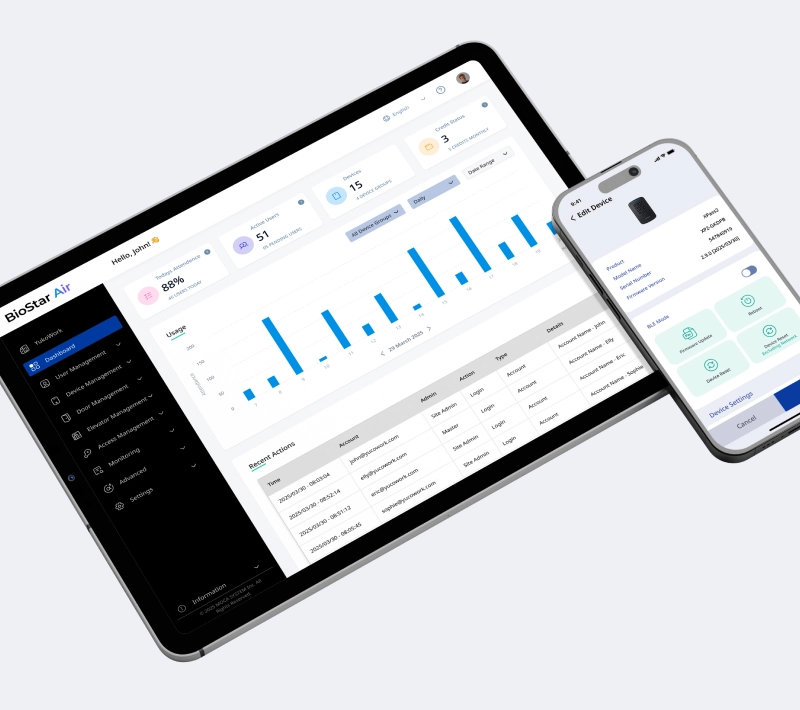
BioStar Air is Suprema cloud access control. There is no server to install: compatible Suprema readers connect straight to the cloud, and you manage users, doors and credentials from a web browser or the BioStar Air app. The service is paid by subscription: your installer allocates credits to your site, and the site uses them each month.
Is it right for you?
It suits businesses that prefer not to run their own server, and companies with several branches that want one dashboard and one identity per person across sites. If you want your data kept on your own server, look at BioStar X instead.
Choosing your licence
Two items are sold for BioStar Air.
- Subscription Credits: keep your BioStar Air site running. Credits are allocated to your site by your installer and used monthly
- SSO and SCIM Licence: an add-on that lets administrators sign in with Microsoft Entra ID or Okta and keeps users, user groups and administrators in step automatically
Every site needs credits. Add the SSO and SCIM licence only if your company manages staff accounts in Microsoft Entra ID or Okta. Monthly credit use per door or device is not published by Suprema; we confirm it with your order, and the exact licence code is confirmed on your quotation.
Key features
- Cloud dashboard in a browser plus admin apps for iOS and Android
- Face recognition built in, with remote selfie enrolment by email or SMS link, on-site enrolment and bulk CSV import
- Free and unlimited mobile credentials through the Suprema Pass app, plus app-free QR Pass and Link Pass
- RFID cards (up to 8 per user) and PIN, depending on the reader
- Zone-based anti-passback, On Site Now presence view, roll call and technician access for outside service staff
- Live and recorded video from ONVIF and Uniview cameras without an NVR, with the reader as gateway
- Automatic updates and remote firmware management
- ISO 27001 and ISO 27701, AES-256, TLS 1.3 for the API; servers in Korea (global) and Germany (Europe)
What else you need
- Compatible Suprema readers: BioEntry W3, BioStation 3, XPass 2, XPass D2 and X-Station 2, or CoreStation 20 with DI-24 door interfaces for controller-based doors
- An internet connection at each door or controller
- Locks, door sensors and exit buttons for each door
- For the SSO and SCIM licence: an active Microsoft Entra ID or Okta subscription, rights to create applications and push and assign groups in it, and master permissions in BioStar Air
Installation
Readers connect to the cloud with a single network cable. Your installer creates the site in the BioStar Air Partner Portal and assigns credits to it.
Software and licences
Credits are allocated to your site by your installer. Identity-provider integration needs the separate SSO and SCIM licence on top of the subscription.
Before you buy
Tell us how many doors, readers and sites you have so we can work out the credits you need. For SSO and SCIM, check that your identity provider is Microsoft Entra ID or Okta; other providers are not stated by the manufacturer.
Requirements and deployment
Deployment and activation
- Deployment
- Cloud (no on-site server)
Licensing
Included with your licence
Modules and capacities are confirmed in your quotation.
Licences we sell
- Suprema BioStar X Add-on Licence, Feature Add-ons for Access Control SoftwareSUPREMA-BIOSTAR-X-ADD-ON · ₹0Choose options
- Suprema BioStar X Advanced Access Control Licence, Per-Feature Add-onSUPREMA-BIOSTAR-X-ADVANCED-ACCESS-CONTROL · ₹0Choose options
- Suprema BioStar X Base Licence, Access Control Software for Your Own ServerSUPREMA-BIOSTAR-X-BASE-LICENCE · ₹0Choose options
- Suprema BioStar X Capacity Upgrade Licence, Adds Doors, Users or OperatorsSUPREMA-BIOSTAR-X-CAPACITY-UPGRADE · ₹0Choose options
- Suprema BioStar X Device Licence, Per-Device Feature ActivationSUPREMA-BIOSTAR-X-DEVICE-LICENCE · ₹0Choose options
- Suprema BioStar X Time and Attendance Licence, Shifts and Work-Hour ReportsSUPREMA-BIOSTAR-X-TIME-ATTENDANCE · ₹0Choose options
Technical specifications
- Interface
- Browser, iOS app, Android app
- Compatible readers
- BioEntry W3, BioStation 3, XPass 2, XPass D2, X-Station 2, CoreStation 20
- Server location
- Korea (global) and Germany (Europe)
- Security
- ISO 27001 and ISO 27701, AES-256, TLS 1.3 for API
- Licence
- Licensed under Suprema's software licence terms. The package and licence term are confirmed in your quotation.
Product attributes and shipping details
| Licence | Subscription credits, SSO and SCIM add-on (Microsoft Entra ID, Okta) |
|---|
Works with this product
Replacements and alternatives
- ZKTeco ZKBio Zlink Cloud Access Control and Attendance Platform, Web Portal and Mobile AppZKBio Zlink
Why ZKTeco cloud access control and attendance platform. Condition: Works with ZKTeco devices, not Suprema readers.
Price on requestAdd to quote
Questions about this product
Do I need a server or PC on site?
No. Compatible readers connect directly to the cloud. A CoreStation 20 controller can be added for controller-based doors.
How is BioStar Air paid for?
By subscription. Your installer allocates credits to your site, and the site uses them monthly.
Are mobile credentials extra?
No. Mobile credentials are free and unlimited.
Can I manage several branches?
Yes. One cloud dashboard covers several sites, and one user credential can work across locations.
Is single sign-on included?
No. Administrator single sign-on and automatic provisioning with Microsoft Entra ID or Okta need the separate SSO and SCIM licence.
Ask about this modelSubscriptions, devices, setup
Answers are automated. Do not enter personal or account details.