
At a glance
- Power Delivery
- USB-C PD input up to 100 W
- Hdmi 2.0
- Up to 4K60
- DisplayPort
- DP 1.2, up to 4K60
- USB-C data
- 1 × up to 10 Gbps
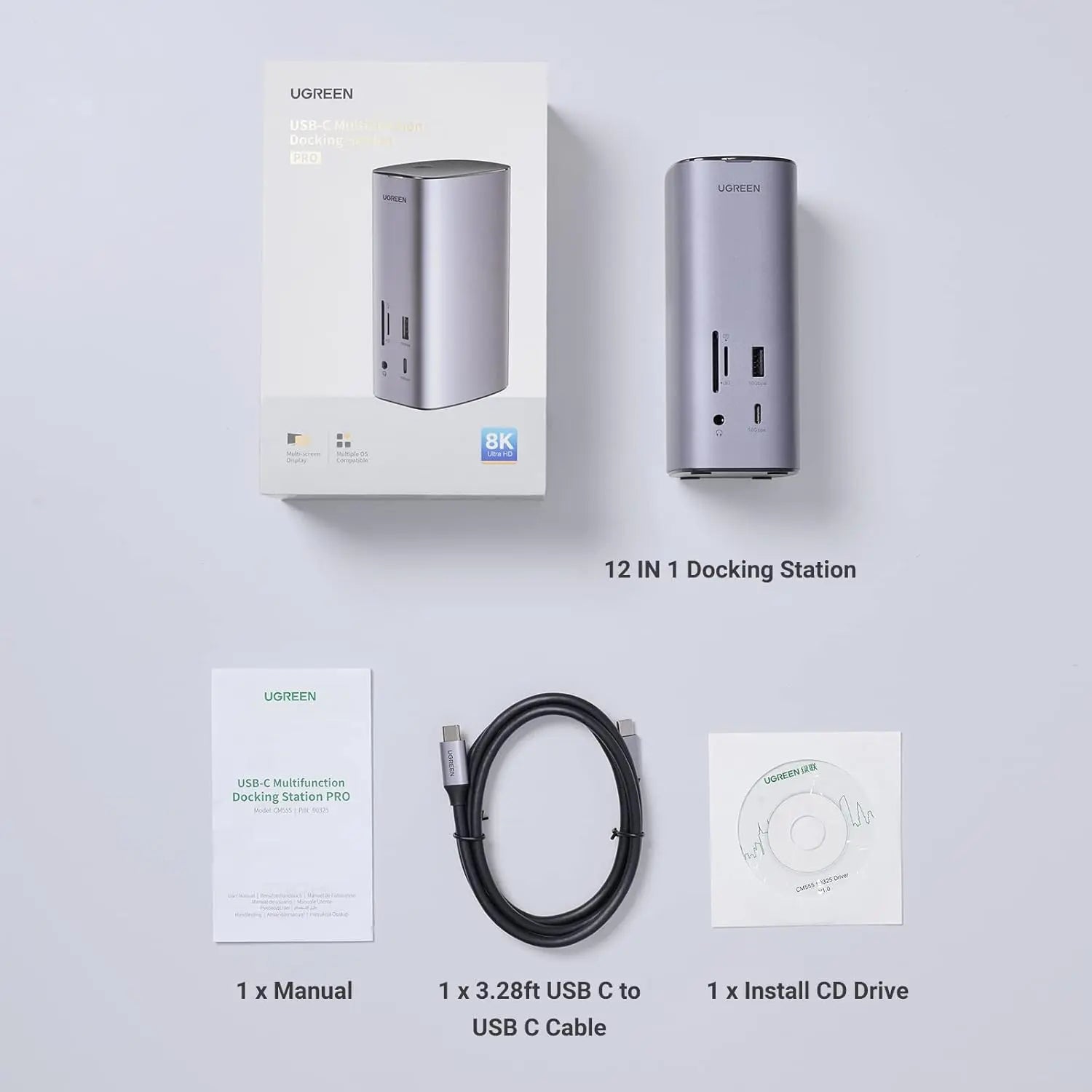
In the box
- UGREEN Revodok Pro 312 dock
- Approximately 1 m USB-C host cable
- User manual
- Driver disc
 Model Revodok Pro 312
UGREEN 90325 Revodok Pro 312 DisplayLink USB-C Dock, 12-in-1, Triple Display
₹27,999 Incl. GST MRP ₹33,328 15% below MRP
₹23,728 + 18% GST
At a glance
- Power Delivery
- USB-C PD input up to 100 W
- Hdmi 2.0
- Up to 4K60
- DisplayPort
- DP 1.2, up to 4K60
- USB-C data
- 1 × up to 10 Gbps
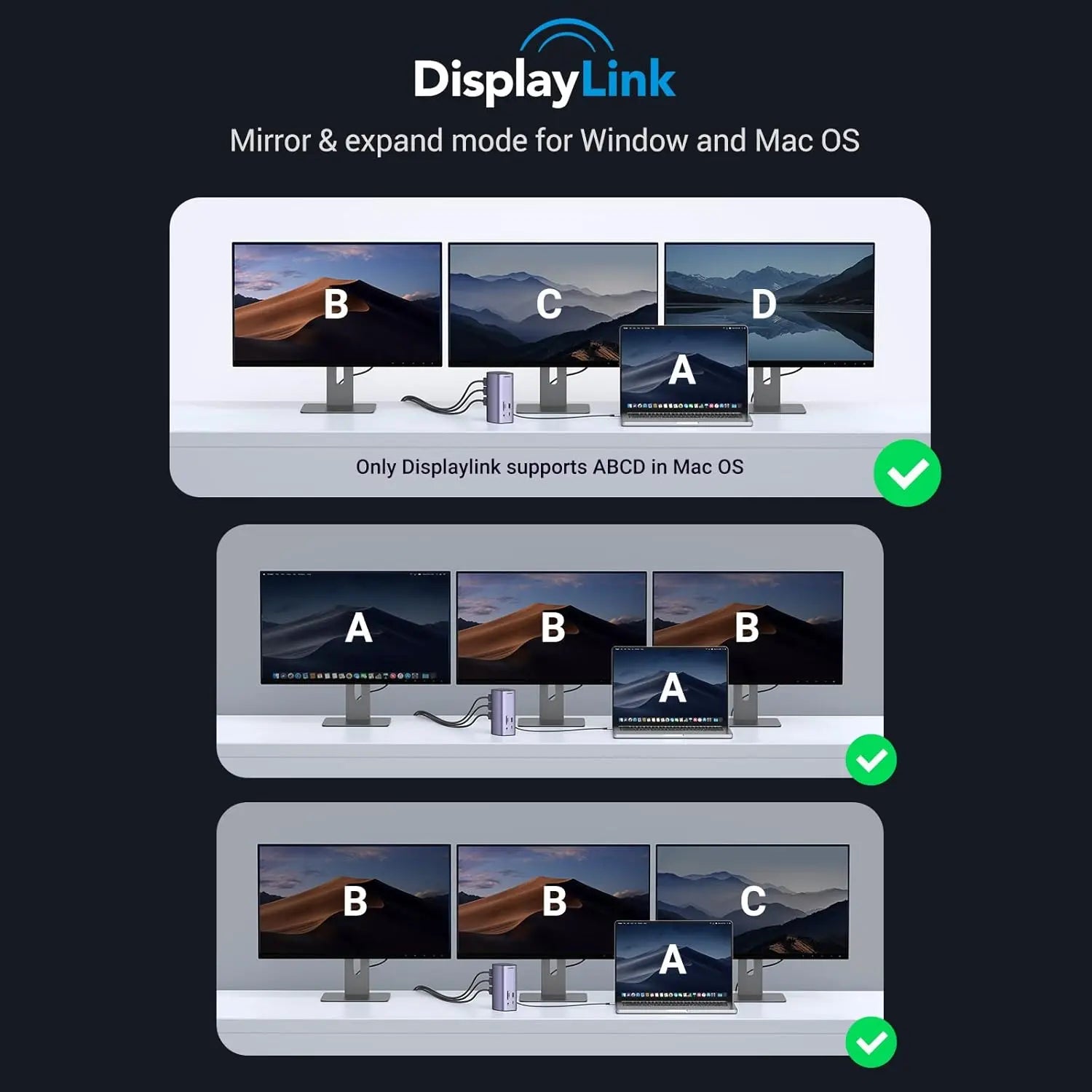
Runs three separate screens from one USB-C laptop on Windows or macOS, with wired internet and charging. 12-in-1 DisplayLink dock with 8K HDMI 2.1, 10 Gbps USB, Gigabit Ethernet and 100 W PD input. DisplayLink software required.
- WarrantyManufacturer warranty under UGREEN's terms. Warranty claims
- DeliveryPrice, availability and delivery charges are confirmed in your quotation. Shipping and delivery
Overview
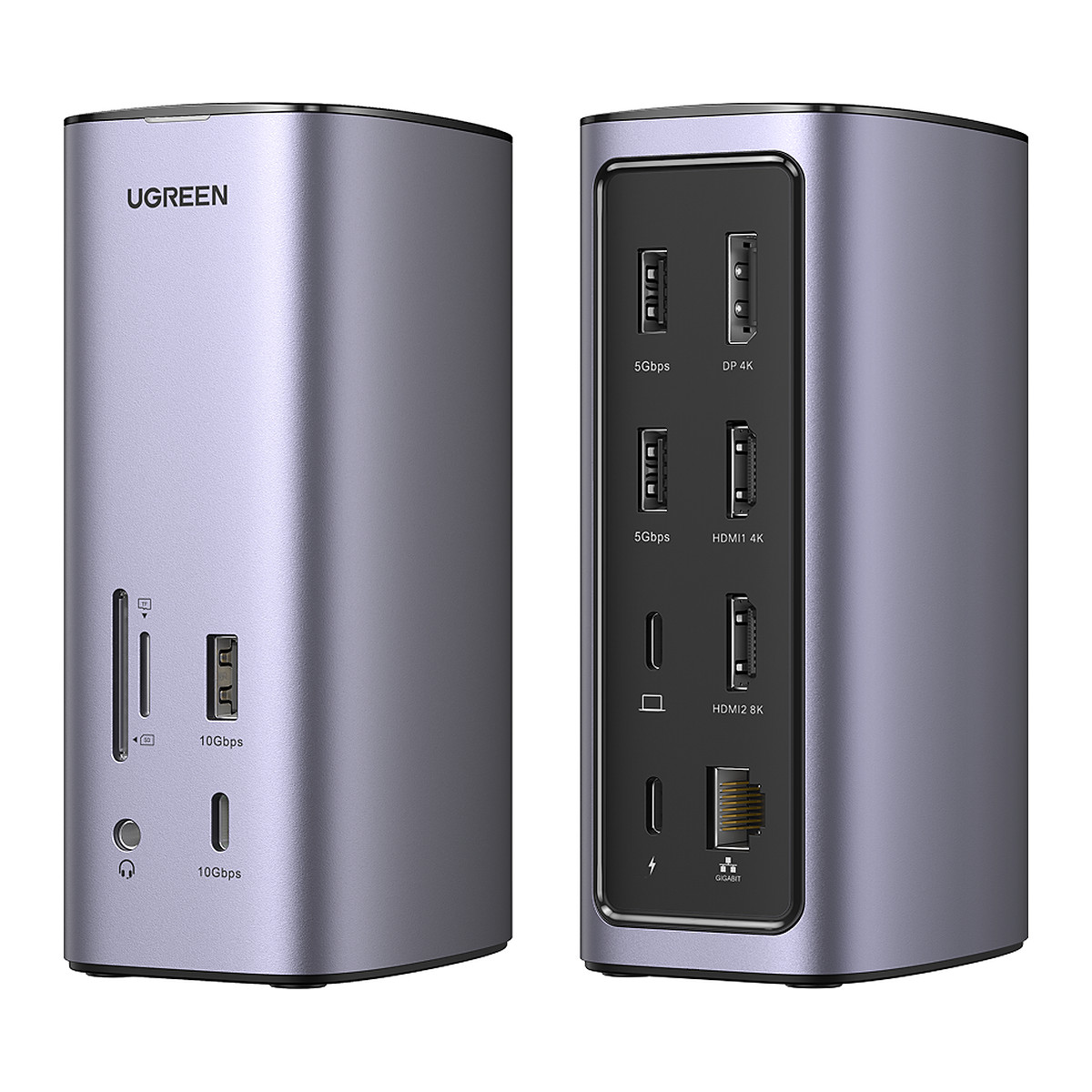
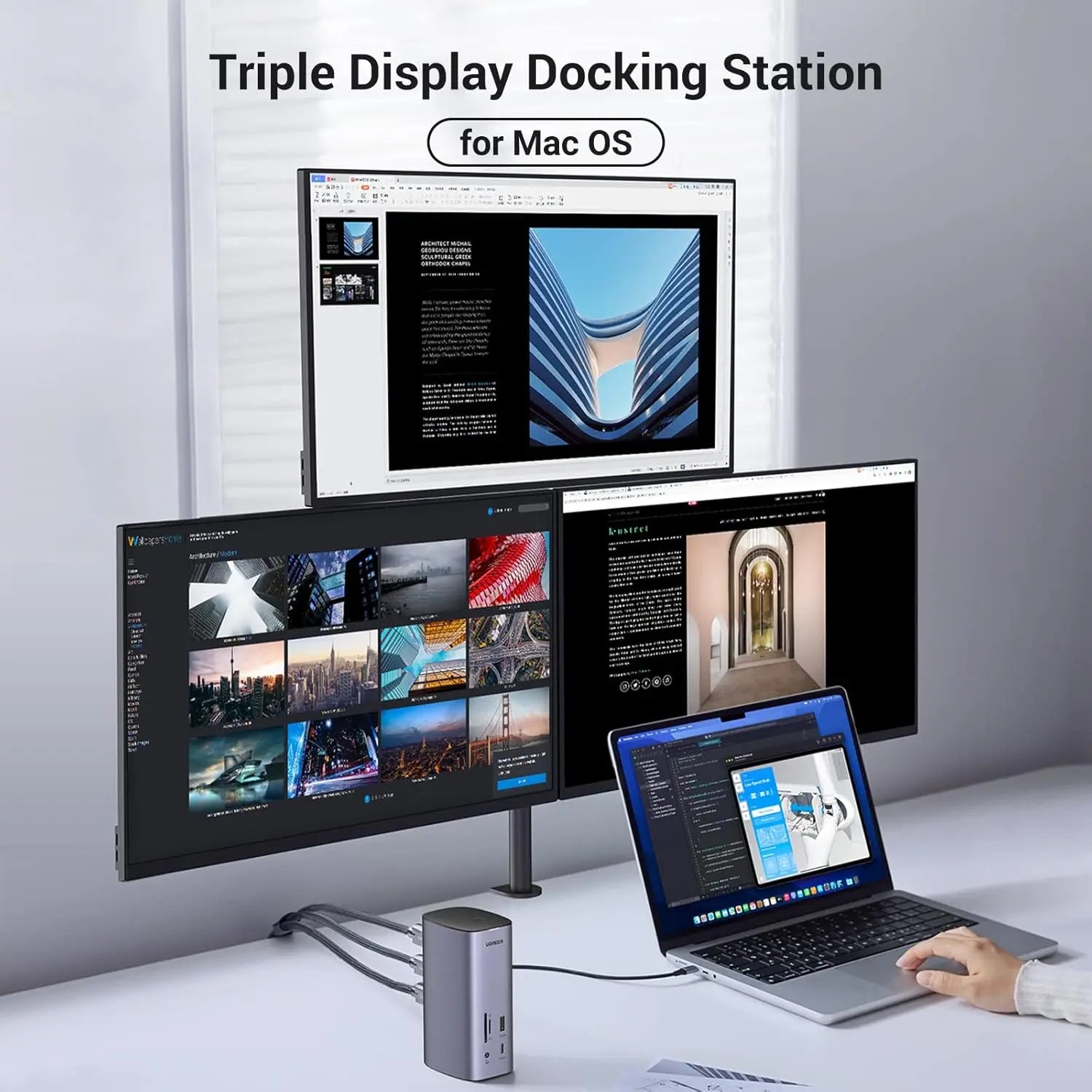
The UGREEN Revodok Pro 312 is a 12-in-1 docking station that uses DisplayLink software to run three separate screens from one USB-C laptop, on Windows or macOS. It also adds four USB data ports, Gigabit Ethernet, card readers, audio and a 100 W Power Delivery (PD) input, and comes with a 1 m host cable and a driver disc. It suits office and home desks where one laptop should drive a three-monitor setup.
Is it right for you?
- Suits Windows and macOS laptops that need three independent external displays.
- Not for Linux: DisplayLink is not supported there.
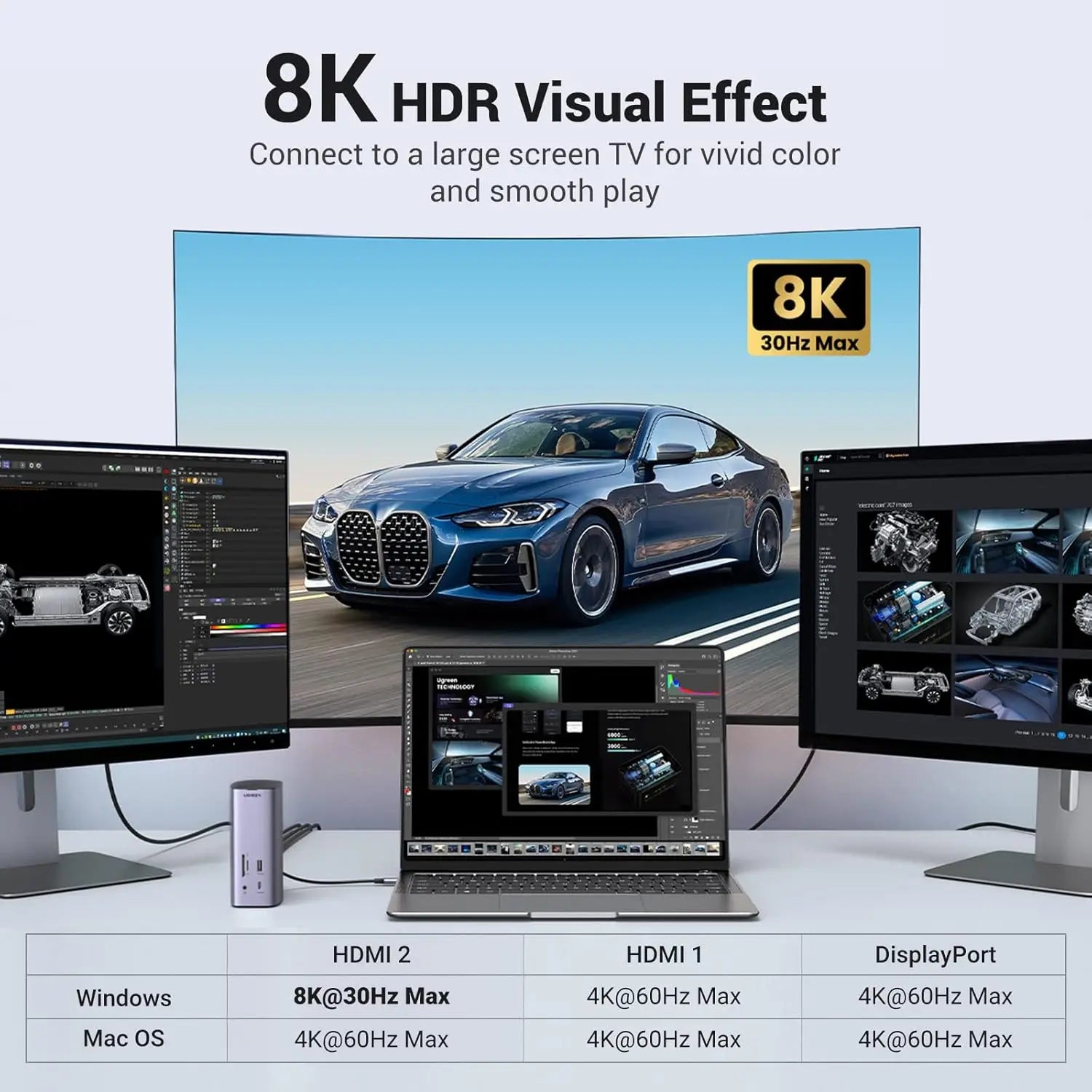
- 8K 30 Hz is a Windows maximum; on macOS the HDMI 2.1 output tops out at 4K 60 Hz.
- You must be able to download, install and approve the DisplayLink software on the computer; without it there is no display output.
Key features
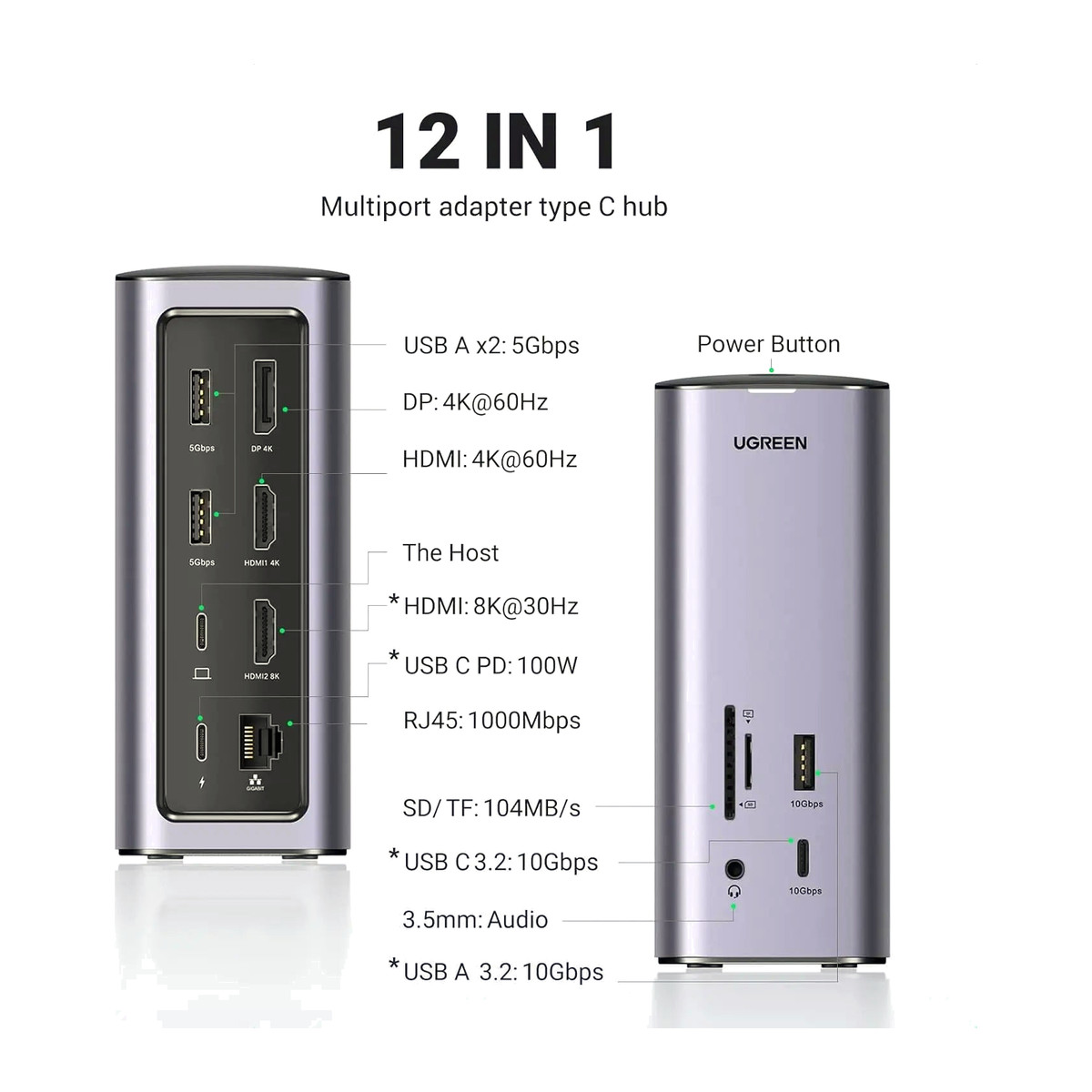
- HDMI 2.1 up to 8K 30 Hz on Windows (4K 60 Hz on macOS), HDMI 2.0 up to 4K 60 Hz and DisplayPort 1.2 up to 4K 60 Hz.
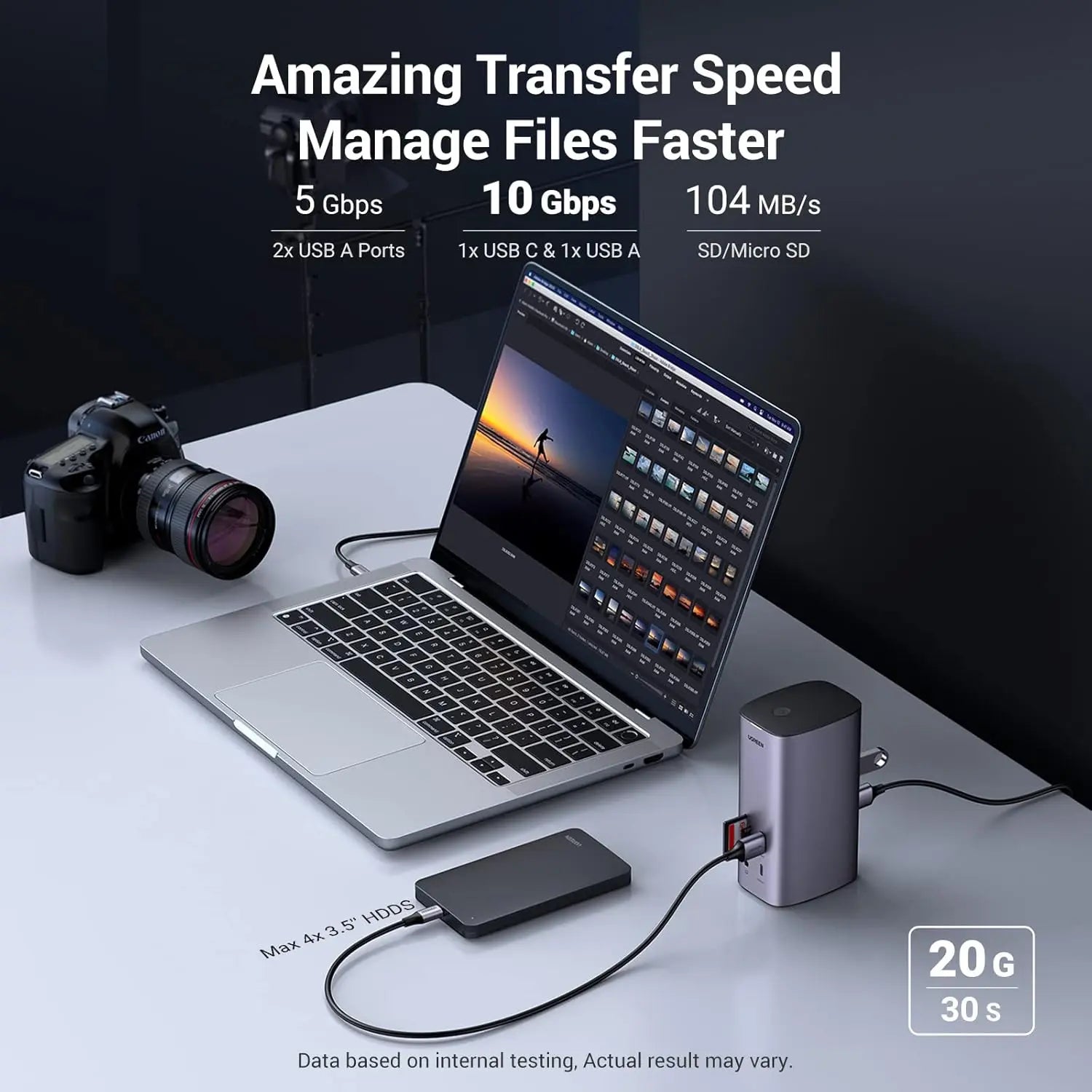
- One USB-C and one USB-A port at 10 Gbps, plus two USB-A at 5 Gbps.
- Gigabit Ethernet.
- SD and microSD card readers at about 104 MB/s.
- 3.5 mm audio connection.
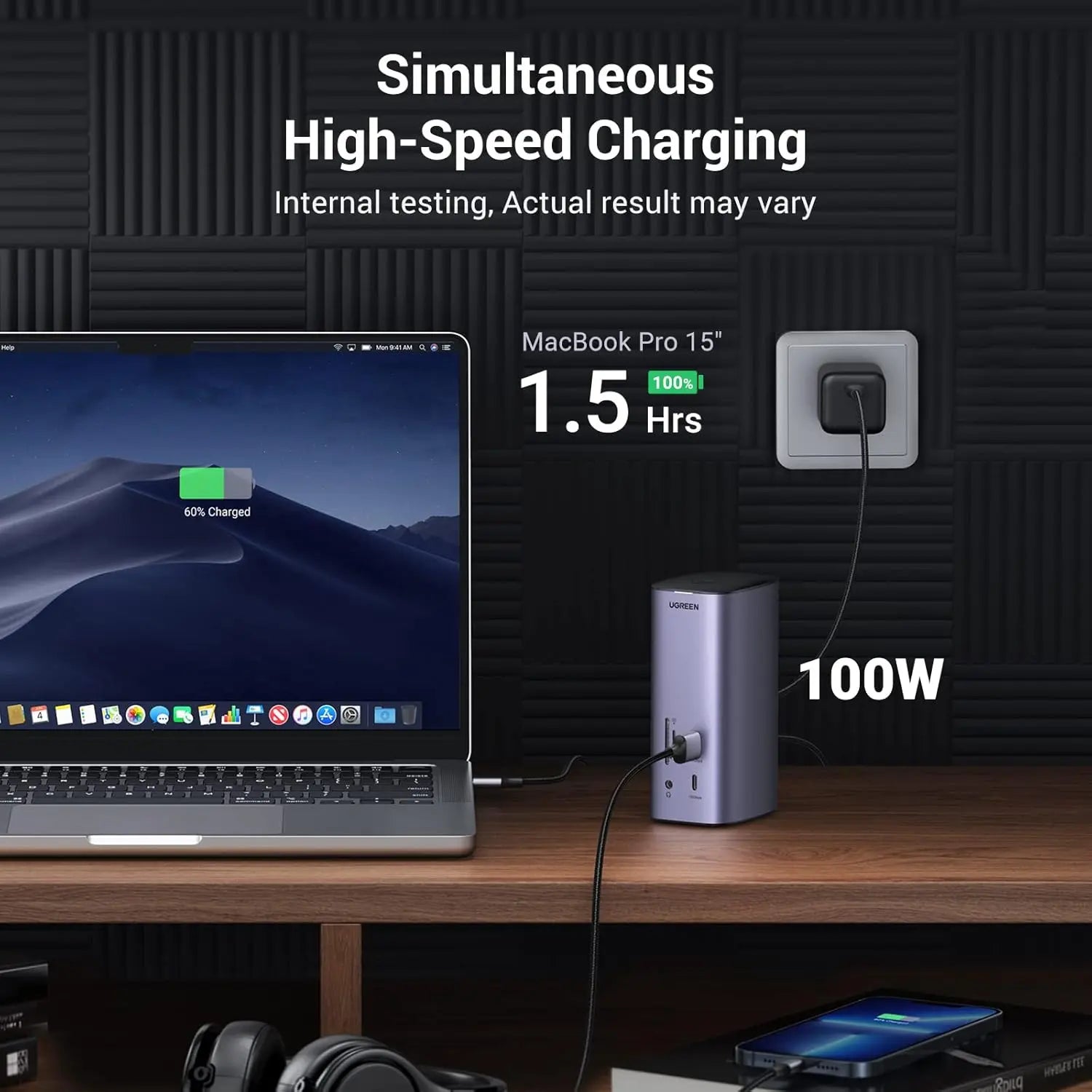
- PD input up to 100 W for negotiated laptop charging.
- 176.3 x 115.5 x 82 mm.
What else you need
- A computer running a supported Windows or macOS version.
- The DisplayLink software, installed and approved on the computer.
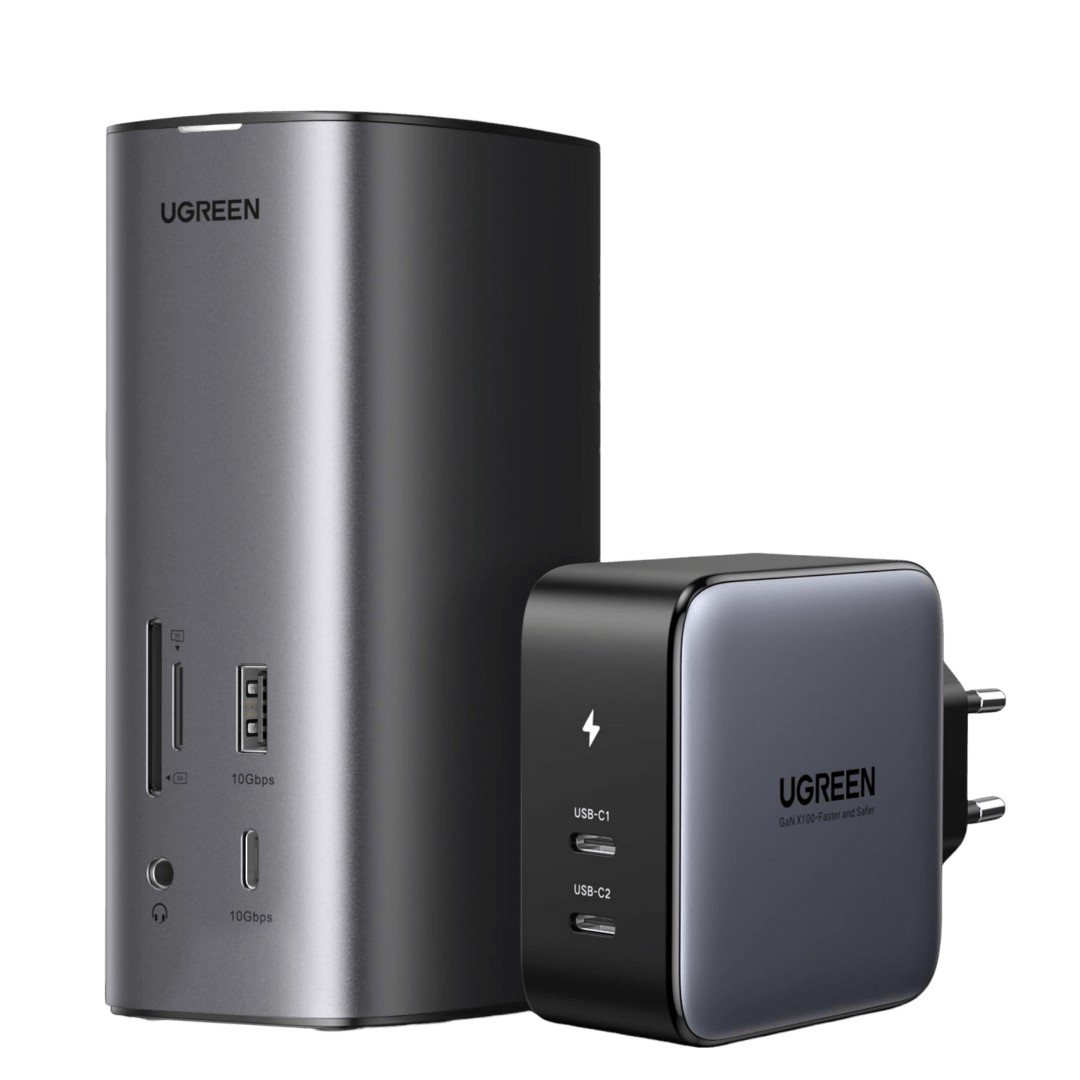
- A USB-C PD charger for laptop charging and cables for the displays. The charger and display cables are not included.
Installation
Connect the dock to the laptop with the supplied 1 m USB-C cable, install the DisplayLink software and approve it, then connect the screens, network cable and accessories.
Software and licences
DisplayLink software is required for Windows and macOS and must be installed before the displays work. A driver disc is supplied; when it is out of date, download the current DisplayLink software instead. Linux is not supported.
Before you buy
- No display output until DisplayLink is installed and approved.
- Not for Linux.
- Not every screen is guaranteed to run at its maximum mode at the same time; check each monitor and cable for the target resolution and refresh rate.
- The 100 W PD input rating does not guarantee 100 W reaches the laptop.
- A PD charger and display cables are not included.
Technical specifications
Key facts
- What is it?
- Hubs & DocksBrand UGREEN, model Revodok Pro 312
- What comes in the box?
- UGREEN Revodok Pro 312 dock; Approximately 1 m USB-C host cable; User manual; Driver disc
- Which documents are available?
- User manual, online specifications, driver Open documents
- Model
- Revodok Pro 312
- Product type
- 12-in-1 DisplayLink USB-C dock
- Hdmi 2.1
- Up to 8K30 on Windows; up to 4K60 on macOS
- Hdmi 2.0
- Up to 4K60
- DisplayPort
- DP 1.2; up to 4K60
- USB-C data
- 1 × up to 10 Gbps
- USB-A data
- 1 × up to 10 Gbps; 2 × up to 5 Gbps
- Ethernet
- Gigabit Ethernet
- Card readers
- SD and TF/microSD; approximately 104 MB/s
- Audio
- 3.5 mm connection
- Power Delivery
- USB-C PD input up to 100 W; charger not included
- Software
- DisplayLink required; Windows and macOS
- Dimensions and weight
- 176.3 × 115.5 × 82 mm; 731g
- Connector type
- USB C and USB A
- Weight
- 738 g
- Country of origin
- China
- Manufacturer
- UGREEN Group Limited
- Warranty
- Manufacturer warranty under UGREEN's terms. How claims work
Product attributes and shipping details
| Brand | UGREEN |
|---|
Downloads
Download software
- UGREEN driver: 90325not stated on page (see package)Prerequisites: Search the page by model number; Driver only needed if the OS does not install one automatically; download from the UGREEN pageLicence: FreeDriver · Family · ugreen.comView official download page
Documentation
- UGREEN 90325 product pageOnline specifications · This model · ugreen.comView official page
User manual
- 90325 manualUser manual · This model · 1.4 MBDownload
Series documents can differ from your exact model. Report a wrong or missing file
Questions about this product
Do I need to install software?
Yes. DisplayLink software must be installed and approved on the Windows or macOS computer before the displays work.
Does it work with Linux?
No. Linux is not supported.
Can I get 8K on a Mac?
No. 8K 30 Hz is a Windows maximum; macOS is limited to 4K 60 Hz.
Is a charger included?
No. You need your own USB-C PD charger for laptop charging. The box has the dock, a 1 m USB-C host cable, a user manual and a driver disc.
Ask about this modelSetup, compatibility, what is in the box
Answers are automated. Do not enter personal or account details.
Looking for an alternative?
We list alternatives only when we have checked they suit the same job. Compare other models in the category, or ask us to suggest one for your site.