
At a glance
- Fingerprint Capacity
- 3,000
- Card Capacity
- 5,000, ID or RFID S50/S70 IC card (13.56 MHz)
- Display
- 2.4-inch TFT LCD colour screen
- Communication
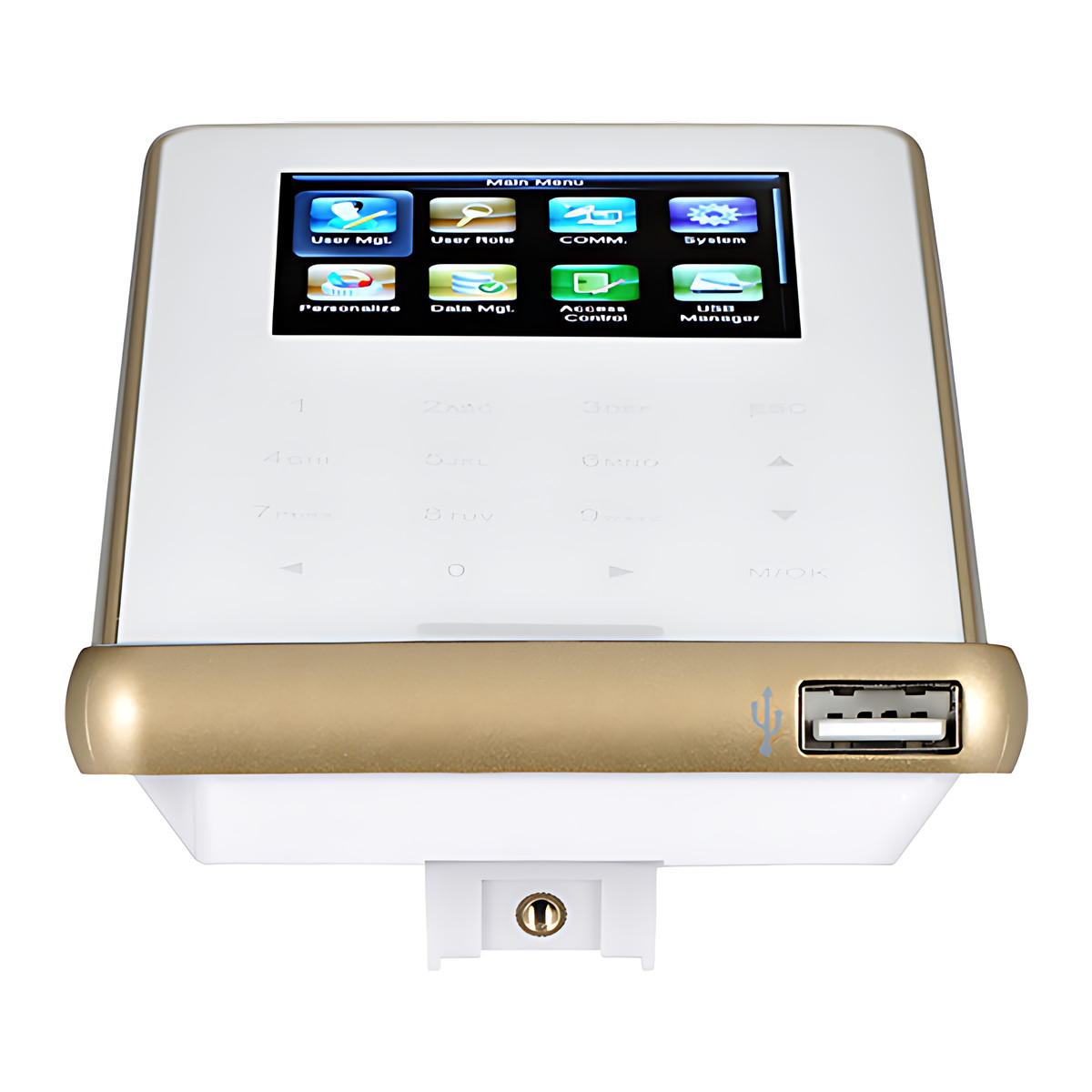
- RS232/485, TCP/IP, USB-host, Wi-Fi
- Dimensions
- 158.5 × 78.0 × 19.4 mm (L×W×H)
- Transaction Capacity
- 100,000
 Model F22
ZKTeco F22 Fingerprint Access Control and Attendance Terminal
₹14,901 Incl. GST
₹12,628 + 18% GST
At a glance
- Fingerprint Capacity
- 3,000
- Card Capacity
- 5,000, ID or RFID S50/S70 IC card (13.56 MHz)
- Display
- 2.4-inch TFT LCD colour screen
- Communication
- RS232/485, TCP/IP, USB-host, Wi-Fi
- Dimensions
- 158.5 × 78.0 × 19.4 mm (L×W×H)
- Transaction Capacity
- 100,000
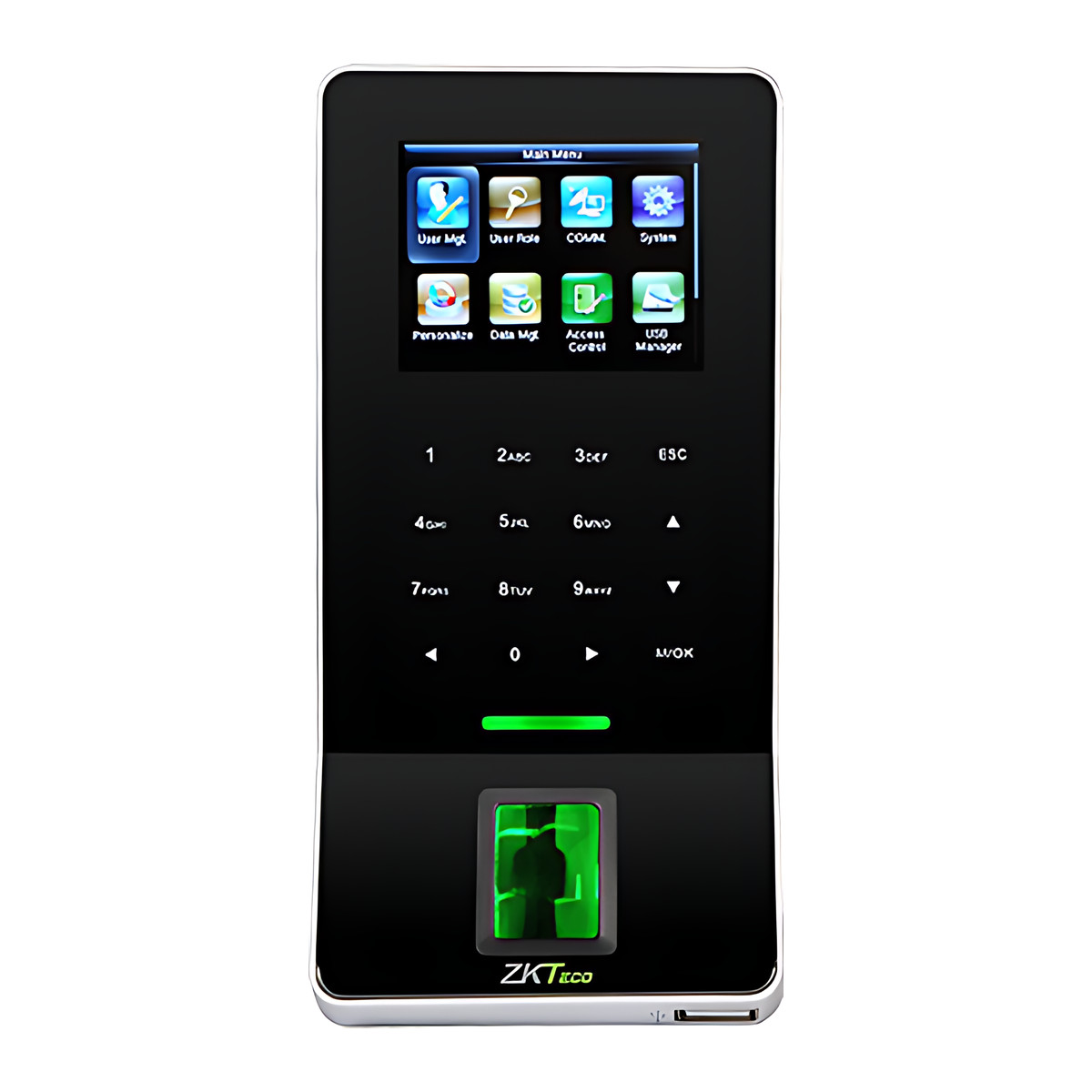
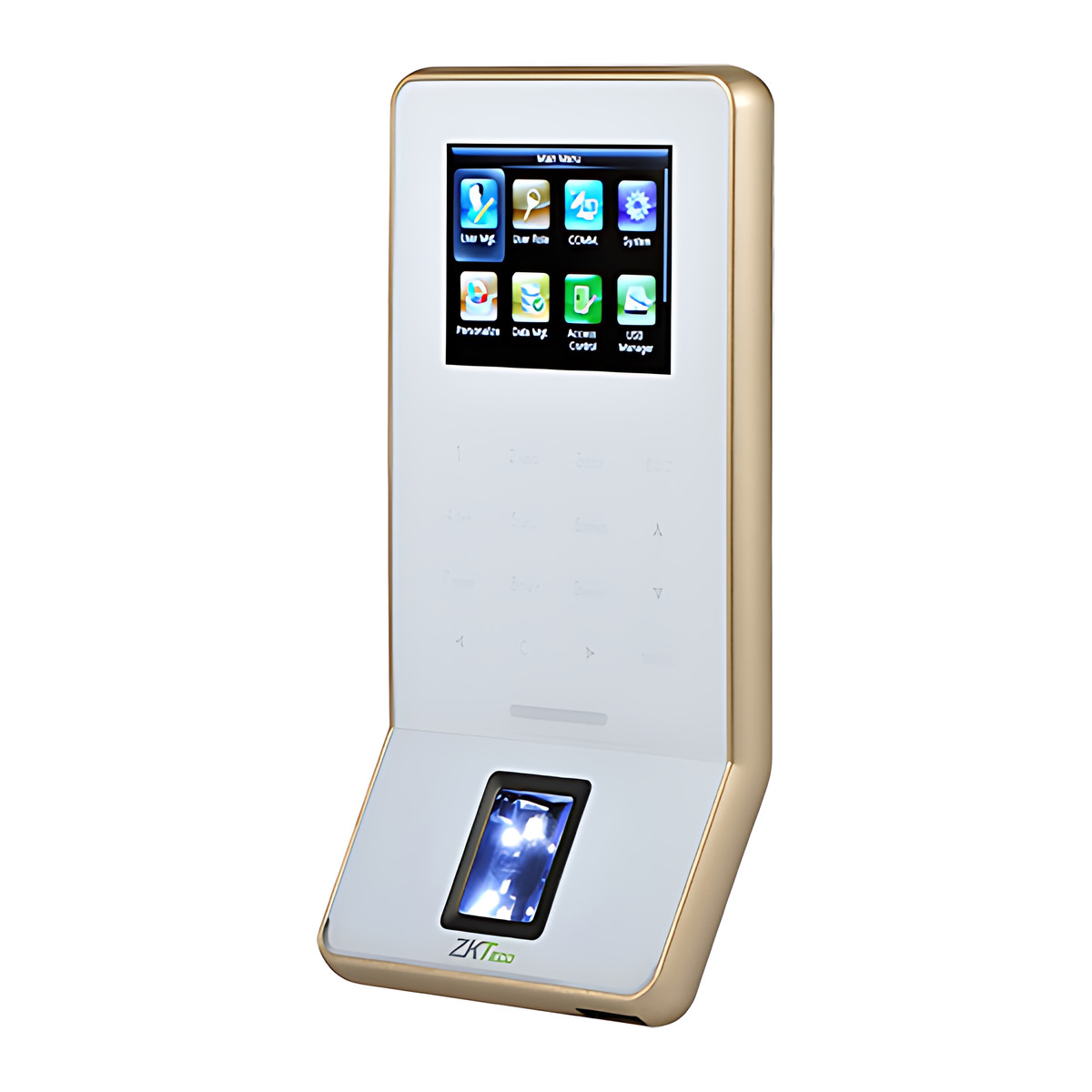
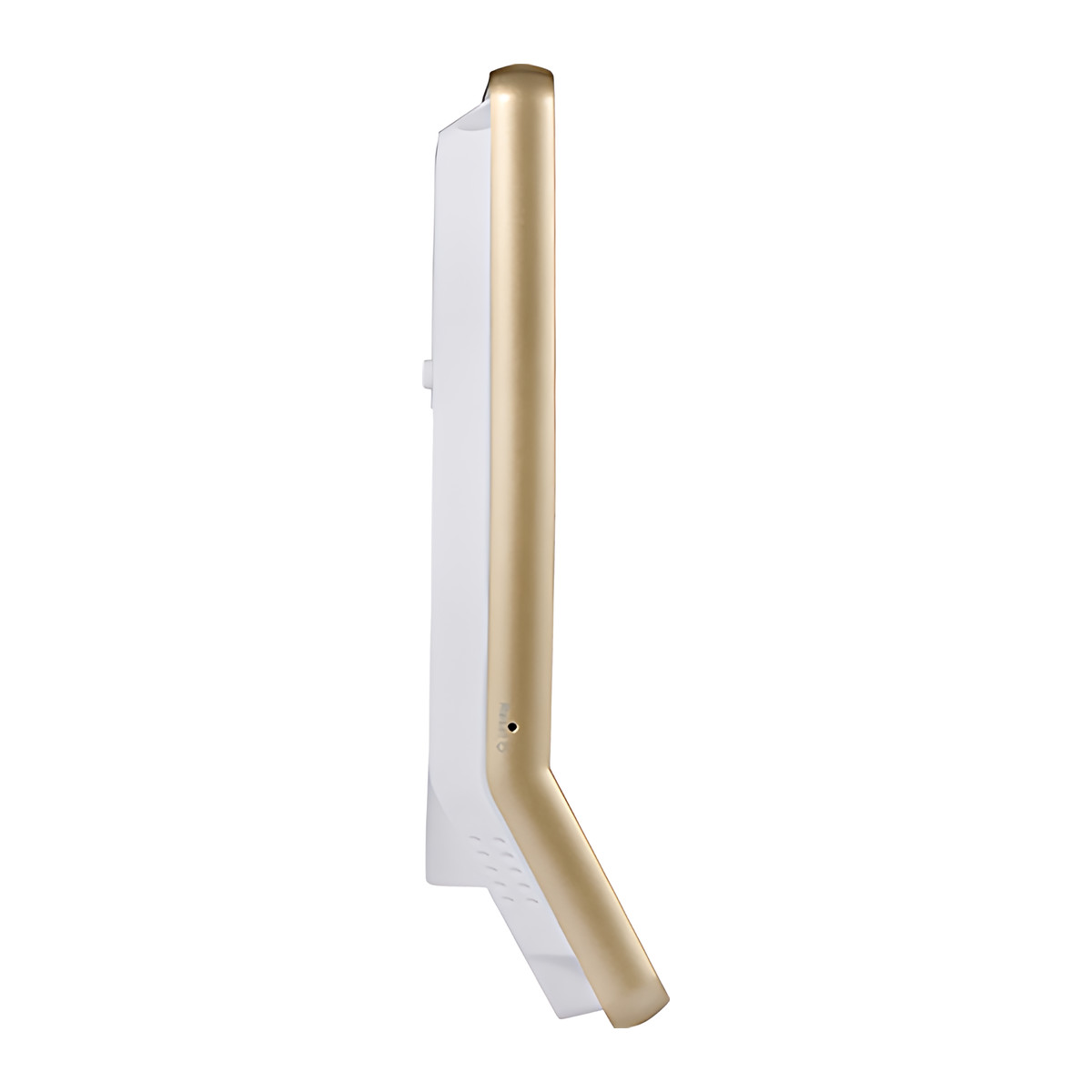
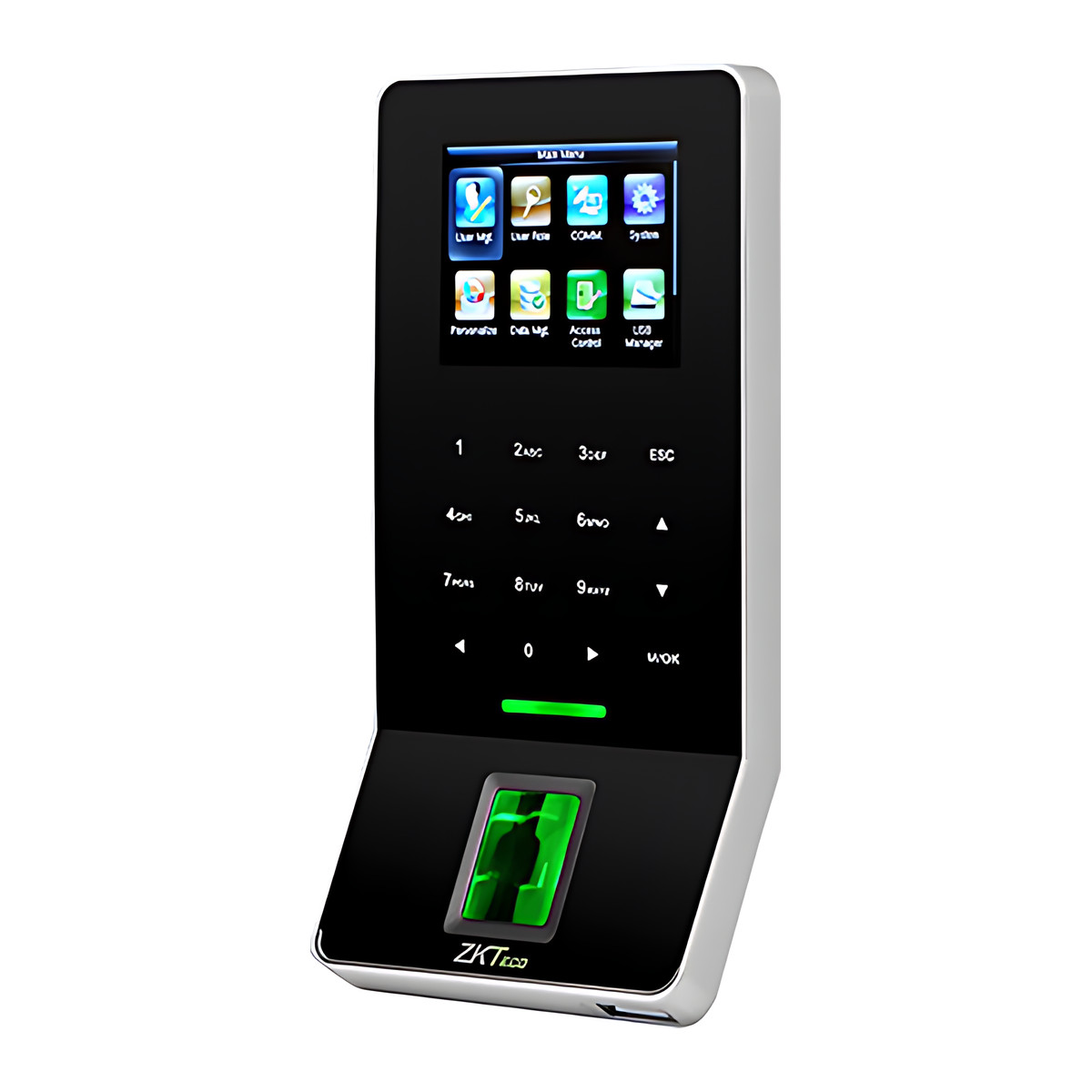
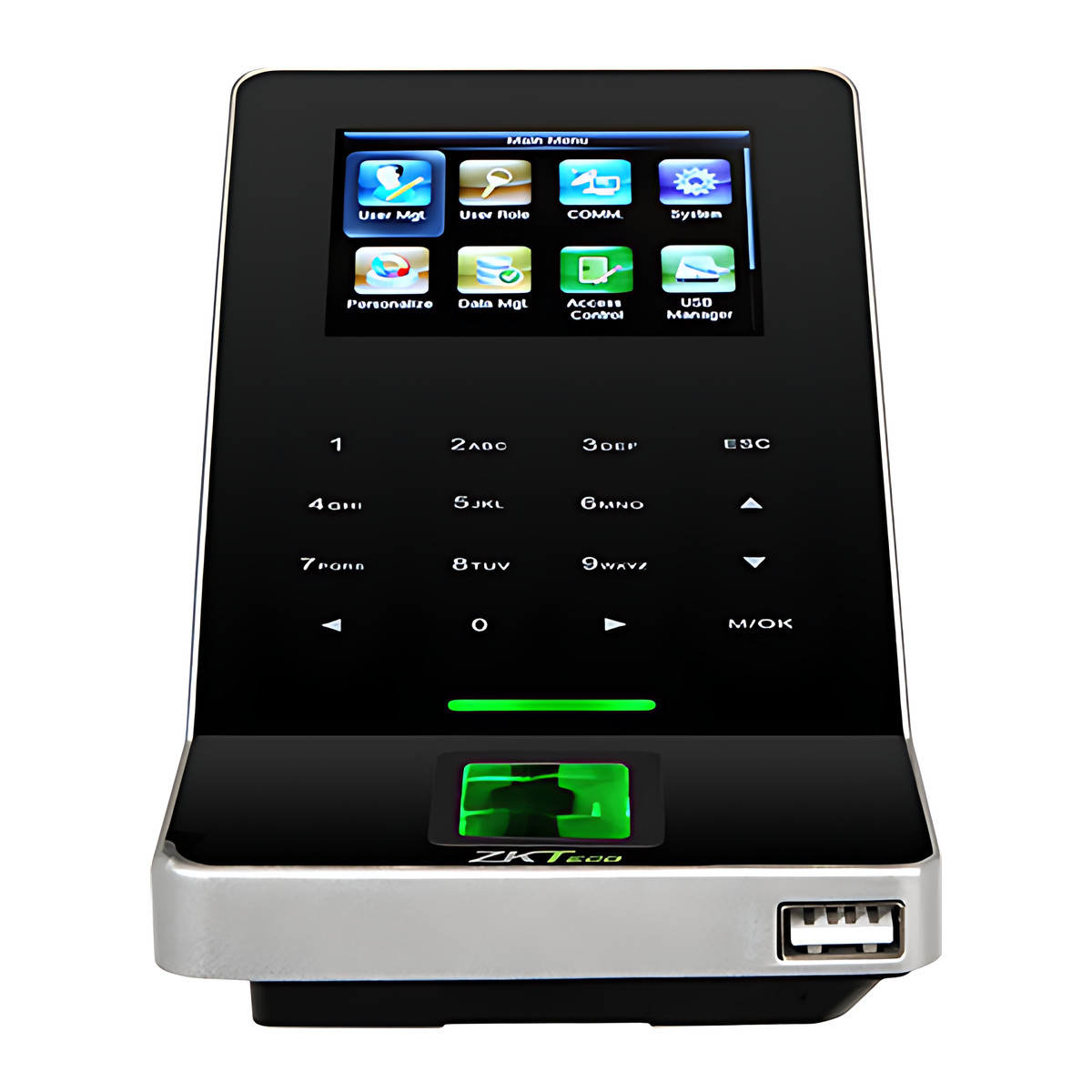
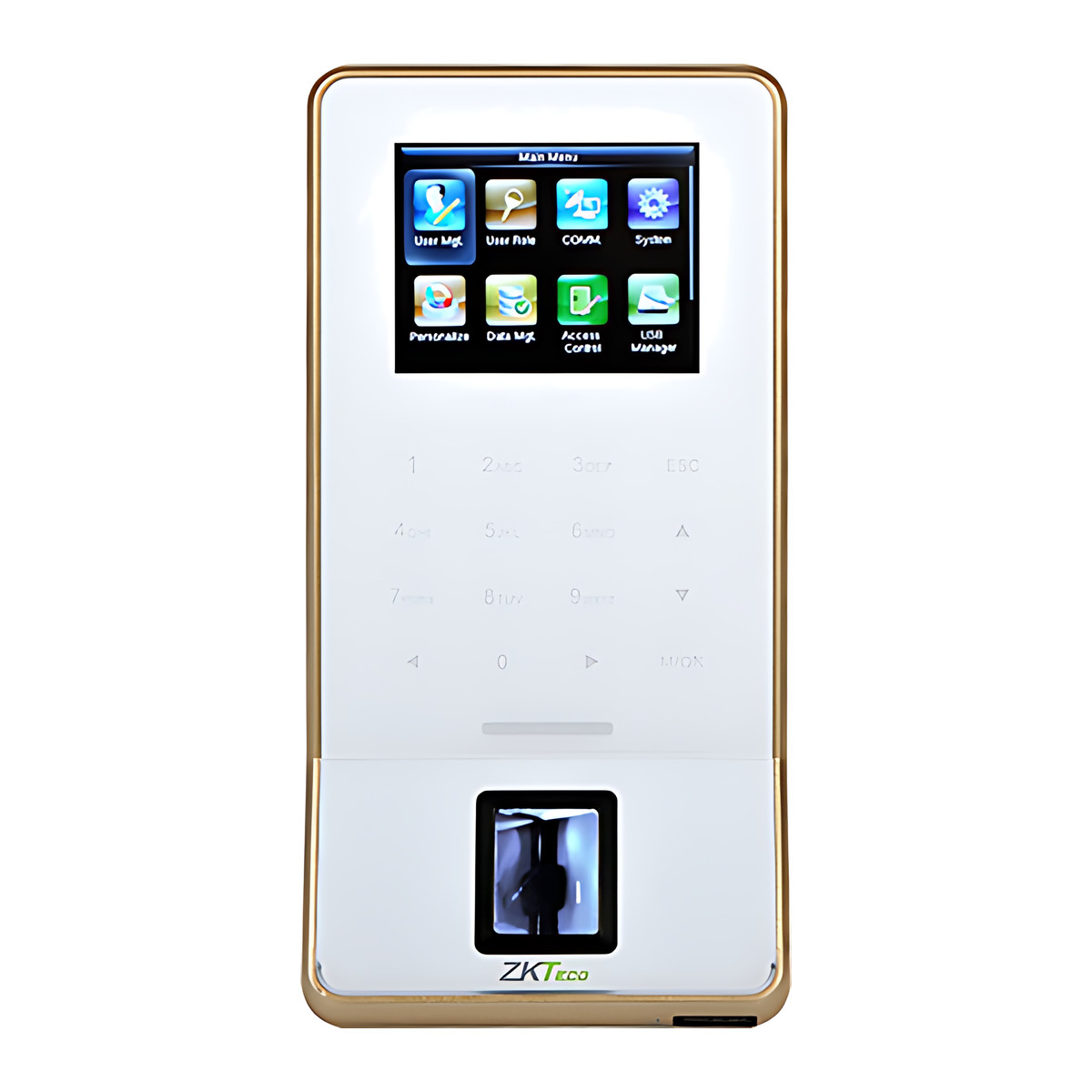
Opens a door and records staff attendance with a fingerprint, PIN or optional card, and its 19.4 mm slim body fits narrow door frames in offices, clinics and small factories. Stores 3,000 fingerprints, has Wi-Fi built in and can act as a Wiegand reader.
25 in stock
- WarrantyManufacturer warranty under ZKTeco's terms: 1 year. Warranty claims
- DeliveryPrice, availability and delivery charges are confirmed in your quotation. Shipping and delivery
Overview
The ZKTeco F22 opens a door and records staff attendance with a fingerprint, a PIN or an optional card, so the door lock and the attendance register are the same device. At 19.4 mm deep it sits flat on a narrow door frame or mullion in an office, clinic or small factory where a bulkier attendance machine will not fit. It works on its own, or reports to ZKTeco software for attendance reports and central door management.
Is it right for you?
- It suits an indoor door where you want access control and attendance in one slim unit.
- It stores 3,000 fingerprint templates, so it covers a small to medium workforce.
- Card reading is optional: if staff will use cards, order it with the card reader, which holds 5,000 cards.
- It has Wi-Fi built in, which helps on a retrofit door with no network cable; wired TCP/IP is also there.
- It works from 0 to 45 °C. Outdoor use is not stated by the manufacturer.
Key features
- ZKFinger V10.0 algorithm on a Z-ID sensor with 3,000 fingerprint templates.
- Fingerprint, PIN and optional card verification, so staff, contractors and visitors can each use the credential that suits them.
- Optional card reading for 5,000 ID cards or 13.56 MHz S50/S70 IC cards.
- Wi-Fi, TCP/IP, RS232/485 and USB host connections, so a retrofit door may not need a new network cable.
- Wiegand input and output plus one auxiliary input, so it can work as a standalone door controller or as a reader on an existing panel.
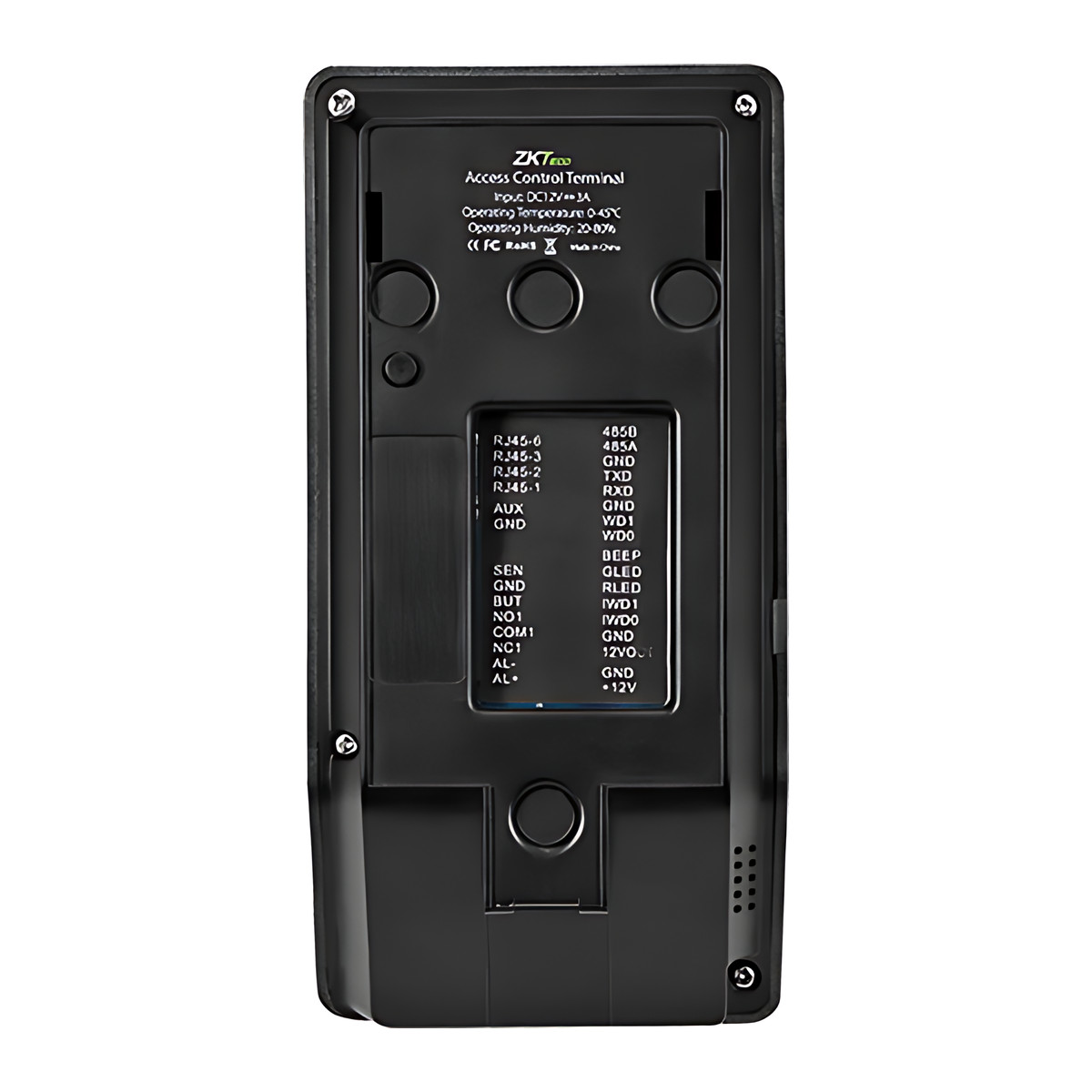
- Wiring for an electric lock, door sensor (door position sensor), exit button and alarm.
- Anti-passback, scheduled bell, daylight saving time, automatic status switch, record query, T9 text input and 14-digit user IDs as standard; printer connection and ADMS network data push as options.
- 2.4-inch TFT colour display; 158.5 × 78.0 × 19.4 mm; 12 V DC 3 A supply.
What else you need
- An electric lock for the door.
- An exit button.
- A 12 V DC 3 A power supply.
- Only if staff will use cards: the optional card reader module, specified when you order.
- Only if you want central reports: ZKTeco software on a PC or server, reached over Wi-Fi or a network cable.
Installation
The F22 mounts on the frame, mullion or wall beside the door. The installer wires the lock, exit button, door sensor and 12 V DC supply to the terminal, connects it to the network by Wi-Fi or cable, and enrols fingerprints at the unit or remotely from the software. Because it involves lock and power wiring, an access control installer should fit it.
Software and licences
No software is needed for standalone use. For central door management, attendance reports and remote enrolment it reports to ZKBio CVSecurity and ZKAccess 3.5, with a PUSH AC SDK for developers. ADMS network data push to a server is an option.
Before you buy
- Card reading is optional. Say whether you need ID cards or 13.56 MHz IC cards when you order.
- Printer support and ADMS data push are optional functions.
- Operating range is 0 to 45 °C and 20 to 80% humidity.
Technical specifications
Key facts
- What is it?
- Fingerprint, Card & Keypad TerminalsBrand ZKTeco
- How is it powered?
- 12 V DC / 3 A
- Does it support RS-485?
- Yes
- Does it support Wiegand?
- YesInput and output
- What capacity does it support?
- 3,000 fingerprints5,000 cards100,000 transaction records
- Which documents are available?
- User manual, datasheet, quick start guide, online specifications Open documents
- Can SecurityGearHub help with installation?
- Setup guidanceManuals, wiring guides and answers to setup questions. On-site work is arranged separately where available. Ask about installation
- Not stated by the manufacturer
- PoE, OSDP, outdoor rating, software, box contents
RelatedGuideFace vs fingerprint attendance machineDocumentsAll ZKTeco documents
- Display
- 2.4-inch TFT LCD colour screen
- Fingerprint Capacity
- 3,000
- Card Capacity
- 5,000 (Optional), ID or RFID S50/S70 IC card (13.56 MHz)
- Transaction Capacity
- 100,000
- Biometric Algorithm
- ZKFinger V10.0 (Z-ID sensor)
- Access Control Interfaces
- 3rd-party electric lock, door sensor, exit button, alarm; Wiegand in/out; Aux input × 1
- Standard Functions
- DST (daylight saving time), Automatic status switch, Record query, T9 text input, 14-digit user ID, Anti-passback, Scheduled bell
- Optional Functions
- Printer support, ADMS (network data push to server)
- Power Supply
- 12 V DC / 3 A
- Operating Temperature
- 0 °C to 45 °C
- Operating Humidity
- 20% to 80%
- Dimensions
- 158.5 × 78.0 × 19.4 mm (L×W×H)
- Algorithm Version
- ZKFinger V10.0
- Communication
- RS232/485, TCP/IP, USB-host, Wi-Fi
- Wiegand Signal
- Input, Output
- Aux. Input
- 1ea for linkage function
- Functions
- DST, Automatic Status Switch, Record query, T9 input, 14 digit user ID, Anti-passback, Scheduled-Bell, Printer (Optional), ADMS (Optional)
- SDK and Software
- PUSH AC SDK, ZKBio Access software
- Warranty
- Manufacturer warranty under ZKTeco's terms: 1 year. How claims work
Product attributes and shipping details
| Brand | ZKTeco |
|---|---|
| Verification | Card, Fingerprint, PIN |
| Connectivity | USB, Wi-Fi, Wiegand, Ethernet, RS-485 |
Downloads
Documentation
- ZKTeco F22 datasheetDatasheet · This model · d1agmp9y4cki1i.cloudfront.netDownload
- ZKTeco F22 product pageOnline specifications · This model · zkteco.inView official page
User manual
Series documents can differ from your exact model. Report a wrong or missing file
Software and compatibility
Licence terms are on each software product page.
- ZKBio CVSecurity Listed compatible
- ZKAccess 3.5 Listed compatible
Works with this product
Relevant accessories
- ₹1,730Add to cart
- ₹163Add to cart
- ZKTeco ZKBio CVSecurity Access Control Licence, Door Packages and Add-On Doors - Add-on doorSGH-LIC-ZKBIO-D10₹4,720Add to cart
Other models and upgrades
-
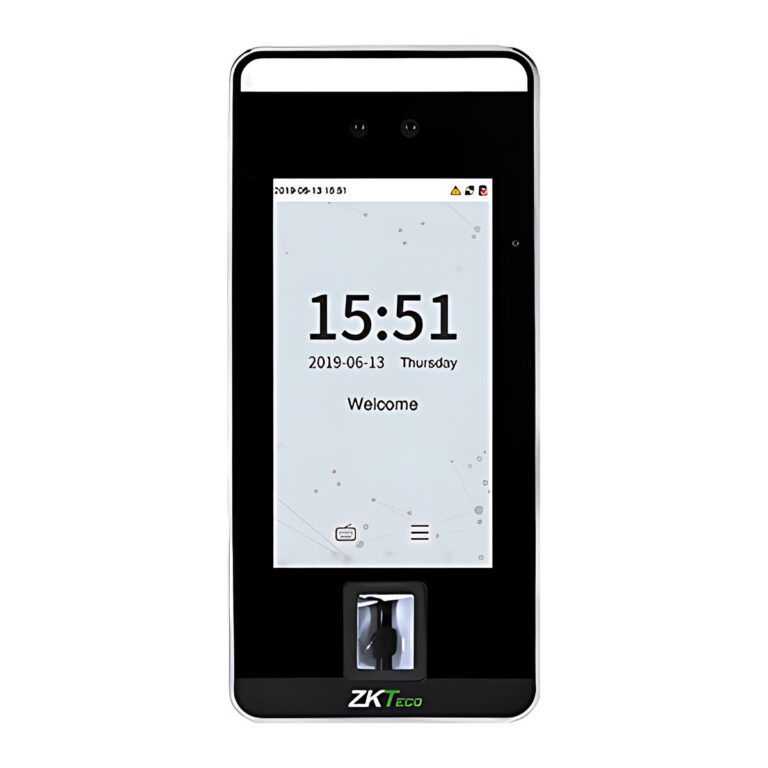 ZKTecoModel SpeedFace-V5L
SpeedFace V5L Face Recognition Access and Attendance Terminal
- Face Capacity
- 10,000
- Display
- 5-inch touchscreen
From ₹40,234 Incl. GST3 optionsChoose options This product has multiple variants. The options may be chosen on the product page
Questions about this product
Does the F22 need software to work?
No. It runs on its own as a door controller and attendance register. ZKBio CVSecurity or ZKAccess 3.5 adds central management, reports and remote enrolment.
Does it need a network cable?
Not necessarily. It has Wi-Fi built in as well as TCP/IP, RS232/485 and USB host.
What power does it need?
A 12 V DC 3 A supply.
Can it be fitted outdoors?
Not stated by the manufacturer. Its operating range is 0 to 45 °C.
Can staff use cards instead of fingerprints?
Yes, if you order it with the optional card reader, which holds 5,000 ID or 13.56 MHz S50/S70 IC cards.
Can it work as a reader on an existing access panel?
Yes. It has Wiegand input and output, so it can act as a reader for another controller.
Ask about this modelSetup, compatibility, what is in the box
Answers are automated. Do not enter personal or account details.
Looking for an alternative?
We list alternatives only when we have checked they suit the same job. Compare other models in the category, or ask us to suggest one for your site.