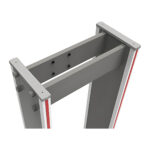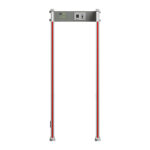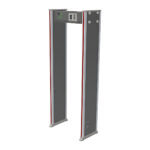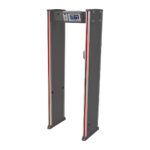
Online checkout is currently closed. Browse products, build your list and request a quotation. Need help? Call or WhatsApp us.Online checkout is currently closed. Call or WhatsApp for enquiries.

  • Sold by Sada Smart Solutions LLP, GSTIN 29AEJFS5796N1ZTSada Smart Solutions LLP

Call or WhatsApp +91 96060 62750 / 62751, Mon to Sat, 9:00 AM to 6:30 PM

Illustration of a lobby screening lane with a walk-through metal detector and an X-ray baggage scannerIllustration

Screening and inspection

Security inspection

Plan screening equipment around the entrance, risk assessment and operating procedure. Confirm exact detection requirements, environmental limits and supporting documentation.

Suits Office and IT park lobbies, Malls, hotels and multiplexes, Events, temples and stadiums, Logistics and warehouse exits, Exam halls and data centres

Brands for this system: ZKTeco

On the plan

Where each part goes

One screening lane, plan view Illustrative plan, not to scale. Visitors arrive on the public side. Bags go through the ZKTeco ZKX6040 X-ray scanner (600 x 400 mm tunnel, under 300 W, RJ45 TCP/IP). People walk through the ZK-D2180 arch (18 zones, AC 100 to 240 V, TCP/IP, turnstile linkage). Any alarm is resolved with the ZK-D160 hand-held detector, which runs on two AA batteries. An optional SBTL3000 swing lane with a 600 to 900 mm passage can follow the arch. People collect their bags on the secure side. A separate evacuation route bypasses the lane, and the arch is kept clear of lift doors, shutters and motors. One screening lane, plan view Public side: visitors arrive 1 X-ray ZKX6040 Tunnel 600 x 400 mm Under 300 W RJ45 (TCP/IP) Bags on the belt, operator reads the image 2 Arch ZK-D2180 18 detection zones AC 100 to 240 V, TCP/IP Turnstile linkage 3 ZK-D160 Hand-held, resolves the alarm; 2 x AA 4 Optional: SBTL3000 Swing lane, 600 to 900 mm passage Collect bags, then enter Secure side Separate evacuation route Keep the arch clear of lift doors, shutters and motors. Never block a fire exit. Illustrative, not to scale.
One lane: bags through the X-ray, people through the arch, alarms resolved with a hand-held detector.
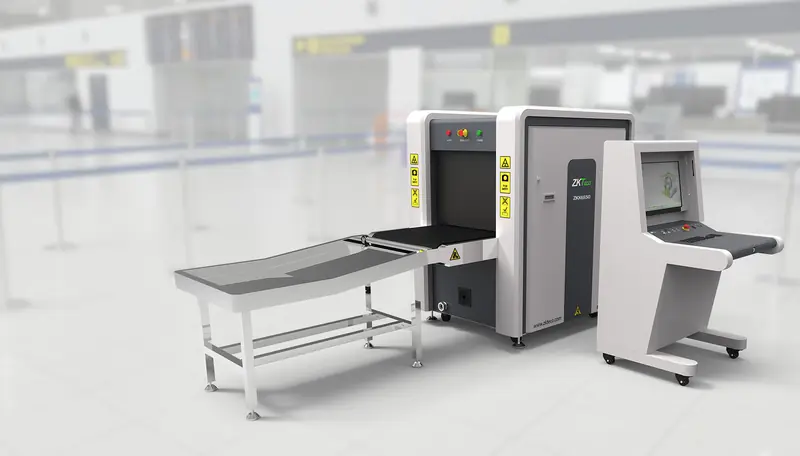
ZKTeco ZKX6550 X-ray baggage scanner with input table and operator console in an airport terminal

In the screening lane

Bags through the tunnel, people through the arch

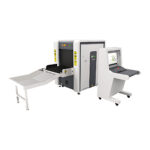
The ZKX6040 in the example set is 1.7 m long and ships in a 480 kg package, and the lane needs space for a queue in front and a collection table behind. Plan the floor, the power and the delivery route first.

  1. Input table and beltBags go in one at a time; the belt carries them through the tunnel.
  2. TunnelZKX6550: 660 x 510 mm. The ZKX6040 in the example set: 600 x 400 mm.
  3. Operator consoleThe operator reads the X-ray image on the monitor and logs in by fingerprint.

How it works

In 4 steps

  1. 01Bags on the beltVisitors place bags, phones and keys on the X-ray conveyor or in a tray. The operator sees an image of the contents without opening the bag.
  2. 02Walk throughThe visitor walks through the door frame metal detector. A multi-zone arch shows which zone of the body triggered the alarm, with lights on the side panels and a tone.
  3. 03Resolve with the hand-heldIf the arch alarms, a guard sweeps the indicated zone with a hand-held detector, which helps staff localise the alarm for secondary screening under the site's procedure.
  4. 04Collect and enterCleared visitors collect their bags and enter. Arches with counters record passes and alarms for the shift report, and an arch with turnstile linkage can keep a barrier shut until the person passes cleanly.

Configuration

One screening lane, priced line by line

An X-ray scanner for bags, a walk-through arch and a hand-held detector. Choose the arch version and add a barrier if only cleared people should pass.

Illustrative configuration. Models, quantities and installation are confirmed for your site before an order or quotation.

Equipment

PartModelQtyUnit incl. GSTLine total
1X-ray baggage scanner
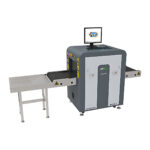
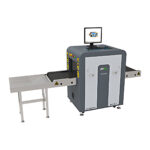
ZKTeco ZKX6040 X-Ray Baggage Scanner600 x 400 mm tunnel, RJ45 (TCP/IP); quoted per project
On request
2Walk-through arch
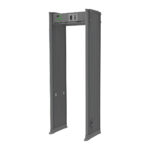
ZKTeco ZK-D2180 Walk-Through Metal Detector / DFMD (18 Zones)18 zones, 256 sensitivity levels, people and alarm counting; display, app, TCP/IP and turnstile linkage are listed for the standard D2180 and not confirmed for the D2180-L
₹78,865₹78,865
3Hand-held detector
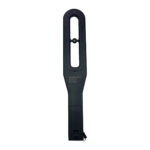
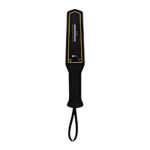
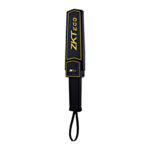
ZKTeco ZK-D160 Handheld Metal DetectorTwo AA batteries, more than 70 hours; keep spares
₹2,596₹2,596
Swing barrierOptional
ZKTeco SBTL3000 Swing Barrier Turnstile (Single Lane Set)Optional, if only cleared people should pass
₹192,844
Equipment, priced items₹81,461 + items on request

Installation

Quoted after a site survey, or carried out by your own installer. Not in the prices above.

  • Installation and earthing at each lane
  • Operator training

Assumptions

  • One indoor screening lane: bags through the X-ray, people through the arch
  • Outdoor lanes need a weatherproof arch or a canopy
  • The scanner ships in a 480 kg package; floor loading and the delivery route are checked in the quotation

Prerequisites, not in this configuration

  • A UPS on a dedicated socket at each lane, and earthing
  • Local radiation-safety approval for baggage X-ray (in India: AERB)

Not included

  • Spare hand-held detectors and batteries
  • Radiation-safety approval fees

Options and alternatives

  • Swing barrier, such as the SBTL3000, if only cleared people should pass
  • Weatherproof arch or a canopy for outdoor lanes
  • Spare hand-held detectors and batteries
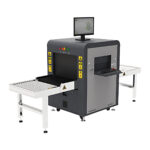
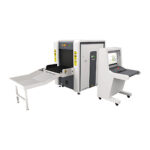
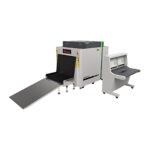
  • Alternative: ZKX6550 scanner with a 660 x 510 mm tunnel, instead of the ZKX6040, for larger bags
  • Alternative: ZK-D3180V arch with a camera and alarm-linked photos, or the 3 to 9 zone ZK-D1090, instead of the ZK-D2180

Buying guidance

The ZK-D2180 runs on AC 100 to 240 V; TCP/IP and turnstile linkage are listed for the standard version and not confirmed for the D2180-L, so we confirm them for the version you choose, and the ZKX6040 runs on 230 V AC and has an RJ45 (TCP/IP) interface. The scanner ships in a 480 kg package, so we confirm floor loading, the delivery route, UPS sizing and placement in the quotation.

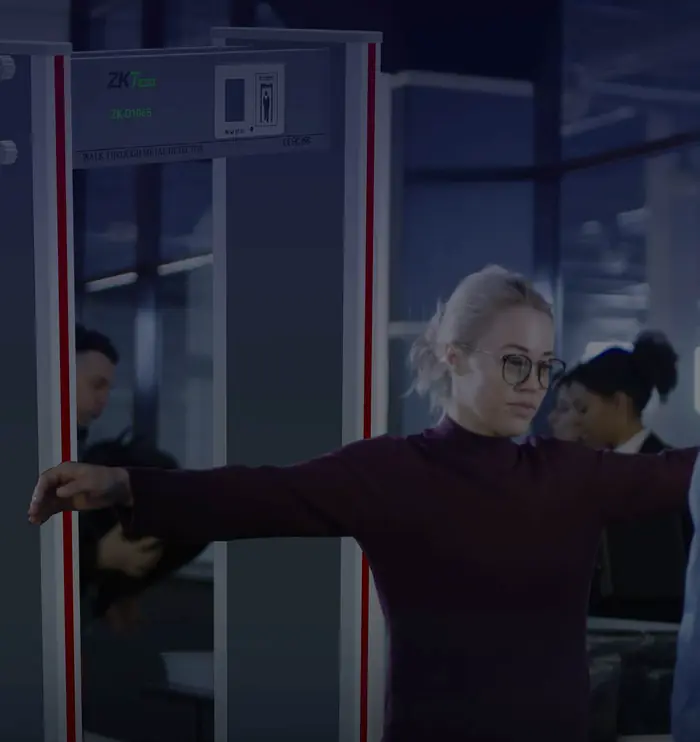
Woman with arms outstretched being checked at a ZKTeco walk-through metal detector, travellers behind
ZK-D2180 in use.

At the arch

The arch finds the zone, the hand-held finds the object

An 18-zone arch shows where on the body the metal is, so the guard checks one zone with the hand-held detector to localise the alarm for secondary screening, under the site's procedure.

  • ZK-D2180: 18 zones, 256 sensitivity levels per zone, 85 dB alarm with lights.
  • People and alarm counting, TCP/IP, and turnstile linkage for a barrier after the arch.
  • AC 100 to 240 V, 18 W; use a dedicated socket on a UPS.
  • ZK-D160 hand-held: two AA batteries, more than 70 hours.
More zones locate the metal more precisely Illustrative, not to scale, zone layout simplified. Two walk-through arches with a person carrying a metal object at the hip. The ZK-D1090 on the left can be set to 3, 6 or 9 zones, so the lit zone covers a wide band of the body. The ZK-D2180 and ZK-D3180V on the right have 18 zones, so the lit zone is narrower and the hand-held check is shorter. Both show the alarm with lights on the side panels. Where did it alarm? ZK-D1090 3, 6 or 9 zones ZK-D2180, ZK-D3180V 18 zones Lit zone. Zone layout simplified; not to scale.

More zones, shorter checks

A 3, 6 or 9 zone arch such as the ZK-D1090 suits simpler sites. The 18-zone ZK-D2180 and ZK-D3180V narrow down where the metal is carried, so the hand-held check is quicker. The D3180V adds a camera and alarm-linked photos.

More modelsOther models for each part

The minimum screening point is one door frame metal detector and at least one hand-held detector per lane. Add an X-ray baggage scanner where visitors carry bags, and a weatherproof detector if the lane is outdoors. Size the number of lanes to peak footfall: the ZK-D1090 lists more than 40 persons per minute, but real throughput depends on how quickly guards clear alarms and bags.

Core components

  1. Door frame metal detectorScreens each person walking through; more zones locate objects faster. The D3180V adds a camera and alarm photos.
    All Door Frame Metal Detectors (DFMD)
  2. Hand-held metal detectorFinds the object after a DFMD alarm without a full search; keep at least one per lane and spare batteries.
    All Hand-Held Metal Detectors

Optional additions

  1. Weatherproof door frame detectorIP65-rated walk-through detector for outdoor or semi-covered entrances such as temple and event gates.
    All Door Frame Metal Detectors (DFMD)
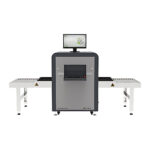
  2. X-ray baggage scanner (compact)Shows bag contents without opening them; suits receptions and lobbies handling handbags, backpacks and small parcels.
    All X-Ray Baggage Scanners
  3. X-ray baggage scanner (larger)For bigger bags and parcels at malls, hotels and logistics docks; confirm tunnel size and floor loading first.
    All X-Ray Baggage Scanners
  4. Smartphone detectorFor sites that ban phones, such as examination halls, data centres and production floors.
    All Specialty Detectors
Start a quote with these componentsAdds one of each core component to your quote list. Compatibility is confirmed in the quotation; sending the request needs an account.

Details

Software, installation and growth

Software

Inspection equipment in this catalogue mostly runs on its own control units rather than a central software platform. Door frame metal detectors are set up from the control panel on the top unit: sensitivity, zones, alarm volume and detection mode. The ZK-D2180 lists TCP/IP communication, remote control and an app connection, and the ZK-D2110 lists a network interface and a relay output for an entrance gate.

X-ray baggage scanners come with an operator console that displays the image. The ZKX6040A, ZKX5030A and ZKX5030C specifications list ZKBio SIS as supported software and an RJ45 TCP/IP interface, and the ZKX6040A console lists storage for up to 10,000 scanned images. ZKBio SIS is not listed separately in this catalogue, so ask technical sales what is included with your chosen model.

Installation considerations
  • Detector placement. Keep metal detectors away from large metal structures, moving shutters, lift doors and motors. Neighbouring detectors can interfere; leave a gap or use channel settings where offered.
  • Floor and fixing. Stand the detector on a level, firm floor and secure it against crowds. X-ray scanners weigh several hundred kilograms, so check floor loading and the delivery route.
  • Power and earthing. The detectors listed run on 100 to 240 V AC, and several X-ray models list about 1 kVA. Provide dedicated, earthed sockets and a UPS.
  • Outdoor lanes. Use a weatherproof model or provide a canopy.
  • Emergency egress. Screening lanes must never block fire exits. Keep a clear evacuation route that does not pass through the detector.
  • X-ray safety. Follow the manufacturer’s instructions and the local radiation safety requirements for operating baggage X-ray equipment (in India: AERB), and train operators before use.
  • Sensitivity setting. Set sensitivity for the objects you need to find, then test with sample items so alarms are meaningful rather than constant.

Installation is done by your own installer or electrician. SecurityGearHub supplies the equipment and can advise on placement, power and model choice before you order.

Growing the system
  • More lanes. Add detectors for peak days, or separate lanes for men and women where the site needs them.
  • More zones and evidence. Move from a 3/6/9 zone detector to an 18-zone model; the ZK-D3180V adds a camera and alarm-linked photos.
  • Add baggage X-ray. Many sites start with metal detectors and add a scanner sized to the bags they actually see.
  • Link with entrance control. The ZK-D2180 lists turnstile linkage and the catalogue pairs it with the ZKTeco SBTL3000 swing barrier, so only cleared people pass. See the turnstile buying guide.
  • Phone restrictions. The ZKTeco MDS100 from the specialty detectors range suits sites that ban smartphones.

For a deeper comparison of detector types, read the DFMD buying guide.

Downloads

Datasheets for these parts

Search all datasheets, manuals and drawings

Questions

Frequently asked

How many detection zones do I need?

More zones pinpoint where an object is carried, which speeds up the hand-held check. A 3, 6 or 9 zone ZK-D1090 suits simpler sites; busy lanes benefit from 18-zone models such as the ZK-D2180 or ZK-D3180V.

Do I still need hand-held detectors if I have a DFMD?

Yes. The door frame detector says metal is present; the hand-held detector finds it. Without one, each alarm needs a manual search.

How many lanes do I need?

Size the lanes to peak footfall. The ZK-D1090 lists more than 40 persons per minute, but real throughput depends on how quickly guards clear alarms and bags.

Can a door frame metal detector be used outdoors?

Only if it is rated for it or sheltered. The ZKTeco AMD1800 Pro lists IP65 protection; other models need a canopy.

Which X-ray scanner size should I choose?

Choose by the largest bag you must scan. The ZKX6040 lists a 600 by 400 mm tunnel and the ZKX6550 660 by 510 mm. Ask technical sales for other models' tunnel sizes.

Can the detector count visitors?

Some can. The ZK-D2180 lists people counting and alarm counting, and the ZK-D3180V shows pass and alarm counts on its control unit and captures photos linked to alarms.

Ready to plan your site? Describe your site and we will prepare a quotation, or talk to technical sales if you want help choosing components first.

Get a quotation

Tell us about your site

What we need to quote:

  • Number of entrances and lanes, and visitors at the busiest hour
  • Indoor, covered or outdoor lanes
  • The largest bag or parcel to scan, if you need X-ray
  • Whether only cleared people should pass a turnstile or barrier
  • Power and space at each lane, and the floor and delivery route for an X-ray scanner

Prefer to talk it through? Call or WhatsApp +91 96060 62750 / 62751 (WhatsApp), Monday to Saturday, 9:00 AM to 6:30 PM IST.