
Online checkout is currently closed. Browse products, build your list and request a quotation. Need help? Call or WhatsApp us.Online checkout is currently closed. Call or WhatsApp for enquiries.

  • Sold by Sada Smart Solutions LLP, GSTIN 29AEJFS5796N1ZTSada Smart Solutions LLP

Call or WhatsApp +91 96060 62750 / 62751, Mon to Sat, 9:00 AM to 6:30 PM

Illustration of an employee presenting a card at a wall-mounted attendance terminal beside an office receptionIllustration

Time attendance

Time attendance

Compare ways to capture attendance and move records into the reporting or payroll workflow you use. Check device capacity, connectivity and the exact software integration.

Suits Offices and branches, Factories and shifts, Hospitals and colleges, Sites without a LAN, Retail outlets

Brands for this system: ZKTeco, Mantra, MORX

On the plan

Where each part goes

Where an attendance system sits A face terminal on the wall by the entrance, a UPS below it, a network switch above, the attendance software on a server or in the cloud, an HR PC showing reports, and payroll. 1 2 3 4 5 6
  1. Face terminal at the entry, out of direct sunlight
  2. Protected socket or UPS for the terminal
  3. Network: fixed IP address or push server address
  4. Attendance software on a server or in the cloud
  5. HR reviews daily and monthly reports
  6. Payroll from PayTime or an export
Illustrative, not to scale. Where each part of an attendance system sits.
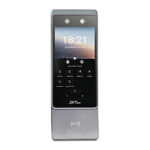
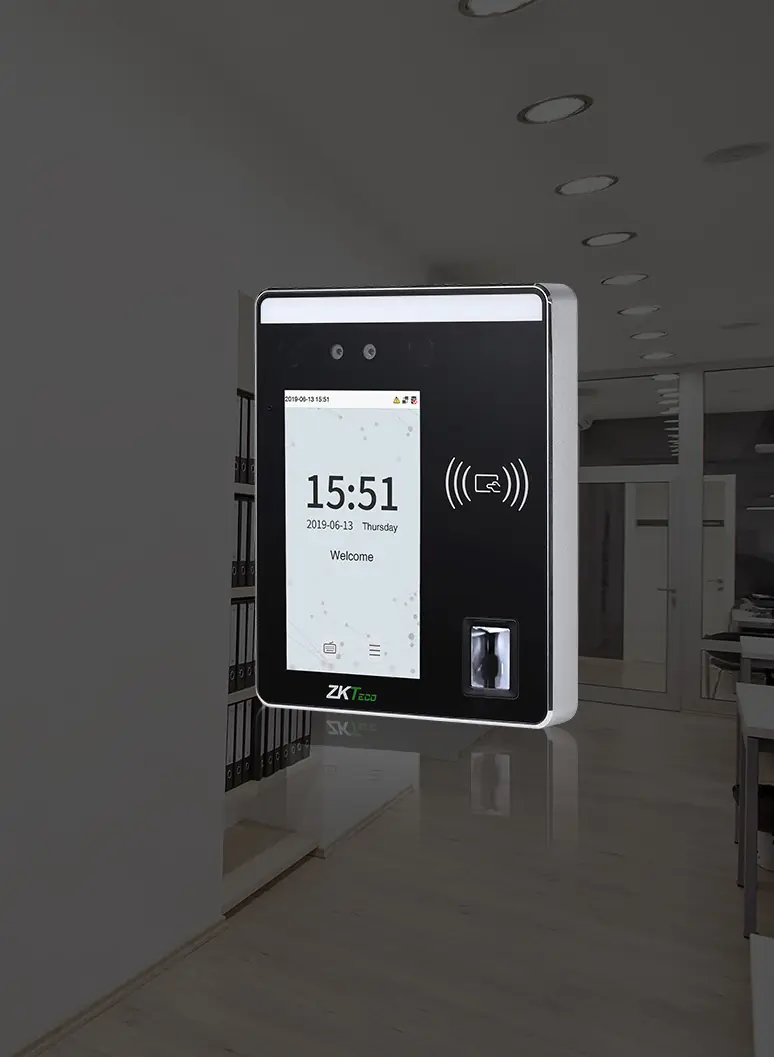
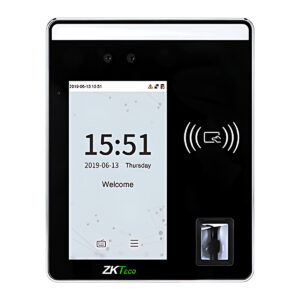
ZKTeco SpeedFace-H5L face and fingerprint terminal on an office wall
SpeedFace-H5L.

The terminal

One terminal at the entry, face first

Staff look at the screen on the way in. The SpeedFace-H5L matches the face on the device and stores the punch, so a network outage does not lose the record.

  • 6,000 faces, 6,000 fingerprints and 10,000 cards on the terminal.
  • Recognises a face at up to 2 m, in 1 second or less.
  • 12 V DC, 3 A; TCP/IP, with Wi-Fi as an option.
  • Pushes punches to the server as they happen (ADMS).

How it works

In 5 steps

  1. 01EnrolHR enrols each employee once: face, fingerprint, card or PIN, on the terminal or with a USB scanner.
  2. 02PunchAt the start and end of work the employee looks at the terminal or places a finger. The device matches locally and records the ID, time and punch state.
  3. 03Push (ADMS)Punches are stored on the terminal. Many ZKTeco models push them to the server as they happen (ADMS); others are collected over TCP/IP or a USB drive.
  4. 04ReportThe software builds in and out times, late arrivals and absences, with daily and monthly reports.
  5. 05PayrollHR passes the results to payroll: PayTime Enterprise includes payroll and leave, or use the export your payroll needs.

System diagram

Three kinds of site, one set of reports

Terminals push punches to the attendance software over whichever network the site has.

Branch with a LAN
SpeedFace-H5LFace, fingerprint and card, 12 V DC 3 A
TCP/IP, ADMS push
Small office
MiniTAFace, 800 users, 5 V 2 A
Wi-Fi, ADMS push
No wired network
G4LFace, optional 4G module, PoE
4G (optional), push
easy TimeProBrowser-based, up to 1,000 devices per server
Daily and monthly reports
HRIn and out times, late arrivals, absences
Export
PayrollExport in the format your payroll accepts, confirmed in the quotation
  • No software at all: the K40 Pro keeps a built-in backup battery and shows self-service reports on the device.
  • No server: BioTime Cloud 2.0 is hosted, for terminals that list it, such as the SpeedFace V5L and MiniAC Plus.
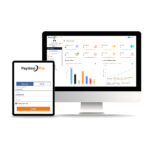
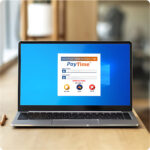
  • PayTime Enterprise is separate software with its own attendance, leave and payroll modules.

Illustrative, not to scale.

Configuration

Attendance for one site, priced line by line

One face terminal at the entry and attendance software on your own server. Change quantities or the software line to match your site.

Illustrative configuration. Models, quantities and installation are confirmed for your site before an order or quotation.

Equipment

PartModelQtyUnit incl. GSTLine total
1Face terminal₹40,234₹40,234
Equipment, priced items₹40,234

Licences and software

PartModelQtyUnit incl. GSTLine total
4Attendance software
ZKTeco easy TimePro Attendance Management SoftwareBrowser-based; runs on Windows, Linux or Mac OS servers
On request
Licences and software, priced itemsOn request

Installation

Quoted after a site survey, or carried out by your own installer. Not in the prices above.

  • Mounting the terminal at the entry and running a network cable to it
  • Installing easy TimePro on the server and adding the terminal

Assumptions

  • One site with 50 staff on one terminal; the SpeedFace-H5L holds 6,000 faces
  • easy TimePro on your own server or always-on PC
  • The terminal sends punches to the software over the network (ADMS)

Prerequisites, not in this configuration

  • A server or always-on PC for easy TimePro
  • UPS or protected socket for the terminal
  • Network cable to the terminal (Wi-Fi is an option on the H5L)

Not included

  • The server or PC
  • Payroll software

Options and alternatives

  • Payroll software, such as PayTime Enterprise
  • A second terminal if many people punch within a few minutes
  • Alternative: BioTime Cloud 2.0, hosted, instead of easy TimePro on your server, with a terminal that lists it, such as the SpeedFace V5L
  • Alternative: ZKBio CVSecurity instead of easy TimePro, where the same server also runs access control

Buying guidance

The SpeedFace-H5L lists easy TimePro as supported software and pushes punches over ADMS. It holds 6,000 faces, so 50 staff fit on one terminal; add terminals if many people punch within a few minutes.

Compare

Where the attendance data lives

Choose the software first, then terminals that list it in their specifications.

OptionSuitsPrice incl. GSTLink
easy TimePro, on your serverBrowser-based software for Windows, Linux or Mac OS servers, up to 1,000 devices on one server, so every branch reports to one place.Quote onlyAttendance software
BioTime Cloud 2.0, hostedHosted on AWS with no local server, with a mobile app for punches, geo-fencing and leave requests. Exports CSV, PDF, TXT and XLS.Quote onlyAttendance software
ZKTime.Net 3.3Attendance software with payroll pay codes, smart shifts and automatic email reports, with support for ZKTeco visible light face terminals.Quote onlyAttendance software

Reports

Punches become daily and monthly reports

The SpeedFace-H5L lists ZKBio CVSecurity and easy TimePro as supported software. Both turn punches into attendance reports for HR.

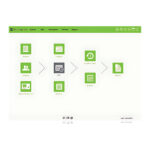
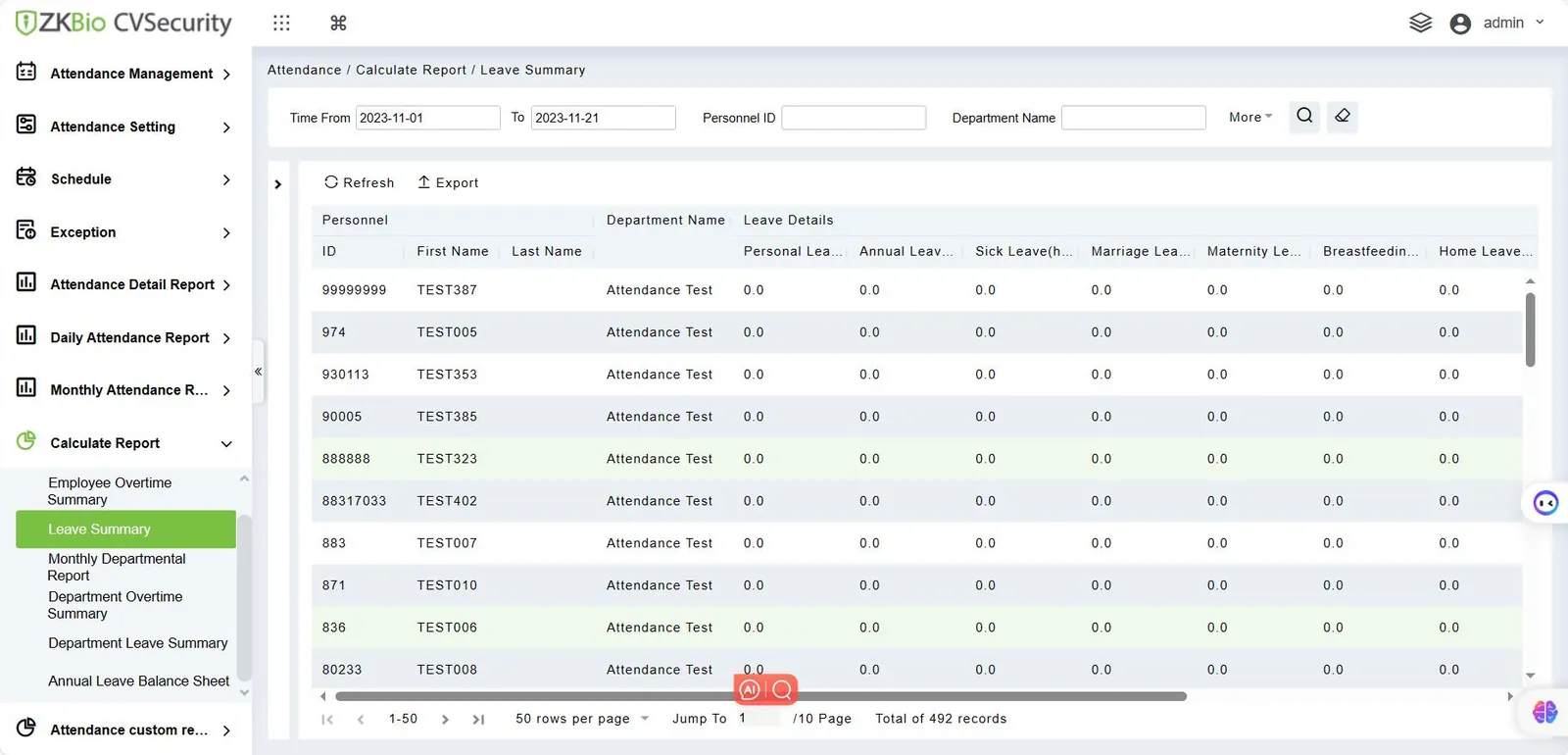
  • ZKBio CVSecurity attendance module: daily and monthly attendance reports, overtime and leave summaries, as in the screen shown.
  • easy TimePro: browser-based attendance software with its own report library, up to 1,000 devices on one server.
  • Export the results to payroll, or use PayTime Enterprise for payroll and leave.
ZKBio CVSecurity 6.8.0 Attendance, Calculate Report, Leave Summary screen with test employees
ZKTeco SpeedFace-H5L Face Recognition Biometric Attendance Machine
ZKBio CVSecurity 6.8.0, Attendance > Calculate Report > Leave Summary, sample data.

Planning

Face or fingerprint

Both record attendance. The difference shows on the shop floor and at shift change.

Face or fingerprint Face: needs no finger contact, so worn or oily fingers do not matter, though capture still depends on light and position; no contact, verifies in 1 second or less on the SpeedFace-H5L. Fingerprint: worn or oily fingers can fail, the finger touches the sensor, 0.5 seconds or less on the K40 Pro. FaceFingerprint Worn or oilyfingersContactVerification No contact Can fail None Touch 1 s or lessSpeedFace-H5L 0.5 s or lessK40 Pro

Choose by the hands and the queue

Worn, cut or oily fingers, common on shop floors, can defeat fingerprint readers, and face terminals need no contact. Fingerprint terminals cost less. Models such as the FaceDepot 4A and SpeedFace-H5L read both.

More modelsOther models for each part

A working system is one or more terminals plus software. Choose face where speed or worn fingerprints matter, fingerprint for tighter budgets, and 4G or handheld units where there is no network. Our face vs fingerprint guide and attendance machine price guide help with the choice.

Core components

  1. Face attendance terminalTouchless punching for queues and worn fingerprints; MiniTA for small teams, FaceDepot 4A adds fingerprint and optional 4G or PoE.
    All Face Recognition Terminals
  2. Attendance softwareTurns punches into attendance reports; ZKTime.Net for a single site, easy TimePro for branches on one server, BioTime Cloud without a server.
    All Attendance Software

Optional additions

  1. Fingerprint attendance terminalLower-cost alternative or extra unit; K40 Pro has a backup battery, BioTime16 gives Excel output by pen drive.
    All Fingerprint, Card & Keypad Terminals
  2. 4G, outdoor or handheld terminalFor gates and sites without wired network: G4L takes an optional 4G module, Horus H1 is a battery handheld, SpeedFace M4 is IP66.
    All Face Recognition Terminals
  3. Payroll and leavePayTime Enterprise adds payroll, leave, multi-branch and employee self-service; confirm terminal compatibility before ordering.
    All Attendance Software
  4. Large estates and integrationeasy WDMS manages up to 1,000 devices per server; MINOP offers cloud attendance and an API option, specification on request.
    All Attendance Software
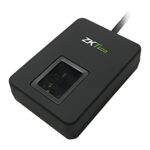
  5. Enrolment deviceEnrol fingerprints or cards at an HR desk instead of at the terminal; check that your software supports the device.
    All Enrollment Devices
Start a quote with these componentsAdds one of each core component to your quote list. Compatibility is confirmed in the quotation; sending the request needs an account.

Details

Software, installation and growth

Software
  • ZKTime.Net 3.0 and 3.3: time attendance software that also integrates access control; version 3.3 supports VL (visible light) devices. The IN01-A lists ZKTime.Net and the MB30 lists ZKTime.net 3.0.
  • easy TimePro: browser-based software for Windows, Linux or Mac servers, handling up to 1,000 devices on one server, so every branch reports to one place. The SpeedFace-H5L, FaceDepot 4A and K40 Pro list it.
  • easy WDMS: attendance management for large estates, up to 1,000 devices per server over TCP/IP, Wi-Fi, GPRS or 3G.
  • BioTime Cloud 2.0: cloud attendance with no server to maintain, and a mobile app for remote check-in and check-out, geo-fencing, attendance checks and leave applications. The SpeedFace V5L, IN01-A and Horus E2 list it.
  • PayTime: Standard, Pro (web-based) and Enterprise editions. Enterprise covers multiple companies and branches, roles and rights, leave, payroll, and Android and web self-service. The catalogue does not record which terminals PayTime reads, so confirm compatibility first.
  • MINOP Cloud and MINOP Attendance API: a cloud attendance service and an attendance API option; ask technical sales for the specification.
Installation considerations
  • Position and light: mount face terminals out of direct sunlight, with no bright window behind the user; semi-open gates need a rated unit such as the IP66 SpeedFace M4.
  • Queues: if hundreds punch within minutes, spread them across several terminals.
  • Power and backup: use a protected socket or UPS for each terminal, or choose a model with battery backup.
  • Network: give terminals fixed IP addresses or a push server address. PoE models such as the G4L take power and data on one cable.
  • Earthing: keep data cables away from mains and motors, and use an earthed supply.
  • Door control and fire safety: if a terminal will also release a door, use a fail-safe lock on exit routes, an exit button and a fire alarm release, as for any access controlled door.

Installation is done by your own installer, electrician or IT team. SecurityGearHub supplies the terminals and software and can advise on setup through installation support.

Growing the system
  • More terminals and branches: add units at each site and point them at the same easy TimePro server or BioTime Cloud 2.0 account.
  • Move from fingerprint to face: add face recognition terminals alongside existing fingerprint terminals; ZKTime.Net 3.3 supports VL devices.
  • Add door access: most terminals in this range have lock, door sensor and exit button connections, and many list ZKBio CVSecurity for a full multi-door system.
  • Payroll and self-service: move up to PayTime Enterprise for multi-company payroll and employee self-service.
  • Remote staff: use the BioTime Cloud 2.0 app with geo-fencing, or a Horus H1 handheld for site supervisors.

Downloads

Datasheets for these parts

Search all datasheets, manuals and drawings

Questions

Frequently asked

Face or fingerprint for a factory?

Worn, cut or oily fingers, common on shop floors, can defeat fingerprint readers. Face terminals avoid contact and keep queues moving. Models such as the FaceDepot 4A and SpeedFace-H5L read both.

Can head office see attendance from every branch?

Yes. Run easy TimePro on a central server that branch terminals can reach, or use BioTime Cloud 2.0 with no server at all. Check that each terminal you choose lists the software you plan to use.

Does the system keep working in a power cut?

The K40 Pro has a built-in backup battery, several MORX terminals list inbuilt battery backup, and models such as the MB30 and IN01-A offer a battery as an option. For other units, put the adapter on a UPS.

Can attendance go straight to payroll?

PayTime Enterprise includes a payroll module alongside leave and employee self-service. The MORX BioTime16 and BioTime-MR110 list Excel output for small offices. For other software, confirm the report format your payroll provider needs with technical sales before ordering.

Do I need a separate enrolment device?

Usually not; staff enrol on the terminal itself. A USB scanner such as the Live20R lets HR enrol at a desk; check your software supports it.

How should we handle employee biometric data?

Treat it as personal data: tell employees what is collected, restrict admin access and delete templates when someone leaves. Take legal advice on the data protection law that applies to you.

Counting heads across one site or twenty? Describe your site and we will prepare a quotation, or talk to technical sales about terminals and software.

Get a quotation

Tell us about your site

What we need to quote:

  • Number of employees and sites
  • Face, fingerprint, card or a mix
  • Whether each site has a LAN, Wi-Fi or neither
  • How many people punch at shift change
  • Payroll software or format you use today

Prefer to talk it through? Call or WhatsApp +91 96060 62750 / 62751 (WhatsApp), Monday to Saturday, 9:00 AM to 6:30 PM IST.