
At a glance
- Inputs
- 1 exit button, 1 door status, 1 auxiliary input
- Outputs
- 1 Form C lock relay and 1 Form C auxiliary relay
- Card Capacity
- 100,000 (1:N) (Standard)
- Transaction Capacity
- 500,000 (Standard)
- Power Supply
- 9.6 V to 14.4 V DC
- User Capacity
- 100,000
 Model InBio Pro Plus
ZKTeco InBio Pro Plus Series Biometric Access Control Panel
₹20,615 to ₹33,529 Incl. GST
From ₹17,470 + 18% GST
At a glance
- Inputs
- 1 exit button, 1 door status, 1 auxiliary input
- Outputs
- 1 Form C lock relay and 1 Form C auxiliary relay
- Card Capacity
- 100,000 (1:N) (Standard)
- Transaction Capacity
- 500,000 (Standard)
- Power Supply
- 9.6 V to 14.4 V DC
- User Capacity
- 100,000
Door controller for 1, 2 or 4 doors that lets people in by face, fingerprint or card through connected ZKTeco readers, for offices and multi-door projects. Holds 3,000 faces, 20,000 fingerprints and 100,000 cards, networked over TCP/IP.
- WarrantyManufacturer warranty under ZKTeco's terms: 1 year. Warranty claims
- DeliveryPrice, availability and delivery charges are confirmed in your quotation. Shipping and delivery
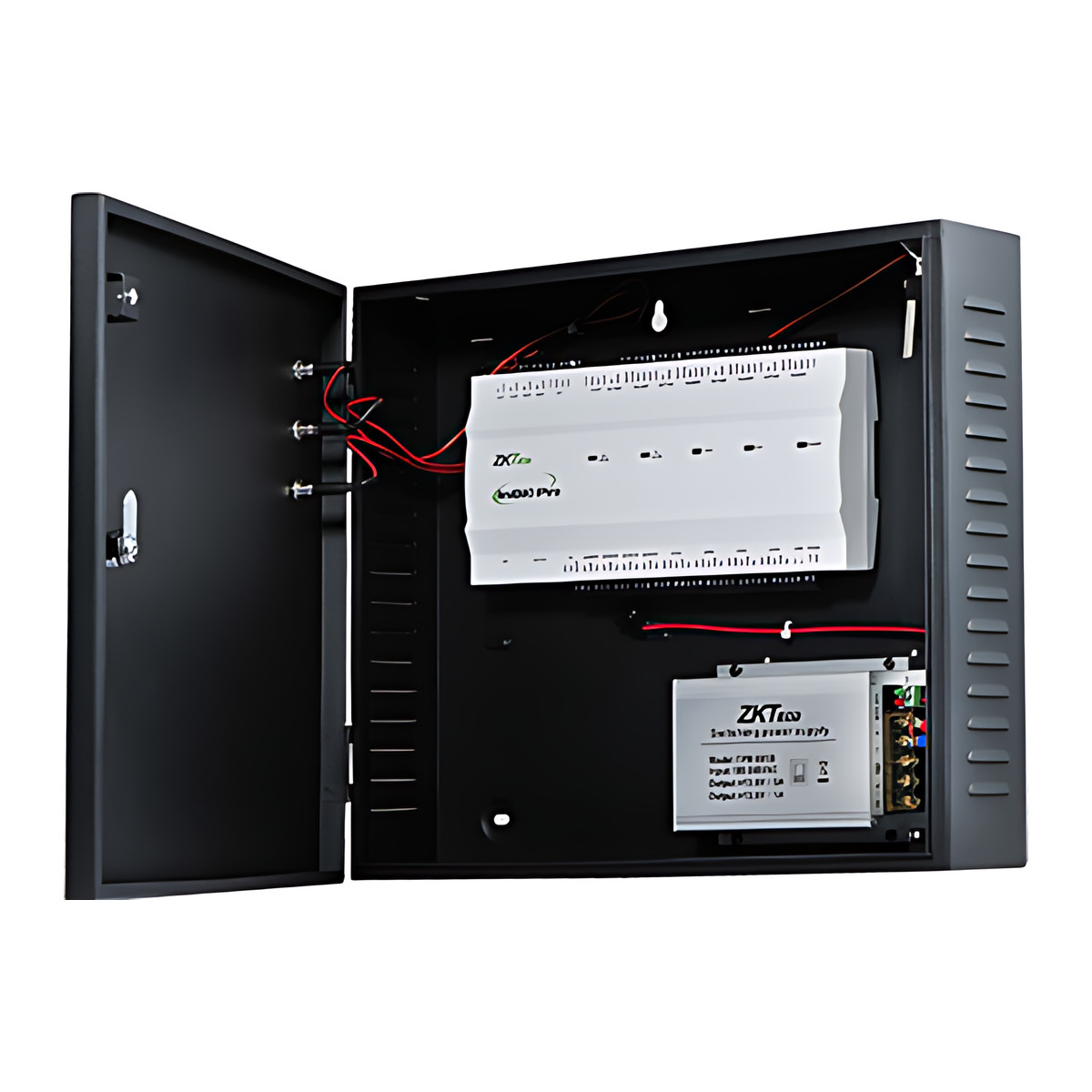
- InstallationDIN rail mount, wall-mount, or metal enclosure (Optional)
Overview
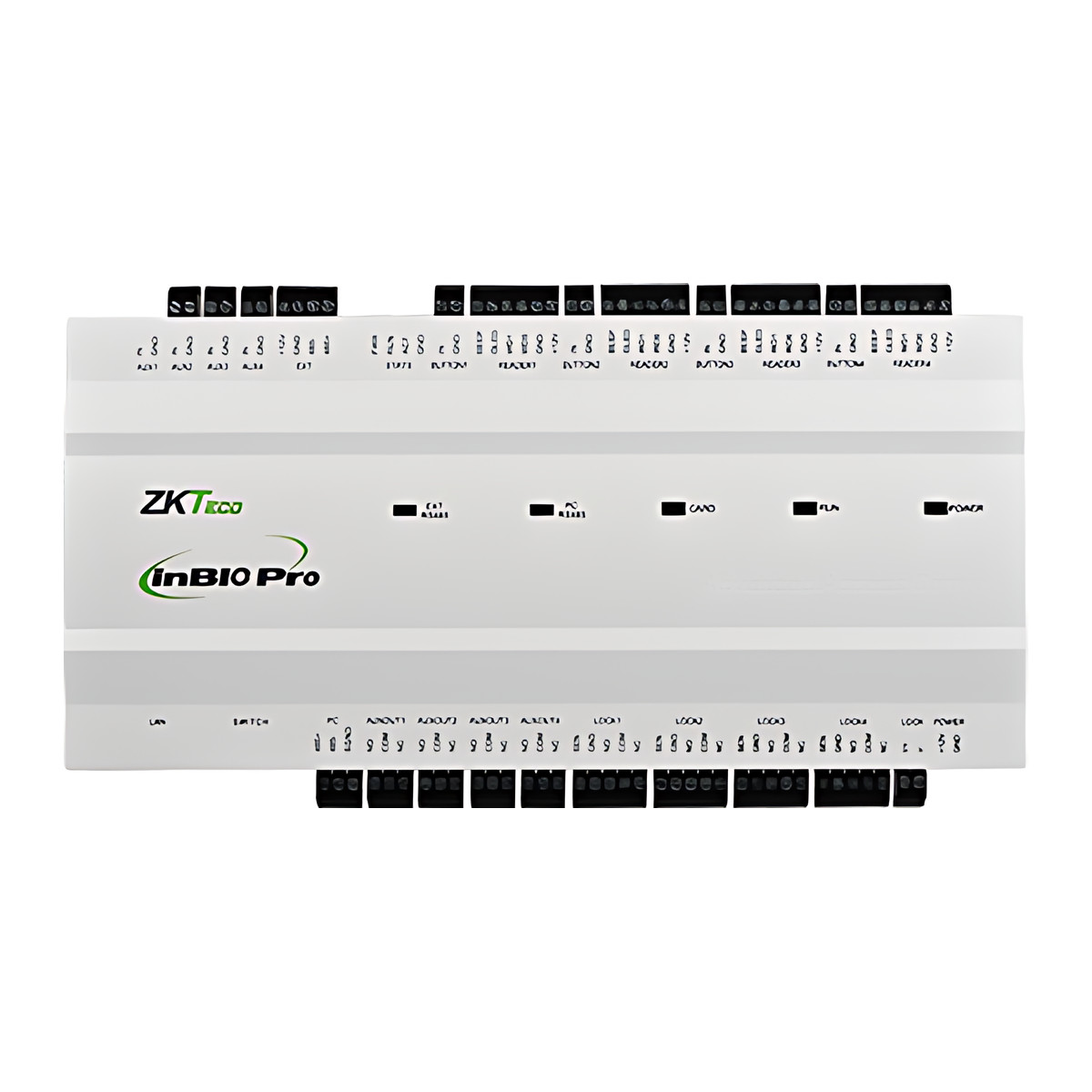
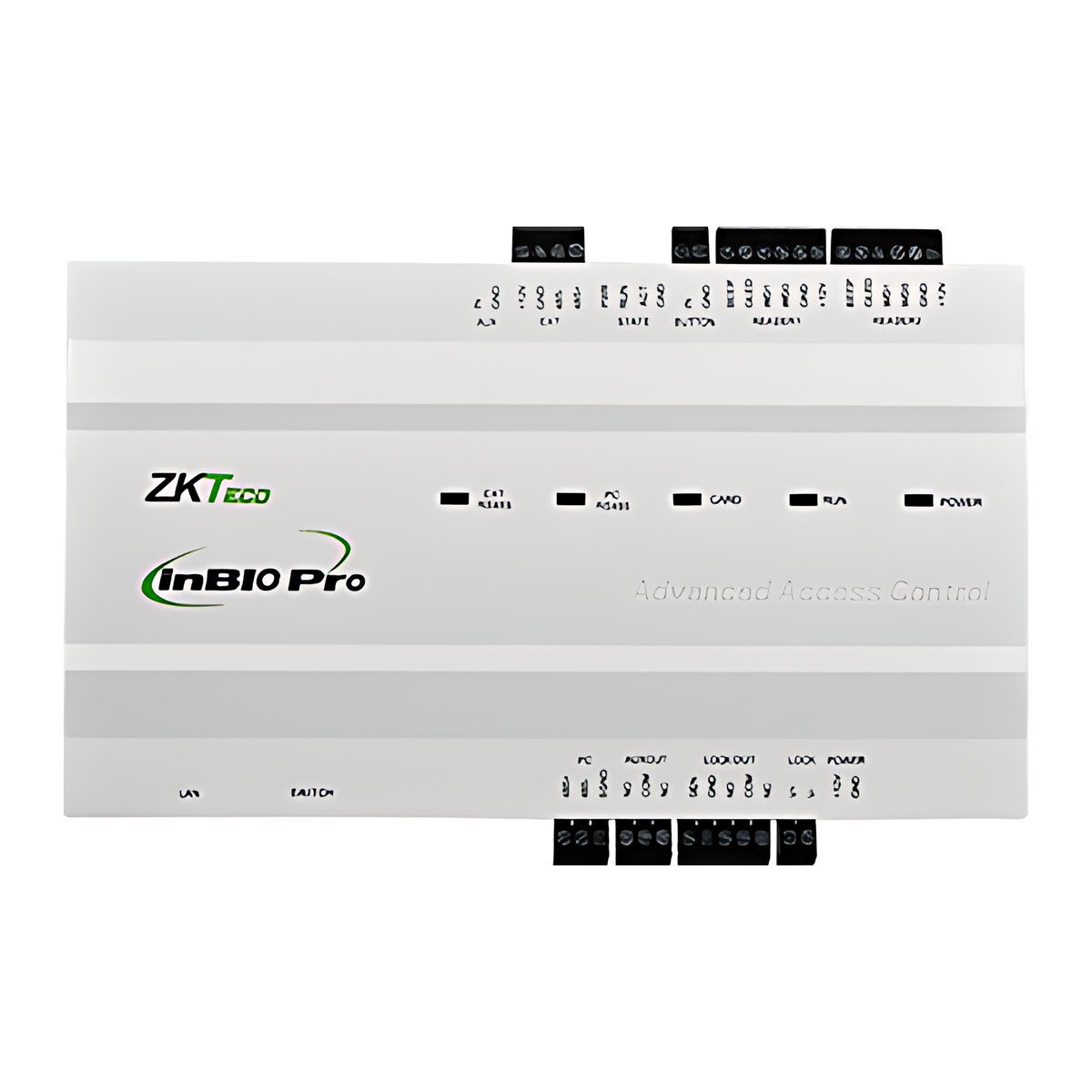
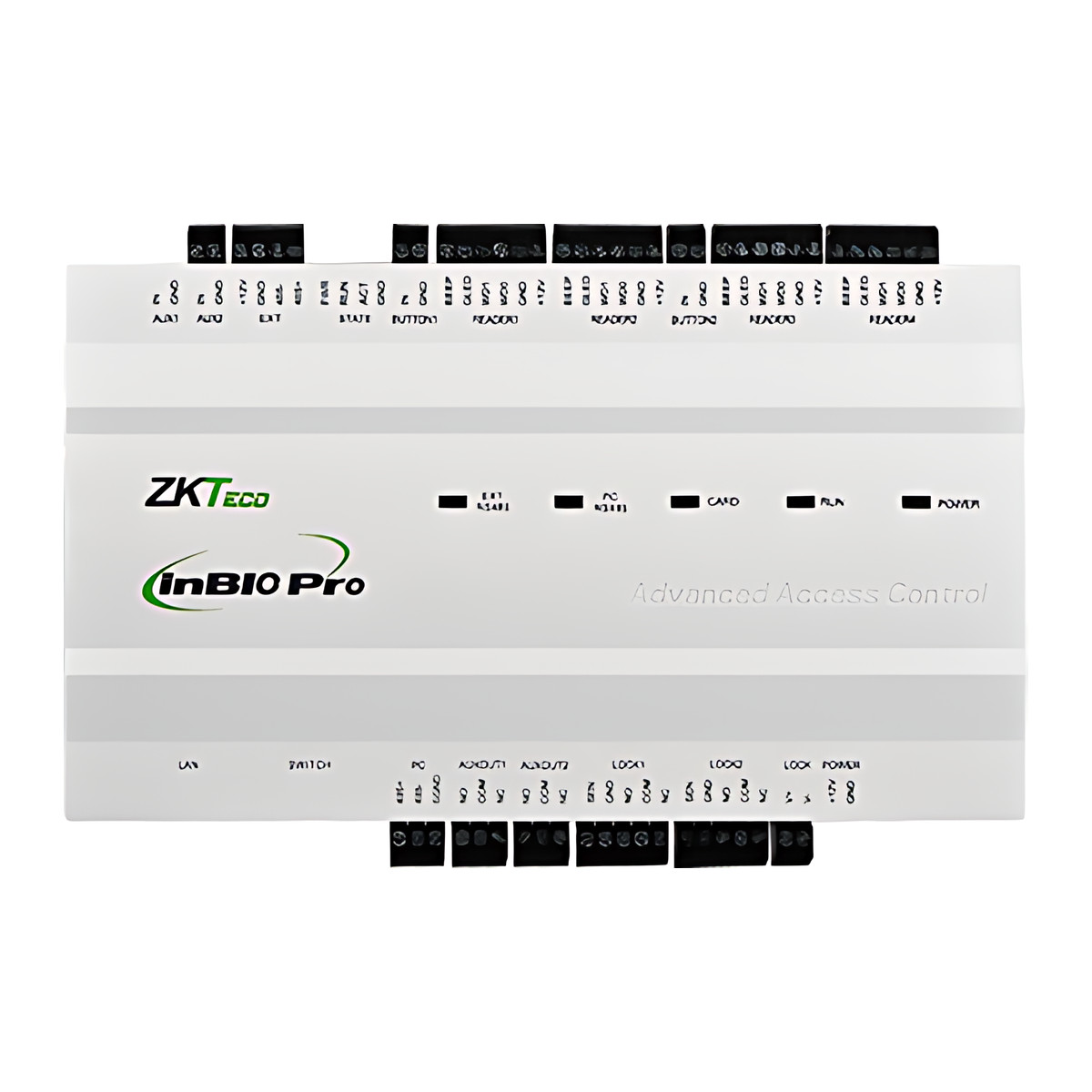
The ZKTeco InBio Pro Plus series is a door controller that lets people in by face, fingerprint, card, PIN or QR code at one, two or four doors, through ZKTeco readers connected to it. The panel itself has no reader: it sits in a secure cupboard or riser and holds the user data, while the readers sit at the doors. It suits offices and multi-door projects where several credential types need managing from one system. The range covers the InBio160 Pro Plus (1 door), InBio260 Pro Plus (2 doors) and InBio460 Pro Plus (4 doors), which can be mixed across a building.
Is it right for you?
- It suits a project that wants face or fingerprint at the door with the user data held centrally on the panel rather than in each terminal.
- Capacity is 3,000 face templates, 20,000 fingerprint templates and 100,000 cards, so check the face count against your head count.
- For card and QR code only, the C3 Plus series is the simpler equivalent.
- It needs ZKBio CVSecurity to manage it; there is no standalone set-up beyond the built-in web server.
- It is for indoor use, 0 to 45 °C, in a secure location such as an electrical riser or weak current room.
Key features
- Accepts card, password, fingerprint, face and QR code on one system, read through connected ZKTeco RS-485 readers or Wiegand readers.
- Stores 3,000 face templates, 20,000 fingerprint templates, 100,000 cards and 100,000 static or dynamic QR codes, with 100,000 users and 500,000 transactions as standard.
- Supported RS-485 readers: KF1100 Pro and KF1200 Pro face readers, FR1200 and FR1500S fingerprint readers, QR50, QR500 and QR600 QR readers, and ProID101 to ProID104 card readers. Card readers can also use OSDP (Open Supervised Device Protocol) version 2.1.7.
- Wiegand input for third-party readers in 26, 34 or 66-bit format: 2 inputs on the InBio160 Pro Plus, 4 on the InBio260 and InBio460 Pro Plus.
- Reader count: 2 RS-485 and 2 Wiegand (InBio160 Pro Plus), 4 and 4 (InBio260 Pro Plus), 8 RS-485 and 4 Wiegand (InBio460 Pro Plus).
- Per door: a Form C lock relay, a Form C auxiliary relay, an exit button input, a door status input and an auxiliary input; up to eight EX0808 expansion boards over RS-485 take it to 64 inputs and 64 outputs.
- Auxiliary relays can drive lighting, alarm units, intrusion panels, extra locks and gate controllers.
- AES 256-bit storage encryption, AES 128-bit encryption on RS-485 to supported ZKTeco readers, and HTTPS with TLS 1.2 between server and web client.
What else you need
- A 12 V DC supply for the panel (it accepts 9.6 to 14.4 V DC); use a dedicated supply for the panel and separate supplies for the locks. The optional enclosure (Package B) includes a power supply unit.
- Readers: one per door for entry only, two for entry and exit, from the supported RS-485 list or any 26, 34 or 66-bit Wiegand reader.
- An electric lock per door, such as an EML280 maglock or a BL34-2 or F-BL43-5 bolt, with a separate lock supply (dry mode is the default).
- An exit button and a door sensor per door, such as the EX86-S, EX28-L or K1-1D buttons; the door sensor enables anti-tailgating and alarms.
- Shielded twisted pair for the RS-485 bus, 6-core shielded cable for Wiegand readers, a network point, earthing and a dedicated power socket.
- Only if you use the enclosure PSU, a 12 V 7.2 Ah backup battery fits the reserved space; a UPS for the control system is recommended. Only if you use dynamic QR codes, you also need the ZKBio CVSecurity mobile app.
Installation
An access control installer should fit it, with the enclosure’s mains power supply connected by a qualified person. The job involves:
- Mounting the panel on DIN rail, the wall or in the optional enclosure, at a serviceable height with at least 100 mm clear on the left side.
- Wiring the 12 V DC supply (and the backup battery to BT+ and BT- where the enclosure PSU is used).
- Wiring Wiegand readers to the door reader ports and RS-485 readers on a daisy-chained shielded twisted pair, setting each reader’s address with DIP switches 1 to 6 and termination with DIP switch 8 on runs over 200 m.
- Wiring locks to the lock relays in dry mode (separate supply, default) or wet mode (powered from the panel), set by jumper, with the FR107 diode across each lock, and running lock wiring in metal conduit under the relays.
- Wiring door sensors, exit buttons, auxiliary inputs and outputs, then connecting Ethernet (default IP 192.168.1.201) on the same segment as the server.
- Adding the panel in ZKBio CVSecurity and configuring doors, readers, encryption, access levels and linkage, then testing lock release, door sensor, exit button and auxiliary I/O at each door.
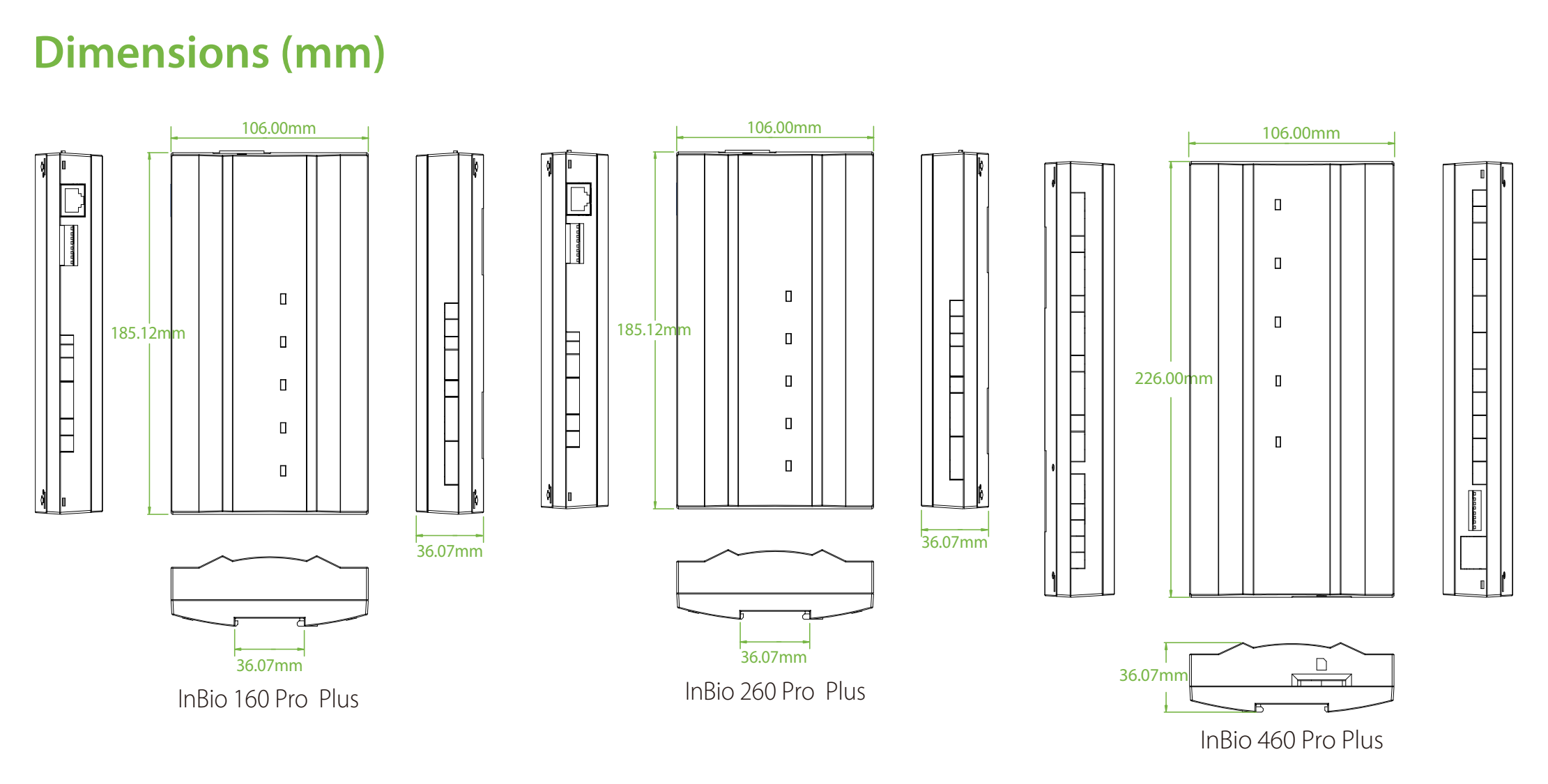
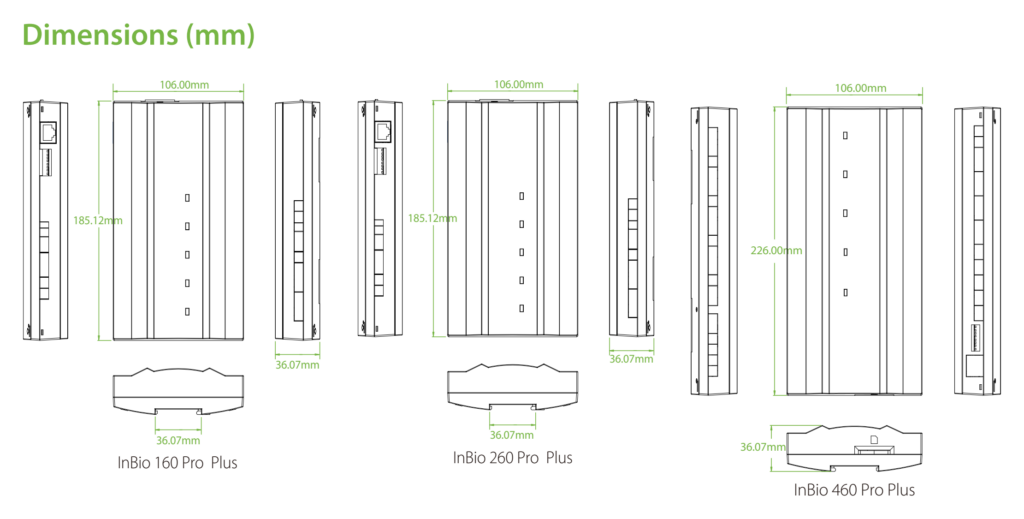
Board sizes are 185.12 x 106 x 36.07 mm (InBio160 and InBio260 Pro Plus) and 226 x 106 x 36.07 mm (InBio460 Pro Plus). A survey is advisable for more than 4 doors, RS-485 runs over 200 m, existing third-party readers or locks, fire alarm release or lift integration, or strong electrical interference.
Software and licences
ZKBio CVSecurity is the supported software. It manages doors, readers, users and access levels, pushes firmware updates to the panel and its RS-485 readers, and issues dynamic QR codes to visitors through its mobile app and visitor module. The panel is managed over HTTP or HTTPS on the LAN or WAN and also has a built-in web server. ZKBio CVSecurity is activated with a serial licence from ZKTeco, and the licensed door count must cover the 1, 2 or 4 doors on each panel; if you already run it, check how many door licences are free.
Before you buy
- The panel has no reader of its own: budget for readers, locks, exit buttons and door sensors at every door.
- Mounting is DIN rail or wall; the SPCC steel enclosure with power supply unit and tamper switch (Package B) is ordered separately. The enclosure PSU gives 12 V DC at 2 A plus 1 A (InBio160 Pro Plus) or 4 A plus 1 A (InBio260 and InBio460 Pro Plus), with space for a backup battery of about 151 x 94 x 65 mm.
- Send us your door count, the reader mix you plan to use and whether enclosures are needed so we can quote the right models.
- Face capacity is 3,000 templates on the panel, whichever face reader you connect.
Features
Size and fit
- Installation
- DIN rail mount, wall-mount, or metal enclosure (Optional)
Technical specifications
Key facts
- What is it?
- Controllers & PanelsBrand ZKTeco, model InBio Pro Plus
- How is it powered?
- 9.6 to 14.4 V DC
- How does it mount?
- DIN rail mount, wall-mount, or metal enclosure
- Does it support RS-485?
- Yes
- Does it support OSDP?
- Yes
- Does it support Wiegand?
- YesInput · 26, 34, 66-bit
- What capacity does it support?
- 3,000 faces20,000 fingerprints100,000 cards100,000 users100,000 QR codes1, 2 or 4 doors (by model)500,000 transaction records
- Which software works with it?
- ZKBio CVSecurity
- Which accessories may be required?
- 12 V DC power supply for the panel; Electric lock per door; Reader per controlled side of each door; ZKBio CVSecurity access control door licence; and 1 moreSome depend on the installation. See Works with for the conditions.
- Which documents are available?
- Quick start guide, user manual, datasheet, online specifications, software Open documents
- Can SecurityGearHub help with installation?
- Setup guidanceManuals, wiring guides and answers to setup questions. On-site work is arranged separately where available. Ask about installation
- Not stated by the manufacturer
- PoE, box contents
RelatedSolutionGymNtry gym management softwareSolutionOffice access controlGuideAccess control door setup checklistDocumentsAll ZKTeco documents
General
- Face Capacity
- 3,000 (1:N) (Standard)
- Fingerprint Capacity
- 20,000 (1:N) (Standard)
- Card Capacity
- 100,000 (1:N) (Standard)
- Transaction Capacity
- 500,000 (Standard)
- Card Type
- Supports up to 66-bit card length
- Hardware
- CPU single core 1.0 GHz; RAM 128 MB; ROM 256 MB
- Access Control Interfaces
- TCP/IP x 1, RS-485 ZKTeco RS-485 / OSDP (Optional) x 1, Wiegand input x 2 (InBio160 Pro Plus) or x 4 (InBio260 Pro Plus and InBio460 Pro Plus), USB Type A x 1 (USB drive only); Wiegand card reader and RS-485 card, fingerprint, facial recognition or QR code reader interfaces; per door: electric lock, door sensor, exit button, alarm, aux input and aux output
- Readers and Expansion
- InBio160 Pro Plus: 2 RS-485 readers (ZKTeco RS-485 or OSDP) and 2 Wiegand readers (26, 34 or 66 bit); InBio260 Pro Plus: 4 RS-485 and 4 Wiegand; InBio460 Pro Plus: 8 RS-485 and 4 Wiegand; up to 8 EX0808 I/O expansion boards (RS-485)
- Encryption
- AES 256-bit (data storage), AES 128-bit (RS-485 communication with readers, ZKTeco RS-485 or OSDP), HTTPS / TLS 1.2 (server to web client)
- Installation
- DIN rail mount, wall-mount, or metal enclosure (Optional)
- User Capacity
- 100,000
- Authentication Method
- Card / Password / Fingerprint / Face / QR Code
- Supported Software
- ZKBio CVSecurity
- Access Points
- 1 (InBio160 Pro Plus), 2 (InBio260 Pro Plus), 4 (InBio460 Pro Plus)
- QR Code Capacity
- 100,000 (static or dynamic QR codes)
- Inputs
- Per door: 1 exit button, 1 door status, 1 auxiliary input; up to 64 with 8 EX0808 boards
- Outputs
- Per door: 1 Form C lock relay and 1 Form C auxiliary relay; up to 64 with 8 EX0808 boards
- Supported RS-485 Readers
- KF1100 Pro and KF1200 Pro face readers, FR1200 and FR1500S fingerprint readers, QR50, QR500 and QR600 QR readers (ZKTeco RS-485, unencrypted or encrypted); ProID101, ProID102, ProID103 and ProID104 (ZKTeco RS-485 unencrypted or OSDP unencrypted)
- Lock Relay Mode
- Dry mode (factory default, separate lock supply) or wet mode (lock powered from the panel), set by jumper per relay
- RS-485 Bus
- Shielded twisted pair, bus (daisy chain) topology; terminate with DIP switch 8 on buses over 200 m
- Factory ID
- AC02-CB11H-U10 (InBio160 Pro Plus), AC02-CB12H-U10 (InBio260 Pro Plus), AC02-CB14H-U10 (InBio460 Pro Plus)
- Default IP Address
- 192.168.1.201
- Power Supply
- 9.6 V to 14.4 V DC (12 V DC nominal)
Environment
- Operating Temperature
- 0 °C to 45 °C
- Operating Humidity
- 20 % to 80 % RH, non-condensing
Physical
- Optional Metal Enclosure
- SPCC steel, 350 x 90 x 300 mm (L x W x H), with tamper switch; power supply unit 110 V to 240 V AC in, 12 V DC out (InBio160 Pro Plus: 2 A and 1 A; InBio260 and InBio460 Pro Plus: 4 A plus 1 A); space for a backup battery of about 151 x 94 x 65 mm; gross weight 3.57 kg (160, 260) or 3.77 kg (460)
- Dimensions
- InBio160 Pro Plus and InBio260 Pro Plus: 185.12 x 106 x 36.07 mm (L x W x H); InBio460 Pro Plus: 226 x 106 x 36.07 mm
- Weight
- Net 0.390 kg / 0.422 kg / 0.494 kg and gross 1.004 kg / 1.037 kg / 1.098 kg (InBio160 Pro Plus / InBio260 Pro Plus / InBio460 Pro Plus)
Approvals
- Standard Functions
- Webserver, up to 14-digit User ID, Access Levels, Access Groups, Holidays, Anti-passback, Anti-tailgating, Linkage, Global Linkage, Multiple Verification Methods
- Certifications
- ISO14001, ISO9001, CE, FCC, RoHS
- Warranty
- Manufacturer warranty under ZKTeco's terms: 1 year. How claims work
Product attributes and shipping details
| Brand | ZKTeco |
|---|---|
| Wiegand | Input |
| Verification | Card, Face, Fingerprint, PIN |
| Connectivity | OSDP, USB, Wiegand, Ethernet, RS-485 |
| Doors | 1, 2, 4 |
| Package | Controller only, Package B |
Downloads
Download software
- ZKBio CVSecurityVersion 6.8.2_R_x64 · Windows 7/8/10/11, Windows Server 2008 to 2025 (server); browser clients IE11+, Chrome 33+, Safari 6.1.3+, Edge · Released September 1, 2026Prerequisites: Database: PostgreSQL, Oracle 11g to 21c or MS SQL; Named in the product page Supported Software row; software licence purchased separatelyLicence: Paid licence required; installer download needs a manufacturer partner loginSoftware · Family · zkteco.inView official download page
Documentation
- ZKTeco InBio Pro Plus datasheetDatasheet · This model · d1agmp9y4cki1i.cloudfront.netDownload
- ZKTeco InBio Pro Plus product pageOnline specifications · This model · zkteco.inView official page
User manual
Series documents can differ from your exact model. Report a wrong or missing file
Software and compatibility
Licence terms are on each software product page.
- ZKBio CVSecurity Listed compatible
Works with this product
Relevant accessories
- ZKTeco ZKBio CVSecurity Access Control Licence, Door Packages and Add-On Doors - Add-on doorSGH-LIC-ZKBIO-D10
Why ZKBio CVSecurity is activated with a serial licence from ZKTeco; door count must cover 1, 2 or 4 doors per panel. Condition: Confirm existing package size. Store add-on note: applies on top of a 10-door or larger package; ZK-ZKBIO-CVSECURITY-ACCESS (store draft) for new packages.
₹4,720Add to cart - ZKTeco ZKBio CVSecurity Mobile App Licence (ZKBio Zexus), Mobile Account Packages - Basic, 1 accountZK-ZKBIO-CVSECURITY-MOBILE-APP
Why Dynamic QR codes are issued on the ZKBio CVSecurity mobile application. Condition: Only when dynamic QR credentials are used.
₹26,814Add to cart
Compatible expansions and software
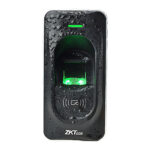
- ZKTeco FR1200 IP65 RS485 Fingerprint ReaderZK-FR1200
Why Supported RS-485 fingerprint reader. Condition: ZKTeco RS-485 protocol, unencrypted or encrypted; not supported on OSDP. Counts toward RS-485 reader limit (2, 4 or 8). 12 V DC per reader.
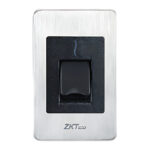
From ₹7,452Choose options - ZKTeco FR1500S Flush-Mount RS485 Fingerprint ReaderZK-FR1500S
Why Supported RS-485 fingerprint reader. Condition: ZKTeco RS-485 protocol only, not OSDP.
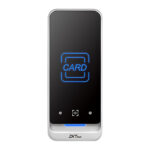
₹10,680Add to cart - ZKTeco QR600 Series QR Code and RFID Access Control ReaderZK-QR600
Why Compatible QR readers: QR50, QR500 and QR600; enables dynamic QR codes from the ZKBio CVSecurity app. Condition: ZKTeco RS-485 protocol, not OSDP. Dynamic QR requires ZKBio CVSecurity and its mobile app.
₹14,405Choose options - ZKTeco ZKBio CVSecurity Web-Based Integrated Security Platform SoftwareZK-ZKBIO-CVSECURITY
Why Supported software; also pushes firmware to the panel and RS-485 readers. Condition: Panel and server reachable over TCP/IP. Some troubleshooting options need software version 3.0.3.1 or above.
Price on requestAdd to quote
Questions about this product
Does the InBio Pro Plus have a built-in reader?
No. Credentials are read by ZKTeco RS-485 readers or Wiegand readers wired to the panel. The panel holds the templates and makes the decision.
Which readers can I connect?
KF1100 Pro and KF1200 Pro face readers, FR1200 and FR1500S fingerprint readers, QR50, QR500 and QR600 QR readers and ProID101 to ProID104 card readers over RS-485, plus any 26, 34 or 66-bit Wiegand reader.
What software do I need?
ZKBio CVSecurity, activated with a serial licence from ZKTeco. The licensed door count must cover the doors on each panel.
What power does it need?
12 V DC (9.6 to 14.4 V DC) on a dedicated supply, with separate supplies for the locks. The optional enclosure includes a 110 to 240 V AC power supply unit.
Does it need an internet connection?
No. The panel and the ZKBio CVSecurity server need to reach each other over your network; they can be on a local network only.
Is there battery backup?
The optional enclosure has space and terminals (BT+ and BT-) for a 12 V 7.2 Ah battery, which is not stated as included with any version.
Ask about this modelSetup, compatibility, what is in the box
Answers are automated. Do not enter personal or account details.
Looking for an alternative?
We list alternatives only when we have checked they suit the same job. Compare other models in the category, or ask us to suggest one for your site.