Online checkout is currently closed. Browse products, build your list and request a quotation. Need help? Call or WhatsApp us.Online checkout is currently closed. Call or WhatsApp for enquiries.

  • Sold by Sada Smart Solutions LLP, GSTIN 29AEJFS5796N1ZTSada Smart Solutions LLP

Call or WhatsApp +91 96060 62750 / 62751, Mon to Sat, 9:00 AM to 6:30 PM

Illustration of an office entrance with a card reader beside a glass door, speed gates and an open equipment rackIllustration

Access control

Office access control

Plan who can open each door, when access is allowed and how events are recorded. Match the reader, controller, locking hardware, door-position sensing and software to the site.

Suits Offices and IT floors, Factories and stores, Co-working cabins, Schools and clinics

Brands for this system: ZKTeco, Armatura, MORX, ASSA ABLOY

On the plan

Where each part goes

One controlled door, and how each part is wired A door with a card reader outside wired by 26-bit Wiegand, an EM lock on the frame switched by the controller's Form C lock relay at 12 V DC 0.43 A, the lock's signal wire to the door status input, an exit button inside on the exit input, and an emergency break glass in series with lock power. The cables run to a C3 Plus controller powered at 9.6 to 14.4 V DC, connected over TCP/IP to ZKBio CVSecurity, which is licensed per door. IT room or riser C3 Plus controller Wiegand 26-bit in Door status input Lock relay (Form C) Exit input 12 V supply and battery 9.6 to 14.4 V DC to the panel TCP/IP ZKBio CVSecurity users, door times, reports licensed per door EM lock, 12 V DC, 0.43 A Outside Inside 1 2 3 4 5 6 7
One controlled door Reader outside (1), EM lock with bracket (2), exit button inside (3), door contact on the door status input (4), controller and supply (5), software (6) and emergency break glass (7), numbered as in the list below. 1 2 3 4 5 6 7
  1. Reader outside the door
  2. EM lock and bracket on the frame
  3. Exit button inside
  4. Door contact on the door status input, for open and forced alarms
  5. Controller and 12 V supply
  6. Software for users and reports
  7. Emergency break glass (in series with lock power)
Illustrative diagram, not to scale.
ZKTeco FR1500S fingerprint reader mounted on a wall beside a glass double door
ZKTeco FR1500S beside a glass entrance.

At the door

Outside the door, people see only the reader

The lock sits on the frame, the exit button inside and the controller in a riser or ceiling space. What staff and visitors see is one reader beside the door.

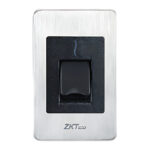
  • FR1500S fingerprint reader: flush-mounts in a single gang box and connects over RS-485 to InBio and InBio Pro panels.
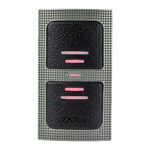
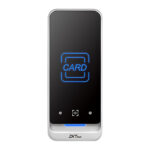
  • KR500 card reader: slim mullion reader for card-only doors on a C3 Plus panel, 26-bit Wiegand on the E model.
  • Both run on 12 V DC from the panel side, so plan the cable run to the controller before the door is finished.

How it works

In 4 steps

  1. 01PresentA card, fingerprint or face at the reader outside, or at a standalone terminal.
  2. 02CheckThe reader passes it to the controller over Wiegand or RS-485. The controller checks this person's access level for this door at this time.
  3. 03ReleaseIf valid, the controller's lock relay releases the lock for a few seconds. If not, the door stays shut and the attempt is logged.
  4. 04MonitorA door position sensor on the panel's door status input reports when the door is open, so a door propped open or forced raises an alarm. The lock signal output only confirms that the lock is bonded. Exit buttons let people out without a credential.

System diagram

Every cable, and what it carries

One door on a C3 Plus panel.

Outside the door
KR500 E card reader125 kHz ID cards, 6 to 14 V DC
Wiegand 26-bit
Or a fingerprint reader, on InBio Pro Plus
On the frame
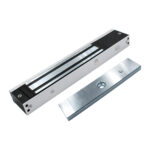
EML280-5 EM lock12 V DC, 0.43 A
Lock relay (Form C)
Door status
Door contact (door position)Separate from the lock: the EML280-5 lock signal only shows that the lock is bonded
Door status input
Inside
EX86-S exit buttonNO/COM dry contact
Exit input
Power
12 V supply and batterySized for every lock and reader
9.6 to 14.4 V DC
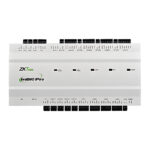
C3 Plus or InBio Pro Plus1, 2 or 4 doors per panel
TCP/IP
ZKBio CVSecurityWindows PC or server
Browser or mobile app
AdminPeople, door times, reports
  • Fire alarm and break glass cut lock power, so fail-safe EM locks release on escape routes.
  • The C3 Plus takes 26, 34 and 66-bit Wiegand readers and ZKTeco RS-485 or OSDP readers.

Illustrative, not to scale.

Configuration

Card-controlled doors, priced line by line

The example starts with one door and ten users. Set your number of doors and users, and choose the reader and controller versions.

Illustrative configuration. Models, quantities and installation are confirmed for your site before an order or quotation.

Size it for your site

Quantities marked "per" follow these numbers.

Equipment

PartModelQtyUnit incl. GSTLine total
1Reader outside
ZKTeco KR500 Slim Mullion RFID Card Reader (IP65)E model for 125 kHz ID cards; the M model reads 13.56 MHz
1 per door₹1,986₹1,986
2Lock
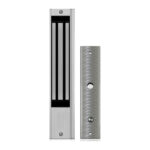
ZKTeco EML280-5 Magnetic Lock 280 kg / 600 lbs with Lock Signal280 kg holding force, fail-safe, lock signal output
1 per door₹1,670₹1,670
2Lock bracket
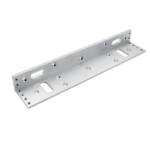
ZKTeco MLB-280L L Bracket for 280 Series Magnetic LockDepends on door type; U or LZ for others
1 per door₹400₹400
3Exit button1 per door₹163₹163
5Controller
ZKTeco C3 Plus Series IP-Based Access Control Panel (1/2/4 Door)1, 2 or 4 door versions: choose by the doors on this panel, or add panels
₹10,182₹10,182
Credentials
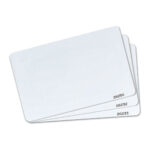
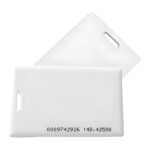
ZKTeco ID Thin Card, 125 kHz Printable Proximity CardOne 125 kHz ID card per person (matches the KR500 E)
1 per user₹11₹110
Equipment, priced items₹14,511

Licences and software

PartModelQtyUnit incl. GSTLine total
Management softwareOptional
ZKTeco ZKBio CVSecurity Web-Based Integrated Security Platform SoftwareOptional. Small sites can use the panel's built-in web server
On request
Licences and software, priced itemsNone selected

Installation

Quoted after a site survey, or carried out by your own installer. Not in the prices above.

  • Cable and conduit from each door to the controller, run before false ceilings close
  • Fixing the lock, bracket, reader and exit button at each door
  • A fixed IP address for the controller on your network

Assumptions

  • One door to start; change Doors and Users above
  • A framed door that takes the L bracket; glass and narrow frames need the U or LZ bracket
  • 125 kHz EM ID cards (26-bit Wiegand from the KR500 E reader); 13.56 MHz MIFARE cards need the KR500 M model and matching cards
  • Managed from the C3 Plus built-in web server unless you add ZKBio CVSecurity

Capacity limits

  • C3-100 Plus: 1 door with 2 Wiegand reader inputs (entry and exit) and 1 door status input; 100,000 users and cards, 500,000 events (C3 Plus series figures)
  • More doors: C3-200 Plus (2) or C3-400 Plus (4), or add panels

Prerequisites, not in this configuration

  • 12 V power supply and backup battery, sized for all locks and readers
  • Emergency break glass and the fire alarm interface, wired to cut lock power

Not included

  • Power supply, battery and break glass (see prerequisites)
  • ZKBio CVSecurity licences, unless you add the optional line
  • Installation labour and cabling

Options and alternatives

  • ZKBio CVSecurity, for central management; small sites can use the panel's web server
  • A door position sensor (door contact) for door-held-open and forced-open alarms
  • Alternative: FR1500S fingerprint reader on an InBio Pro Plus panel, instead of the KR500 on the C3 Plus
  • Alternative: KR500 M model with 13.56 MHz cards, instead of the E model with 125 kHz ID cards
  • Alternative: U or LZ bracket instead of the L bracket, by door type

Buying guidance

The KR500 E model sends 26-bit Wiegand, and the C3 Plus accepts 26, 34 and 66-bit Wiegand readers. The EML280-5 lock signal output shows whether the lock is bonded, not whether the door is open. For door-held-open and forced-open alarms, add a door position sensor (door contact) on the panel's door status input. The cards must match the reader: 125 kHz ID for the E model. We confirm lock and bracket choices against your doors in the quotation.

Compare

The same job, different platforms

OptionSuitsPrice incl. GSTLink
ZKTeco C3 Plus or InBio Pro PlusCard doors on C3 Plus; fingerprint and RS-485 readers on InBio Pro Plus. Managed in ZKBio CVSecurity, with door expansion licences.From ₹10,182See the range
MORX MAC-D2 with power boxTwo-door controller with a built-in web server and Wiegand 26 readers, supplied with a power box.₹25,242See the range
Armatura AHSC-1000Multi-biometric access control panel, managed in Armatura One.₹108,598See the range

Management software

Doors, people and reports in ZKBio CVSecurity

The C3 Plus has a built-in web server for a few doors. For more doors, sites and reports, the panel reports over TCP/IP to ZKBio CVSecurity.

  • Web-based: run it on a Windows PC or Windows Server and open it in Chrome, Firefox, Safari or Edge.
  • Platform limits of 300,000 people and 5,000 doors; licences are sized to the doors and modules you use.
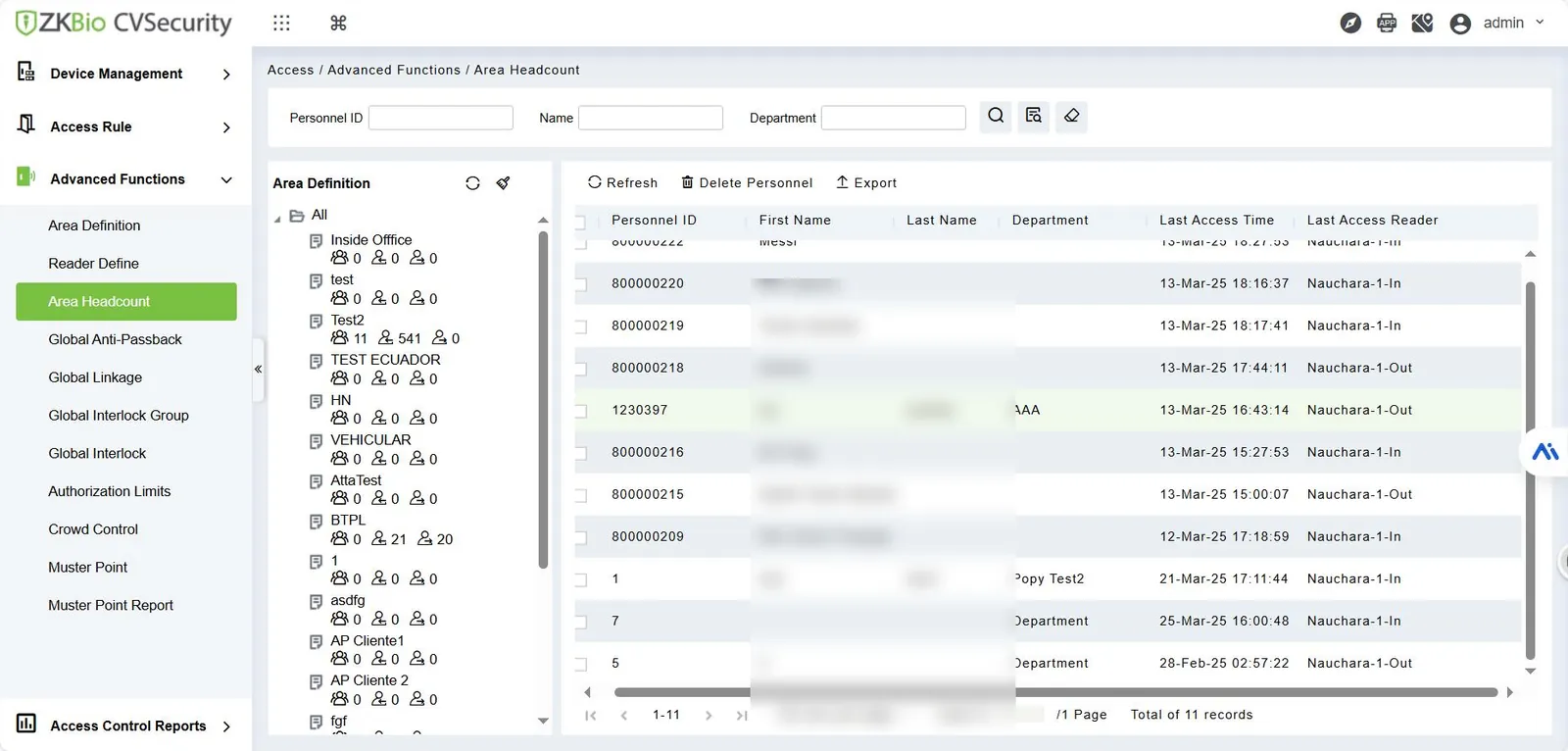
  • Area headcount, access levels by door and time, and access reports, as in the screen shown.
ZKBio CVSecurity 6.8.0 Access, Advanced Functions, Area Headcount screen with an area tree and a personnel table
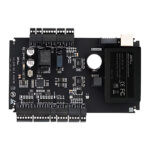
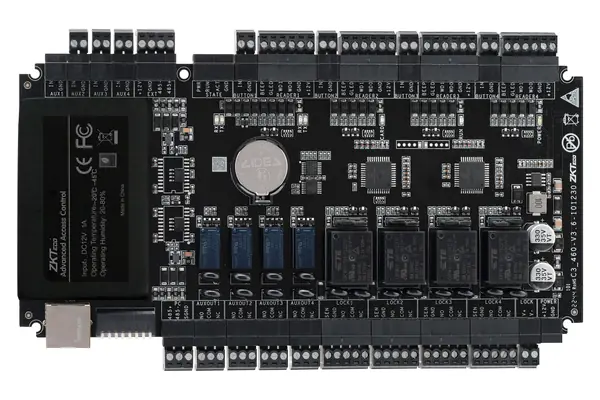
ZKTeco C3-400 Plus access control board
ZKBio CVSecurity 6.8.0, Access > Advanced Functions > Area Headcount.
More modelsOther models for each part

Every controlled door needs a controller channel, a reader outside, a lock with the right bracket, and an exit button inside. Cards suit most doors, with biometric readers or face terminals at sensitive ones. The list gives example models from small offices to larger projects. Run through our door setup checklist before you count parts.

Core components

  1. Door controllerDecides who may open each door and logs events; C3 Plus for card doors, InBio Pro Plus for biometric readers, AHSC-1000 for campuses.
    All Controllers & Panels
  2. Reader outside each doorReads the card, fingerprint or QR code and passes it to the controller; KR500 fits narrow mullions, FR1500S adds fingerprint on InBio.
    All Readers
  3. Electromagnetic lockHolds the door shut and releases on a valid read; fail-safe, so suitable for exit routes. Signal output models report lock status.
    All Magnetic / EM Locks
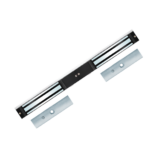
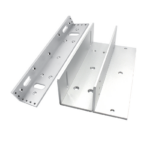
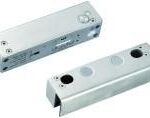
  4. Lock bracketFits a 280 series lock to the door: U bracket for 10 to 15 mm frameless glass, LZ set for narrow doors.
    All Mounting Brackets
  5. Exit buttonReleases the door from inside without a credential; slim EX28-L for narrow frames, touchless K1-1D for clinics and labs.
    All Exit Buttons
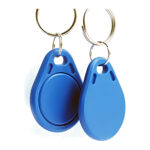
  6. Cards and fobsOne credential per person; match the frequency to your readers, 125 kHz ID or 13.56 MHz Mifare.
    All Cards, Tags & Credentials
  7. Management softwareCentral enrolment, access levels and reports for ZKTeco panels and terminals; expansion licences add doors in blocks of ten.
    All Access Control Software

Optional additions

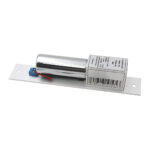
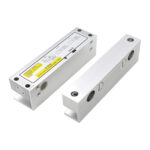
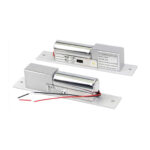
  1. Drop bolt for glass and double doorsA concealed bolt instead of a surface magnet; F-BL43-5 suits frameless glass and gives a door status output.
    All Electric Bolts / Drop Bolts
  2. Standalone face terminalReader and door control in one unit for a main entry, with attendance logging; SpeedFace M4 is IP66 for exposed doorways.
    All Face Recognition Terminals
Start a quote with these componentsAdds one of each core component to your quote list. Compatibility is confirmed in the quotation; sending the request needs an account.

Details

Software, installation and growth

Software

ZKBio CVSecurity is the management software for the ZKTeco controllers and terminals in this system. The C3 Plus and InBio Pro Plus panels, and terminals such as the F22, SpeedFace V5L and ProBio Plus, list it as supported. Used from a browser, it enrols people, assigns access levels by door and time zone, shows door status and produces event reports.

Doors are added with licences: the ZKBio CVSecurity 10-Door Expansion License adds ten doors to an existing installation as a perpetual licence. The ZKBio CVSecurity Mobile App lets admins unlock doors remotely, cancel alarms, start a lockdown and receive push notifications. The C3 Plus, InBio Pro Plus and MORX MAC panels also have a built-in web server for small setups. Armatura projects use Armatura One, which the AHSC-1000 lists.

Installation considerations
  • Cabling: run every door’s cables to the controller before false ceilings close. MORX MAC panels list Wiegand reader runs up to 80 metres; RS485 readers share one bus on InBio controllers.
  • Power and backup: EM locks draw current whenever locked, so size the 12V supply for all locks and readers, and add a battery. C3 Plus and InBio Pro Plus list an optional enclosure with power supply and battery space; the Armatura ENC-1B bundles one for AHSC and AHDU controllers.
  • Fire safety and emergency egress: escape route doors must open when power fails or the fire alarm operates, so use fail-safe locks and wire the fire alarm to cut lock power. Fail-secure strikes and rim locks suit store rooms, not exit routes. Follow the National Building Code and your local fire authority.
  • Mounting: choose the bracket by door type and opening direction.
  • Earthing: earth metal enclosures and keep low-voltage cables away from mains runs.
  • Network: give controllers fixed IP addresses reachable from the ZKBio CVSecurity server.

Installation is carried out by your own installer or electrician. SecurityGearHub supplies the hardware and software and can advise on parts and wiring through installation support.

Growing the system
  • More doors: C3 Plus and InBio Pro Plus come in 1, 2 and 4 door models; add panels and 10-door licences.
  • Another credential: add FR1500S fingerprint readers to an InBio panel, or QR600 readers for visitor QR codes from the ZKBio CVSecurity mobile app.
  • Face at key doors: put a face recognition terminal such as the SpeedFace V5L at the main entry; it records attendance as well.
  • Lifts: the EC16 elevator panel with DEX16 boards restricts floors by card, fingerprint, QR code or face and lists ZKBio CVSecurity.
  • Campus scale: the Armatura AHSC-1000 scales to 129 access points using AHDU door units and AHEB-0808 I/O boards.

Downloads

Datasheets for these parts

Search all datasheets, manuals and drawings

Questions

Frequently asked

Can I start with one door and add more later?

Yes. A standalone terminal such as the ZKTeco F22 or SpeedFace V5L runs one door, and both list ZKBio CVSecurity. Later, add C3 Plus or InBio Pro Plus panels and manage everything in the same software.

Which lock should I use on a glass door?

Frameless glass usually takes an EM lock on a U bracket, or a glass door bolt such as the ZKTeco F-BL43-5. Check thickness: the MLB-280U is listed for 10 to 15 mm glass.

What happens to the doors in a power cut or a fire?

Fail-safe locks such as EM locks release when power is removed, which is what escape routes need. Add battery backup so doors stay secured during ordinary outages, and wire the fire alarm to cut lock power so every exit door opens in an emergency.

Should we use cards or fingerprints?

Cards are quick to issue and cancel but can be lent. Fingerprint and face tie entry to the person, so many offices add them at the main entry and server room.

Do I need a server for ZKBio CVSecurity?

It installs on Windows 7 to 11 or Windows Server and is used through a browser. A small office can use an always-on PC; larger sites should use a dedicated server.

Planning doors for an office, factory or campus? Describe your site and we will prepare a quotation, or talk to technical sales about controllers, locks and software.

Get a quotation

Tell us about your site

What we need to quote:

  • Number of doors, and which are fire exits
  • Door type per door: wood, metal, framed or frameless glass, single or double
  • Credential: card, fingerprint, face or a mix
  • Number of users, and whether you need attendance reports
  • Existing cabling, network and power at each door

Prefer to talk it through? Call or WhatsApp +91 96060 62750 / 62751 (WhatsApp), Monday to Saturday, 9:00 AM to 6:30 PM IST.