Online checkout is currently closed. Browse products, build your list and request a quotation. Need help? Call or WhatsApp us.Online checkout is currently closed. Call or WhatsApp for enquiries.

  • Sold by Sada Smart Solutions LLP, GSTIN 29AEJFS5796N1ZTSada Smart Solutions LLP

Call or WhatsApp +91 96060 62750 / 62751, Mon to Sat, 9:00 AM to 6:30 PM

Illustration of a gym reception with a glass swing gate lane leading to the training floorIllustration

Gym entry hardware

Gym entry and access

Plan the member check-in and entrance workflow together. Confirm the management platform, supported access integration, lane requirements and safe exit arrangements.

Suits Independent gyms, Clubs with a pool or spa, Society and corporate gyms, Day-pass facilities

Brands for this system: ZKTeco

On the plan

Where each part goes

A gym entrance with one face-controlled lane Front desk with a PC and the ZKBio CVSecurity server, a flap barrier lane with a face terminal on a pole, an inner door to the pool with its own terminal, and a separate emergency exit. 1 2 3 4 5 6
  1. Front desk: join, pay and enrol the face
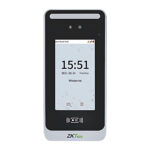
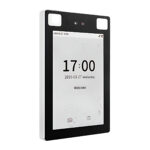
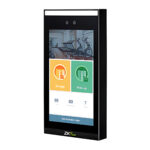
  2. SpeedFace V5L face terminal on the lane
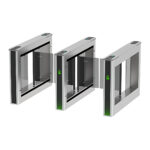
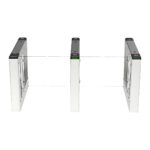
  3. Saturn-F1000 flap barrier
  4. ZKBio CVSecurity server
  5. Pool or ladies' area door with its own terminal
  6. Separate emergency exit
Illustrative, not to scale. One face-controlled lane, with an inner door for the pool.
Reception counter with two ZKTeco Saturn-T1000 tripod turnstile lanes in a bright lobby
Saturn-T1000 lanes beside a reception desk; not a gym installation.

At the entrance

Front desk on one side, the lane on the other

Members join and enrol at the desk, then walk to the lane. The face terminal sits on top of the barrier, so a paid member walks through without stopping at the desk.

  • Saturn-F1000 flap lane in the example set: 550 mm lane, 15 people a minute by face, 30 by card, opens on power off.
  • SpeedFace V5L on a mounting pole on the F1000: 10,000 faces, up to 2 m.
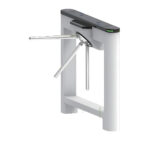
  • Saturn-T1000 tripod, as shown, for a single compact entrance: 25 a minute, arm drops on power loss.

How it works

In 5 steps

  1. 01JoinThe front desk creates the member in the membership software, picks a plan and records payment.
  2. 02Enrol faceThe face is enrolled from a webcam or photo, or a fingerprint on a registration device.
  3. 03Grant (ZKBio level)The membership software creates the member in ZKBio CVSecurity with the access levels the plan covers.
  4. 04EnterThe member looks at the terminal; on a valid match the lane opens for one pass and closes behind them.
  5. 05Auto-remove, with the integrationWith GymNtry connected to ZKBio CVSecurity, when an invoice goes overdue, or the membership is paused, cancelled or blacklisted, access is removed.

System diagram

From the front desk to the lane

Membership status decides the access level; ZKBio CVSecurity sends it to the terminal at the lane.

Membership software
GymNtryMembers, plans, invoices
Adds members, sets access levels
Front desk
Webcam or photoFace enrolment with quality checks
Face template
ZKBio CVSecurityUp to 300,000 personnel
TCP/IP
SpeedFace V5LFace, 12 V DC 3 A
Wiegand output
Lane controllerC3 or InBio series
Relay signal, per controller wiring
Saturn-F1000Flap lane, 24 V DC logic
  • The controller for the lane is confirmed in the quotation: the F1000 lists C3, InBio series or third-party devices.
  • ZKTeco easy GymFit is the other membership package in the catalogue; it lists the MiniAC Plus as its supported device.

Illustrative, not to scale.

Configuration

Face-controlled lanes, priced line by line

The example is one flap lane with a face terminal and the access software. Set the number of lanes and choose the terminal version.

Illustrative configuration. Models, quantities and installation are confirmed for your site before an order or quotation.

Size it for your site

Quantities marked "per" follow these numbers.

Equipment

PartModelQtyUnit incl. GSTLine total
2Face terminal
ZKTeco SpeedFace V5L Face Recognition Access and Attendance Terminal10,000 faces; card and fingerprint backup
1 per lane₹40,234₹40,234
3Flap barrier
ZKTeco Saturn-F1000 Flap Barrier550 mm lane; opens on power off
1 per lane₹148,914₹148,914
Equipment, priced items₹189,148

Licences and software

PartModelQtyUnit incl. GSTLine total
4Access softwareOn request
Licences and software, priced itemsOn request

Installation

Quoted after a site survey, or carried out by your own installer. Not in the prices above.

  • Fixing the lane and terminal, and cabling them to the lane controller and the server
  • Fire alarm input wiring to the lane

Assumptions

  • One flap lane with face entry at the member entrance
  • Lanes planned for the evening peak: the Saturn-F1000 lists 15 people a minute by face and 30 by card
  • ZKBio CVSecurity licence sized to your doors and lanes in the quotation

Prerequisites, not in this configuration

  • Lane controller (C3 or InBio series, per the F1000 specification), quoted with the project
  • Mains supply, UPS and network to the lane and the server
  • Fire alarm input wiring and a separate emergency exit

Not included

  • Lane controller, quoted with the project
  • Membership software (GymNtry or easy GymFit), unless you add it to the quotation

Options and alternatives

  • Membership software: GymNtry or easy GymFit
  • A second terminal for the pool, spa or ladies' area door
  • Alternative: Saturn-T1000 tripod or SBTL3000 swing lane instead of the Saturn-F1000 flap

Buying guidance

The Saturn-F1000 lists the SpeedFace V5L as a top-mount face terminal, and both list ZKBio CVSecurity. The F1000 lists 15 people a minute by face and 30 by card, so plan lanes for your evening peak.

Compare

Choose the lane

Each lane lists ZKBio CVSecurity. Prices are for one lane unit.

OptionSuitsPrice incl. GSTLink
Tripod: Saturn-T1000Compact and rugged for a single entrance, 25 people a minute, 550 mm lane.₹69,493Turnstiles and gates
Flap: Saturn-F1000Takes the SpeedFace V5L on a mounting pole; 15 a minute by face, 30 by card; opens on power off.₹148,914Turnstiles and gates
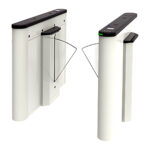
Swing: SBTL3000600 to 900 mm passage for members with bags or wheelchairs; catalogued with the SpeedFace V5L.₹192,844Turnstiles and gates

Planning

Who the lane lets in

One test at the lane: is this an active, paid member allowed into this area now.

Who the lane lets in Active and paid: the flaps open for one pass. Overdue, paused or blacklisted: the flaps stay closed and the member is sent to the desk. Active and paidOverdue, pausedor blacklisted Opens for one passand closes behind Stays closedmember sent to the desk

Paid opens, overdue stays shut

With the membership software connected to the access platform, access follows the membership: granted when a plan is added or an invoice is paid, removed when an invoice turns overdue or the membership is paused, cancelled or blacklisted.

GymNtry membership to access flow Illustrative. A member's plan is checked for an active subscription with no overdue invoice and no pause or blacklist. If valid, GymNtry assigns ZKBio CVSecurity access levels, the terminal at the turnstile or door verifies the member by face, fingerprint or card as that model supports, CVSecurity logs the entry with its time, and GymNtry reads the logs as attendance. If not valid, access levels are removed and entry is denied until the invoice is paid or the membership resumes. Membership to access Illustrative 1 MemberProfile, plan and face or fingerprint in GymNtry 2 Membership valid? Subscription activeNo overdue invoiceNot paused or blacklisted If not valid Access levelsremoved, entrydenied until paidor resumed 3 ZKBio CVSecurity access levelPlan areas map to access levels, set by GymNtry 4 Turnstile or doorTerminal checks face, finger or card, by model 5 Entry logCVSecurity records each entry with its time 6 AttendanceGymNtry reads the logs: check-ins, member history valid GymNtry ZKBio CVSecurity and site hardware

Software and hardware split

GymNtry decides who is entitled; ZKBio CVSecurity holds the access levels and drives the terminals and lanes.

Membership softwareGymNtry decides who gets inGymNtry runs members, plans and invoices, and grants or removes access in ZKBio CVSecurity.See GymNtry
More modelsOther models for each part

A minimum gym entry has four layers: a face terminal, a turnstile or flap barrier, ZKBio CVSecurity to manage devices and access levels, and membership software that decides who may enter. Every terminal and lane in the required slots lists ZKBio CVSecurity compatibility, and the SBTL3000 lane is catalogued with the SpeedFace V5L. Optional slots cover outdoor terminals, cards, full-height turnstiles and lockers.

Core components

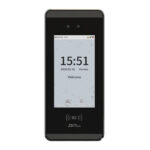
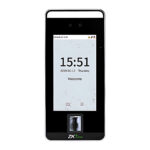
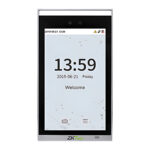
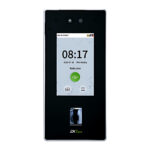
  1. Face recognition terminalReads the member's face at the lane and triggers the barrier; all four list ZKBio CVSecurity compatibility.
    All Face Recognition Terminals
  2. Turnstile or flap barrierLets one member through per valid read. Tripod for compact entrances, flap or swing barrier for faster, more open lanes.
    All Turnstiles & Speed Gates
  3. Access control softwareManages terminals, access levels and entry logs; GymNtry connects through it. Expansion licences add doors later.
    All Access Control Software
  4. Gym membership softwareDecides who may enter from plan and payment status. Choose GymNtry (see Software) or easy GymFit, which lists MiniAC Plus support.
    All Membership & Facility Management

Optional additions

  1. Weatherproof face terminalFor entrances exposed to rain or dust: IP66 and IP68 rated housings, both listing ZKBio CVSecurity compatibility.
    All Face Recognition Terminals
  2. Member cardsBackup credential for members. Match the frequency to the terminal: 125 kHz ID or a 13.56 MHz Mifare card module.
    All Cards, Tags & Credentials
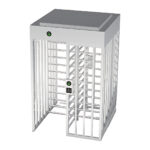
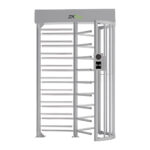
  3. Full-height turnstileFloor-to-ceiling lane for unattended early or late hours; confirm controller and reader options with technical sales.
    All Turnstiles & Speed Gates
  4. Locker face terminalFace-operated self-service lockers, up to 96 locks via lock control boards; confirm software fit before ordering.
    All Face Recognition Terminals
Start a quote with these componentsAdds one of each core component to your quote list. Compatibility is confirmed in the quotation; sending the request needs an account.

Details

Software, installation and growth

Software

ZKBio CVSecurity is the access control platform. It registers terminals, holds personnel and access levels, and records every entry. Its specification lists up to 300,000 personnel on a Windows PC or Windows Server, and 10-door expansion licences add door capacity.

GymNtry is SecurityGearHub’s own gym management software. It keeps member records, including group and corporate memberships, and sells daily, weekly, monthly or yearly plans, each opening specific gym areas. It raises recurring invoices automatically, tracks overdue ones, records full and partial payments, and keeps an advance-payment wallet. Memberships can be frozen with an automatic resume date, members can be blacklisted, and a dashboard shows revenue, active members and check-ins.

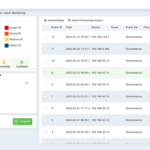
GymNtry works with ZKTeco ZKBio CVSecurity. It creates members on the ZKBio server and grants door or turnstile access only while a membership is active and paid, removing it automatically when an invoice goes overdue, a membership is paused or cancelled, or a member is blacklisted. Fingerprints are enrolled through a ZKBio-connected registration device, and faces from a webcam or photo with quality checks. Each member’s door access history sits in their record.

ZKTeco easy GymFit is the other membership package in the catalogue. It lists Windows 11 or Windows Server with PostgreSQL or Microsoft SQL Server 2019, and the MiniAC Plus as its supported device, with other visible light devices on request through customisation.

Installation considerations
  • Floor and conduit. Lanes are bolted to a level, finished floor, with conduit laid between cabinets before tiling.
  • Controller. Lane specifications name ZKTeco C3 or InBio controllers or third-party devices. Ask technical sales which controller your chosen lane needs.
  • Power and backup. The lanes take mains AC and the terminals 12 V DC. Put lanes, controller and server on a UPS.
  • Emergency egress. A turnstile is not a fire exit. Keep a separate exit route and wire the fire alarm to the lane’s emergency or fire input where the model lists one.
  • Terminal position. Mount face terminals to suit the approach, away from direct sunlight and strong backlight.
  • Network and earthing. Run structured cabling to each lane, give devices fixed IP addresses and earth the steel cabinets.

Installation is done by your own installer or electrician. SecurityGearHub supplies the hardware and software and can advise before you order. The turnstile buying guide compares lane types.

Growing the system
  • More doors. Add face recognition terminals on pool, spa or studio doors so area-specific plans are enforced inside, with 10-door expansion licences as needed.
  • Cards. Add 125 kHz or 13.56 MHz cards matched to your terminal’s card module.
  • Unattended hours. A full-height model from the turnstiles range suits early or late entry with no desk staff.
  • Lockers. The LockerPad-7B face terminal drives up to 96 locker locks through lock control boards.

Downloads

Datasheets for these parts

Search all datasheets, manuals and drawings

Questions

Frequently asked

Do members need a card if the gym uses face recognition?

No, face alone works for most members. Most listed terminals also accept a card, and some accept fingerprint or PIN (check each specification), useful when a member prefers a card.

What happens when a member’s payment is overdue?

With GymNtry, access is removed automatically when an invoice goes overdue and granted again once the membership is active and paid.

Should I choose a tripod turnstile or a flap barrier?

Tripods are compact and robust for a single entrance with moderate traffic. Flap and swing barriers feel more open and handle faster flow; wider swing lanes help members with bags or wheelchairs.

Do I need ZKBio CVSecurity if I use GymNtry?

Yes. GymNtry creates members and grants or removes their access on the ZKBio CVSecurity server, which manages the terminals and lanes and records every entry.

Can a member pause their membership?

Yes. GymNtry supports a freeze with an automatic resume date; access is removed while the membership is paused.

Ready to plan your site? Describe your site and we will prepare a quotation, or talk to technical sales if you want help choosing components first.

Get a quotation

Tell us about your site

What we need to quote:

  • Number of entry lanes and inner doors (pool, spa, ladies' area)
  • Members today, and the evening peak
  • Face, card or both
  • Membership software you use, or GymNtry
  • Mains supply, network and floor at the entrance

Prefer to talk it through? Call or WhatsApp +91 96060 62750 / 62751 (WhatsApp), Monday to Saturday, 9:00 AM to 6:30 PM IST.